Pingify : Gmail, Facebook & Twitter updates
Get realtime facebook, twitter, gmail tabs updates & switch to the tab from any window
Pingify : Gmail, Facebook & Twitter updatesとは何ですか?
Pingify : Gmail, Facebook & Twitter updatesはPiyushによって開発されたChromeの拡張機能で、その主な機能は「Get realtime facebook, twitter, gmail tabs updates & switch to the tab from any window 」です。
拡張機能のスクリーンショット

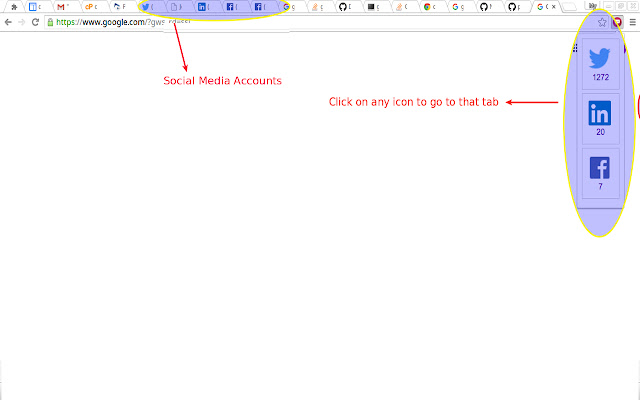
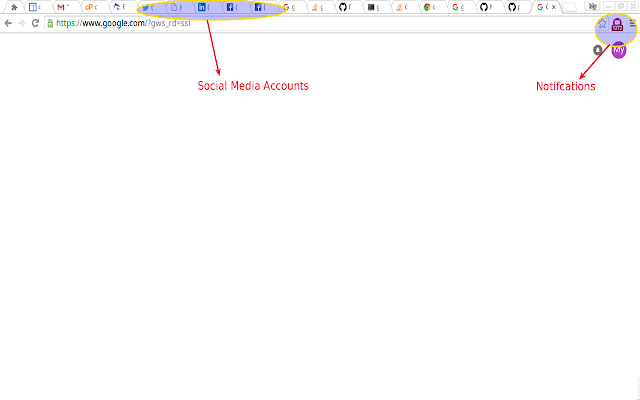
Pingify : Gmail, Facebook & Twitter updates拡張機能のCRXファイルをダウンロード
Pingify : Gmail, Facebook & Twitter updates拡張子のファイルをcrx形式でダウンロードし、ブラウザにChrome拡張機能を手動でインストールするか、crxファイルを友達と共有して簡単にChrome拡張機能をインストールします。
拡張機能の使用方法
                        A chrome addon that notifies any new updates on opened Facebook, Twitter, Gmail tabs.

Benefits:
* Allows to check realtime tab updates without leaving the current tab
* Makes it easy to quickly switch to the tab you are interested in, from any window
* Does not require or store sensitive login details

Changes
* Added support to Gmail

Features
* Supports facebook, twitter, Gmail
* Realtime and fast updates
* Ability to quickly switch between tabs
* Supports multiple windows and multiple tabs
* Does not need any sensitive data, password etc
* Low on memory consuption
拡張機能の基本情報
| 名前 |  Pingify : Gmail, Facebook & Twitter updates Pingify : Gmail, Facebook & Twitter updates |
| ID | hljfcoecgpocgkhcimnldhddofkmpnki |
| 公式URL | https://chrome.google.com/webstore/detail/pingify-gmail-facebook-tw/hljfcoecgpocgkhcimnldhddofkmpnki |
| 説明 | Get realtime facebook, twitter, gmail tabs updates & switch to the tab from any window |
| ファイルサイズ | 104 KB |
| インストール数 | 17 |
| 現在のバージョン | 0.0.0.3 |
| 最終更新日 | 2016-06-18 |
| 公開日 | 2016-06-18 |
| 評価 | 5.00/5 合計 2 レビュー |
| 開発者 | Piyush |
| 支払い方法 | free |
| 拡張機能のウェブサイト | http://www.piyushtripathi.com |
| プライバシーポリシーページのURL | http://www.piyushtripathi.com |
| 対応言語 | en-US |
| manifest.json | |
{
"update_url": "https:\/\/clients2.google.com\/service\/update2\/crx",
"manifest_version": 2,
"name": "Pingify : Gmail, Facebook & Twitter updates",
"description": "Get realtime facebook, twitter, gmail tabs updates & switch to the tab from any window ",
"version": "0.0.0.3",
"icons": {
"16": "img\/icon-16.png",
"32": "img\/icon-32.png",
"48": "img\/icon-48.png",
"128": "img\/icon-128.png",
"480": "img\/icon-480.png"
},
"background": {
"scripts": [
"background.js"
],
"persistent": true
},
"browser_action": {
"default_icon": "img\/icon.png",
"default_popup": "popup.html"
},
"content_scripts": [
{
"matches": [
" | |