Sema Login Autocomplete
Configure users credentials for each environment of your development web-projects. It's more than an autocomplete feature :-)
Sema Login Autocompleteとは何ですか?
Sema Login AutocompleteはJosé Manuel García Garcíaによって開発されたChromeの拡張機能で、その主な機能は「Configure users credentials for each environment of your development web-projects. It's more than an autocomplete feature :-)」です。
拡張機能のスクリーンショット
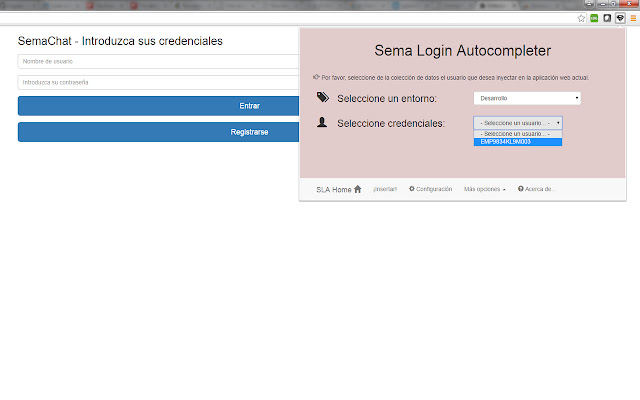
Sema Login Autocomplete拡張機能のCRXファイルをダウンロード
Sema Login Autocomplete拡張子のファイルをcrx形式でダウンロードし、ブラウザにChrome拡張機能を手動でインストールするか、crxファイルを友達と共有して簡単にChrome拡張機能をインストールします。
拡張機能の使用方法
                        Are you tired of write several time the user credentials of your current web development? Do you have a lot of different users in your web-app? Don't you remember which one is each credentials?

With the help of this extension you'll manage all your users and all your development environments (ouh yeah, production too!!), and don't care about the passwords :-)

Moreover, you could share that configuration (users, environments, credentials...) with your new mates, and you'll save your appreciated and tight time avoiding to resent them manually!

Languages: english, spanish and coming soon... italian! (automatically selected based on the chrome-lang)

Install it right now!
拡張機能の基本情報
| 名前 |  Sema Login Autocomplete Sema Login Autocomplete |
| ID | icibgoniiblnlggidknaoijhcomafhma |
| 公式URL | https://chrome.google.com/webstore/detail/sema-login-autocomplete/icibgoniiblnlggidknaoijhcomafhma |
| 説明 | Configure users credentials for each environment of your development web-projects. It's more than an autocomplete feature :-) |
| ファイルサイズ | 349 KB |
| インストール数 | 35 |
| 現在のバージョン | 1.2 |
| 最終更新日 | 2016-04-23 |
| 公開日 | 2016-04-23 |
| 評価 | 5.00/5 合計 1 レビュー |
| 開発者 | José Manuel García García |
| Eメール | [email protected] |
| 支払い方法 | free |
| 対応言語 | en,es |
| manifest.json | |
{
"update_url": "https:\/\/clients2.google.com\/service\/update2\/crx",
"manifest_version": 2,
"name": "__MSG_extName__",
"version": "1.2",
"default_locale": "en",
"description": "__MSG_extDescription__",
"author": "Sema (Jos\u00e9 Manuel Garc\u00eda Garc\u00eda)",
"browser_action": {
"default_icon": "icons\/16\/s2.png",
"default_title": "Sema Login Autocomplete Extension",
"default_popup": "browser\/browser-action.html"
},
"background": {
"scripts": [
"libs\/jquery.js",
"background\/background.js"
],
"persistent": false
},
"commands": {
"_execute_browser_action": {
"suggested_key": {
"windows": "Ctrl+Shift+S",
"mac": "Command+Shift+S",
"chromeos": "Ctrl+Shift+S",
"linux": "Ctrl+Shift+S"
}
}
},
"content_scripts": [
{
"matches": [
" | |