AliExpress Order Extractor
This extension can help small businesses to create purchase order from order page
AliExpress Order Extractorとは何ですか?
AliExpress Order Extractorはhttps://oxymoron-tech.oxy.co.ilによって開発されたChromeの拡張機能で、その主な機能は「This extension can help small businesses to create purchase order from order page」です。
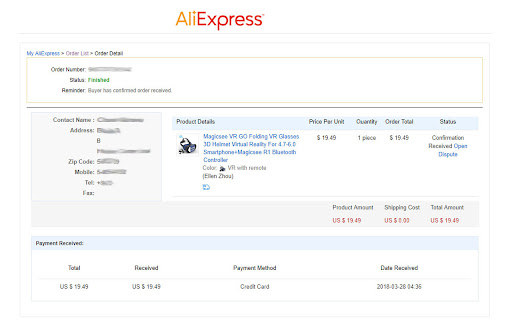
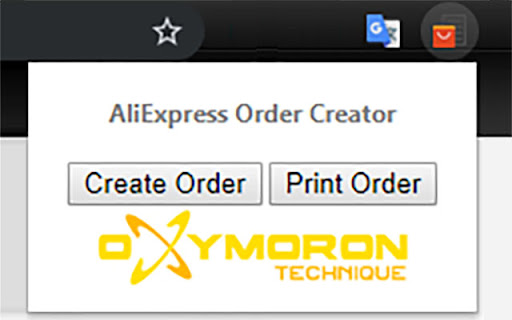
拡張機能のスクリーンショット

AliExpress Order Extractor拡張機能のCRXファイルをダウンロード
AliExpress Order Extractor拡張子のファイルをcrx形式でダウンロードし、ブラウザにChrome拡張機能を手動でインストールするか、crxファイルを友達と共有して簡単にChrome拡張機能をインストールします。
拡張機能の使用方法
                        There is a problem that AliExpress not sending any invoice or purchase order. And there is many micro-orders and micro-transactions. But many people buy stuff for their business via AliExpress and they need invoices for taxes.
This extension can help to compose invoice-like page from AliExpress order details page (https://trade.aliexpress.com/order_detail.htm) and print it.
-------------------------------------------------------------------------------------------------------------------------------------------------------------------------------------------------------------
Version 1.1:
- fix bugs for unfinished orders
- improve UI changes
- bonus: hide annoying chat :-)
拡張機能の基本情報
| 名前 |  AliExpress Order Extractor AliExpress Order Extractor |
| ID | idnfcalokbhljjjlphmknbfpngjgaale |
| 公式URL | https://chromewebstore.google.com/detail/aliexpress-order-extracto/idnfcalokbhljjjlphmknbfpngjgaale |
| 説明 | This extension can help small businesses to create purchase order from order page |
| ファイルサイズ | 22.55 KB |
| インストール数 | 610 |
| 現在のバージョン | 1.1 |
| 最終更新日 | 2019-11-08 |
| 公開日 | 2019-11-08 |
| 評価 | 3.50/5 合計 8 レビュー |
| 開発者 | https://oxymoron-tech.oxy.co.il |
| Eメール | [email protected] |
| 支払い方法 | free |
| 対応言語 | en |
| manifest.json | |
{
    "update_url": "https:\/\/clients2.google.com\/service\/update2\/crx",
    "manifest_version": 2,
    "author": "Oxymoron Technique",
    "name": "AliExpress Order Extractor",
    "short_name": "AliExpress Order",
    "version": "1.1",
    "description": "This extension can help small businesses to create purchase order from order page",
    "icons": {
        "16": "icon_S_16.png",
        "32": "icon_S_32.png",
        "96": "icon_S_96.png",
        "128": "icon_s_128.png"
    },
    "background": {
        "scripts": [
            "bg.js"
        ],
        "persistent": false
    },
    "page_action": {
        "default_icon": "icon_s_128.png",
        "default_title": "AliExpress Order Extractor",
        "default_popup": "popup.html"
    },
    "content_scripts": [
        {
            "matches": [
                "https:\/\/trade.aliexpress.com\/*",
                "https:\/\/home.aliexpress.com\/*"
            ],
            "run_at": "document_start",
            "js": [
                "content.js"
            ]
        }
    ],
    "permissions": [
        "activeTab",
        "declarativeContent"
    ]
} | |