Eyes Alarm
Notifies you it's time to take a break
Eyes Alarmとは何ですか?
Eyes Alarmはartyomliouによって開発されたChromeの拡張機能で、その主な機能は「Notifies you it's time to take a break」です。
拡張機能のスクリーンショット


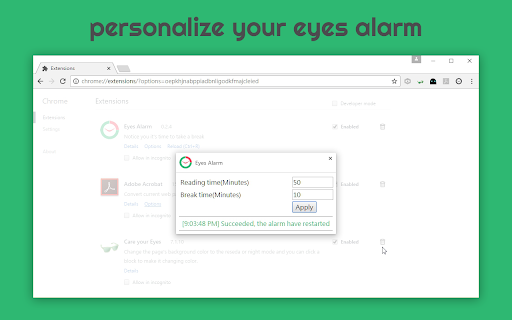

Eyes Alarm拡張機能のCRXファイルをダウンロード
Eyes Alarm拡張子のファイルをcrx形式でダウンロードし、ブラウザにChrome拡張機能を手動でインストールするか、crxファイルを友達と共有して簡単にChrome拡張機能をインストールします。
拡張機能の使用方法
                        Reading with monitor for a long time is unavoidable to people and it strains your eyes.
It's necessary to rest your eyes every 50 minutes you spent with monitor.
And this extension notices you on a timely basis w/ a decent user interface

0.2.9
- update italian localization by Manzan Riccardo

0.2.77
- update toolchain
- update English localization fixed by Rishabhbhat

0.2.73
- add Russian localization by VladimirCreative
拡張機能の基本情報
| 名前 |  Eyes Alarm Eyes Alarm |
| ID | ikapkidffcmjhlkgdgcbakcahgfbabnb |
| 公式URL | https://chromewebstore.google.com/detail/eyes-alarm/ikapkidffcmjhlkgdgcbakcahgfbabnb |
| 説明 | Notifies you it's time to take a break |
| ファイルサイズ | 1.92 MB |
| インストール数 | 1,160 |
| 現在のバージョン | 0.2.77 |
| 最終更新日 | 2022-04-07 |
| 公開日 | 2020-05-13 |
| 評価 | 3.86/5 合計 7 レビュー |
| 開発者 | artyomliou |
| Eメール | [email protected] |
| 支払い方法 | free |
| 対応言語 | de,en,fr,ru,zh-CN,zh-TW,ja,ko |
| manifest.json | |
{
    "update_url": "https:\/\/clients2.google.com\/service\/update2\/crx",
    "manifest_version": 2,
    "version": "0.2.77",
    "name": "__MSG_extensionName__",
    "description": "__MSG_extensionDescription__",
    "author": "__MSG_authorName__",
    "homepage_url": "https:\/\/github.com\/artyomliou\/eyes-alarm",
    "default_locale": "en",
    "permissions": [
        "http:\/\/*\/*",
        "https:\/\/*\/*",
        "ftp:\/\/*\/*",
        "alarms",
        "notifications",
        "storage",
        "idle"
    ],
    "applications": {
        "gecko": {
            "id": "{548c04e1-8687-42d1-8b1c-032dc42be5b7}",
            "strict_min_version": "51.0"
        }
    },
    "icons": {
        "48": "icons\/[email protected]",
        "96": "icons\/[email protected]",
        "128": "icons\/[email protected]"
    },
    "browser_action": {
        "default_title": "__MSG_extensionName__",
        "default_icon": "icons\/[email protected]",
        "default_popup": "popup.html"
    },
    "options_ui": {
        "page": "options.html"
    },
    "background": {
        "persistent": true,
        "scripts": [
            "browser-polyfill.js",
            "background_scripts.js"
        ]
    }
} | |