PumaPay
An Ethereum Wallet in your Browser
PumaPayとは何ですか?
PumaPayはhttps://pumapay.ioによって開発されたChromeの拡張機能で、その主な機能は「An Ethereum Wallet in your Browser」です。
拡張機能のスクリーンショット
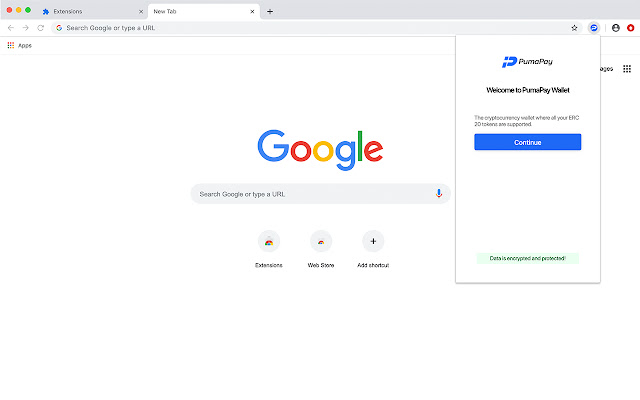


PumaPay拡張機能のCRXファイルをダウンロード
PumaPay拡張子のファイルをcrx形式でダウンロードし、ブラウザにChrome拡張機能を手動でインストールするか、crxファイルを友達と共有して簡単にChrome拡張機能をインストールします。
拡張機能の使用方法
                        PumaPay Chrome Plugin MVP in your Browser

The PumaPay Chrome Plugin MVP is a convenient Chrome extension! Access and manage your PumaPay Wallet, easily and effortlessly.
The Chrome extension is based on MetaMask Chrome Extension technology, which makes it compatible with the PumaPay system. MetaMask (https://metamask.io) is an extension which facilitates access to Ethereum enabled distributed applications, or “Dapps” in your browser! The extension adds functionality by calling web3.js API to enable crypto transactions through your browser, so that dapps can track your blockchain activity. Users can create and manage their identities, while making sure their funds are secure through private keys.
The next iteration of the Chrome Extension will include full support for our PullPayment Advanced Billing Models.
拡張機能の基本情報
| 名前 |  PumaPay PumaPay |
| ID | ipkcagngbjpjlmajjcklpknniojdhppe |
| 公式URL | https://chrome.google.com/webstore/detail/pumapay/ipkcagngbjpjlmajjcklpknniojdhppe |
| 説明 | An Ethereum Wallet in your Browser |
| ファイルサイズ | 12.36 MB |
| インストール数 | 144 |
| 現在のバージョン | 1.1.0 |
| 最終更新日 | 2019-07-17 |
| 公開日 | 2019-07-12 |
| 評価 | 5.00/5 合計 4 レビュー |
| 開発者 | https://pumapay.io |
| Eメール | [email protected] |
| 支払い方法 | free |
| プライバシーポリシーページのURL | https://pumapay.io/docs/privacypolicy.pdf |
| 対応言語 | en,ja |
| manifest.json | |
{
    "update_url": "https:\/\/clients2.google.com\/service\/update2\/crx",
    "name": "__MSG_appName__",
    "short_name": "__MSG_appName__",
    "version": "1.1.0",
    "manifest_version": 2,
    "author": "https:\/\/pumapay.io\/",
    "description": "__MSG_appDescription__",
    "commands": {
        "_execute_browser_action": {
            "suggested_key": {
                "windows": "Alt+Shift+M",
                "mac": "Alt+Shift+M",
                "chromeos": "Alt+Shift+M",
                "linux": "Alt+Shift+M"
            }
        }
    },
    "icons": {
        "16": "images\/pumapay-19x19.png",
        "128": "images\/pumapay-38x38.png"
    },
    "default_locale": "en",
    "background": {
        "scripts": [
            "background.js"
        ],
        "persistent": true
    },
    "browser_action": {
        "default_icon": {
            "19": "images\/pumapay-19x19.png",
            "38": "images\/pumapay-38x38.png"
        },
        "default_title": "PumaPay",
        "default_popup": "popup.html"
    },
    "content_scripts": [
        {
            "matches": [
                "file:\/\/*\/*",
                "http:\/\/*\/*",
                "https:\/\/*\/*"
            ],
            "js": [
                "contentscript.js"
            ],
            "run_at": "document_start",
            "all_frames": true
        },
        {
            "matches": [
                "*:\/\/connect.trezor.io\/*\/popup.html"
            ],
            "js": [
                "vendor\/trezor\/content-script.js"
            ]
        }
    ],
    "permissions": [
        "storage",
        "unlimitedStorage",
        "clipboardWrite",
        "http:\/\/localhost:8545\/",
        "https:\/\/*.infura.io\/",
        "activeTab",
        "webRequest",
        "*:\/\/*.eth\/",
        "notifications"
    ],
    "web_accessible_resources": [
        "inpage.js",
        "phishing.html",
        "firebase-messaging-sw.js"
    ],
    "externally_connectable": {
        "matches": [
            "https:\/\/pumapay.io\/*"
        ],
        "ids": [
            "*"
        ]
    }
} | |