C&P Chrome Extension
Adds autocomplete functionality to the Clients & Profits web time card
C&P Chrome Extensionとは何ですか?
C&P Chrome ExtensionはRyan Bagwellによって開発されたChromeの拡張機能で、その主な機能は「Adds autocomplete functionality to the Clients & Profits web time card」です。
拡張機能のスクリーンショット
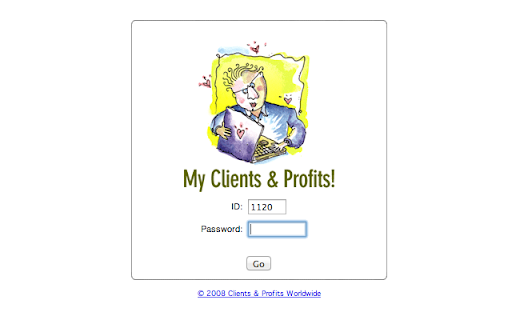
C&P Chrome Extension拡張機能のCRXファイルをダウンロード
C&P Chrome Extension拡張子のファイルをcrx形式でダウンロードし、ブラウザにChrome拡張機能を手動でインストールするか、crxファイルを友達と共有して簡単にChrome拡張機能をインストールします。
拡張機能の使用方法
                        Now you no longer have to remember complex job numbers or cumbersome task IDs.

1. Set your Clients & Profits web url in the extension's options page. File > Preferences > Extensions, then click the options link under the extension name

2. Now, when you click the C&P icon in the top-right corner, it will take you to your time card.

3. Start typing some characters in the "Job" field, and a list of job titles will appear.

4. After selecting a job, you'll be able to see a list of available tasks that are associated with that job.
拡張機能の基本情報
| 名前 |  C&P Chrome Extension C&P Chrome Extension |
| ID | jebjdphnbeoigigjbemknhklddadlpna |
| 公式URL | https://chromewebstore.google.com/detail/cp-chrome-extension/jebjdphnbeoigigjbemknhklddadlpna |
| 説明 | Adds autocomplete functionality to the Clients & Profits web time card |
| ファイルサイズ | 355 KB |
| インストール数 | 14 |
| 現在のバージョン | 1.4.13 |
| 最終更新日 | 2019-03-19 |
| 公開日 | 2019-03-19 |
| 開発者 | Ryan Bagwell |
| 支払い方法 | free |
| 対応言語 | en-US |
| manifest.json | |
{
    "update_url": "https:\/\/clients2.google.com\/service\/update2\/crx",
    "name": "C&P Chrome Extension",
    "version": "1.4.13",
    "manifest_version": 2,
    "description": "Adds autocomplete functionality to the Clients & Profits web time card",
    "icons": {
        "16": "dist\/img\/icon.logo.16.png",
        "48": "dist\/img\/icon.logo.48.png",
        "128": "dist\/img\/icon.logo.128.png"
    },
    "browser_action": {
        "default_icon": {
            "19": "dist\/img\/icon.logo.19.png",
            "38": "dist\/img\/icon.logo.38.png"
        },
        "default_title": "Clients & Profits",
        "name": "Clients & Profits"
    },
    "options_page": "dist\/html\/settings.html",
    "permissions": [
        "https:\/\/*\/*",
        "http:\/\/*\/*",
        "tabs",
        "storage"
    ],
    "background": {
        "scripts": [
            "dist\/browseraction.js"
        ]
    },
    "content_scripts": [
        {
            "matches": [
                "http:\/\/*\/*"
            ],
            "js": [
                "dist\/controller.js"
            ],
            "css": [
                "dist\/css\/jquery-ui\/jquery-ui.min.css",
                "dist\/css\/jquery-ui\/theme.css",
                "dist\/css\/ui.css"
            ]
        }
    ],
    "web_accessible_resources": [
        "dist\/globalaccess.js",
        "dist\/img\/loading.svg"
    ]
} | |


![[DEPRECATED] List Layouts for Trello](https://lh3.googleusercontent.com/dMEliMsS2lms4RZnApgfyShZkCag2o-BBMlgj5Y3W8ciG6XjIVm8DIAgykGQyAOZJq6vrZeOl_IQLlxLmSM5ggTP6w)