Youtube New Tab Search
A youtube tweak to open search results in a new tab so your music keeps playing in the background while you look for your next tune.
Youtube New Tab Searchとは何ですか?
Youtube New Tab SearchはMax Girkinsによって開発されたChromeの拡張機能で、その主な機能は「A youtube tweak to open search results in a new tab so your music keeps playing in the background while you look for your next tune.」です。
拡張機能のスクリーンショット
Youtube New Tab Search拡張機能のCRXファイルをダウンロード
Youtube New Tab Search拡張子のファイルをcrx形式でダウンロードし、ブラウザにChrome拡張機能を手動でインストールするか、crxファイルを友達と共有して簡単にChrome拡張機能をインストールします。
拡張機能の使用方法
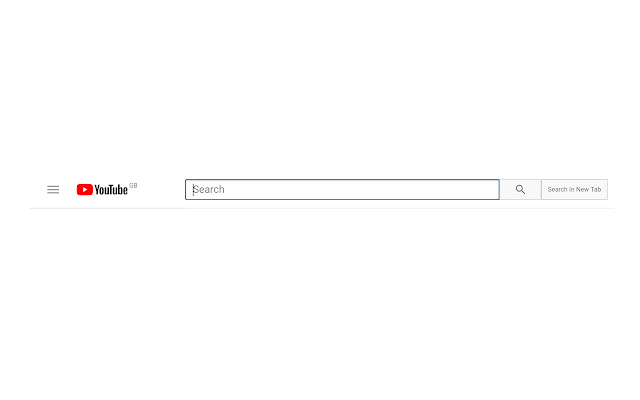
                        Youtube New Tab Search adds a button to the right of the youtube search bar that when clicked will open up search results in a new tab so that the currently playing video doesn't stop.

-unobtrusive, fits youtube's native style
-makes the search tab active

*** newly updated to support the new youtube!
拡張機能の基本情報
| 名前 |  Youtube New Tab Search Youtube New Tab Search |
| ID | lballhcooobklchmpmpneinkjafambof |
| 公式URL | https://chrome.google.com/webstore/detail/youtube-new-tab-search/lballhcooobklchmpmpneinkjafambof |
| 説明 | A youtube tweak to open search results in a new tab so your music keeps playing in the background while you look for your next tune. |
| ファイルサイズ | 51.23 KB |
| インストール数 | 303 |
| 現在のバージョン | 0.2 |
| 最終更新日 | 2017-09-04 |
| 公開日 | 2017-09-04 |
| 評価 | 3.75/5 合計 12 レビュー |
| 開発者 | Max Girkins |
| Eメール | [email protected] |
| 支払い方法 | free |
| 対応言語 | en-GB |
| manifest.json | |
{
    "update_url": "https:\/\/clients2.google.com\/service\/update2\/crx",
    "name": "Youtube New Tab Search",
    "manifest_version": 2,
    "version": "0.2",
    "permissions": [
        "tabs",
        "webNavigation"
    ],
    "description": "A youtube tweak to open search results in a new tab so your music keeps playing in the background while you look for your next tune.",
    "browser_action": {
        "default_icon": "icon.png",
        "default_popup": "popup.html"
    },
    "icons": {
        "16": "icon16.png",
        "48": "icon48.png",
        "128": "icon128.png"
    },
    "content_scripts": [
        {
            "matches": [
                "https:\/\/www.youtube.com\/*",
                "*:\/\/www.youtube.com\/*"
            ],
            "js": [
                "jquery.js",
                "youtubescript.js"
            ],
            "css": [
                "style.css"
            ]
        }
    ],
    "background": {
        "scripts": [
            "background.js"
        ]
    }
} | |