Write, Me
A program to help inspiring writers.
Write, Meとは何ですか?
Write, MeはNicholas Jensenによって開発されたChromeの拡張機能で、その主な機能は「A program to help inspiring writers.」です。
拡張機能のスクリーンショット
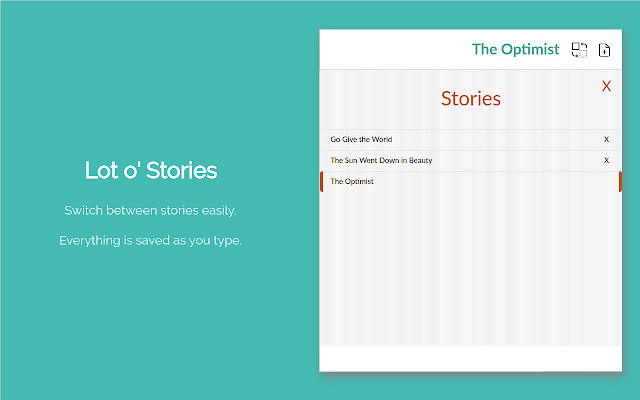


Write, Me拡張機能のCRXファイルをダウンロード
Write, Me拡張子のファイルをcrx形式でダウンロードし、ブラウザにChrome拡張機能を手動でインストールするか、crxファイルを友達と共有して簡単にChrome拡張機能をインストールします。
拡張機能の使用方法
                        Writing can be difficult, even for seasoned writers.

Write, Me helps you write throughout your work day. You won't lose a single creative thought with this powerful tool at a click of the mouse.

★ Save and work on multiple stories

Switch between stories easily. Everything is saved as you type.

★ Stories are saved locally in your browser

Everything is saved in your browser until you are ready to send it out to your friends or editor!

★ Easily import and export your stories

Import and export in word format for extended formatting. Backups are saved in JSON format, so you'll never lose your work.
拡張機能の基本情報
| 名前 |  Write, Me Write, Me |
| ID | lmmmkbcakpjoommojkbhkfhokhpbppcb |
| 公式URL | https://chrome.google.com/webstore/detail/write-me/lmmmkbcakpjoommojkbhkfhokhpbppcb |
| 説明 | A program to help inspiring writers. |
| ファイルサイズ | 2.04 MB |
| インストール数 | 112 |
| 現在のバージョン | 1.2.0 |
| 最終更新日 | 2020-08-24 |
| 公開日 | 2020-07-15 |
| 開発者 | Nicholas Jensen |
| Eメール | [email protected] |
| 支払い方法 | free |
| 対応言語 | en |
| manifest.json | |
{
    "update_url": "https:\/\/clients2.google.com\/service\/update2\/crx",
    "name": "__MSG_extension_name__",
    "version": "1.2.0",
    "manifest_version": 2,
    "description": "__MSG_extension_description__",
    "author": "__MSG_extension_author__",
    "icons": {
        "16": "icons\/icon-16.png",
        "32": "icons\/icon-32.png",
        "48": "icons\/icon-48.png",
        "64": "icons\/icon-64.png",
        "128": "icons\/icon-128.png"
    },
    "default_locale": "en",
    "permissions": [
        "storage",
        "downloads"
    ],
    "background": {
        "persistent": false,
        "scripts": [
            "javascript\/page-background.bundle.js"
        ]
    },
    "browser_action": {
        "default_icon": "icons\/icon-128.png",
        "default_title": "__MSG_extension_name__"
    },
    "commands": {
        "_execute_browser_action": {
            "suggested_key": {
                "windows": "Alt+S",
                "mac": "Alt+S",
                "chromeos": "Alt+S",
                "linux": "Alt+S"
            }
        }
    }
} | |