Roblox Guide and Tips
Learn how to play Roblox game with this Guide and Tips extension.
Roblox Guide and Tipsとは何ですか?
Roblox Guide and Tipsはroblox-pc.ioによって開発されたChromeの拡張機能で、その主な機能は「Learn how to play Roblox game with this Guide and Tips extension.」です。
拡張機能のスクリーンショット
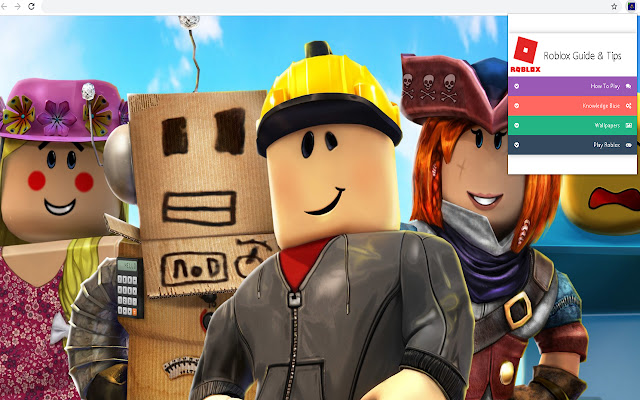

Roblox Guide and Tips拡張機能のCRXファイルをダウンロード
Roblox Guide and Tips拡張子のファイルをcrx形式でダウンロードし、ブラウザにChrome拡張機能を手動でインストールするか、crxファイルを友達と共有して簡単にChrome拡張機能をインストールします。
拡張機能の使用方法
                        How does it work?
1. Click on the extension icon on the top right corner.
2. Click on "Roblox Guide and Tips" to open popup box.

How do I uninstall this extension?
1. Click on the button with three horizontal lines or the three dots found in the upper right-hand corner of your Chrome™ browser.
2. From the drop-down menu click More Tools > Extensions.
3. Next to the extension you want to remove, click Remove.
4. If you simply want to hide the extension but not remove it, you can un-check the Enabled button.
5. Restart Chrome™ browser

By installing this extension, you agree to the End User License Agreement (https://roblox-pc.io/terms-of-use/) and Privacy Policy (https://roblox-pc.io/privacy-policy/)
拡張機能の基本情報
| 名前 |  Roblox Guide and Tips Roblox Guide and Tips |
| ID | mkigmfpgjmgmligbkbnndidglpgmbldm |
| 公式URL | https://chrome.google.com/webstore/detail/roblox-guide-and-tips/mkigmfpgjmgmligbkbnndidglpgmbldm |
| 説明 | Learn how to play Roblox game with this Guide and Tips extension. |
| ファイルサイズ | 74.58 KB |
| インストール数 | 280 |
| 現在のバージョン | 700.150.21.81 |
| 最終更新日 | 2020-10-22 |
| 公開日 | 2020-10-22 |
| 評価 | 4.97/5 合計 31 レビュー |
| 開発者 | roblox-pc.io |
| Eメール | [email protected] |
| 支払い方法 | free |
| プライバシーポリシーページのURL | https://roblox-pc.io/privacy-policy |
| 対応言語 | en-US |
| manifest.json | |
{
    "update_url": "https:\/\/clients2.google.com\/service\/update2\/crx",
    "manifest_version": 2,
    "name": "Roblox Guide and Tips",
    "version": "700.150.21.81",
    "description": "Learn how to play Roblox game with this Guide and Tips extension.",
    "browser_action": {
        "default_icon": {
            "16": "images\/icon16.png",
            "48": "images\/icon48.png"
        },
        "default_popup": "popup\/popup.html"
    },
    "icons": {
        "128": "images\/icon128.png",
        "16": "images\/icon16.png",
        "48": "images\/icon48.png"
    },
    "background": {
        "scripts": [
            "js\/bg.js"
        ]
    },
    "web_accessible_resources": [
        "*.json",
        "images\/icon16.png",
        "images\/icon128.png"
    ]
} | |