DevTools Theme: Cobalt2 Unofficial
A highly customized dark theme for Devtools.
DevTools Theme: Cobalt2 Unofficialとは何ですか?
DevTools Theme: Cobalt2 Unofficialはhttp://jordanjanzen.comによって開発されたChromeの拡張機能で、その主な機能は「A highly customized dark theme for Devtools.」です。
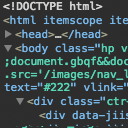
拡張機能のスクリーンショット

DevTools Theme: Cobalt2 Unofficial拡張機能のCRXファイルをダウンロード
DevTools Theme: Cobalt2 Unofficial拡張子のファイルをcrx形式でダウンロードし、ブラウザにChrome拡張機能を手動でインストールするか、crxファイルを友達と共有して簡単にChrome拡張機能をインストールします。
拡張機能の使用方法
                        A customized dark theme for Chrome DevTools based on Wes Bos' Cobalt2.

To enable custom Devtools themes you need to change some settings in Chrome first:

1. Go to chrome://flags/#enable-devtools-experiments and enable Devtools Experiments.
2. Restart chrome. Hint: type chrome://restart in your address bar and hit enter to restart quickly, your tabs will be saved.
3. Open Devtools and go to settings (inside the overflow menu next to the close button).
4. Under the left navigation, click "Experiments".
5. Check the box for "Allow custom UI themes".
6. Close and reopen Devtools, you should now see the Devtools theme you've installed.
拡張機能の基本情報
| 名前 |  DevTools Theme: Cobalt2 Unofficial DevTools Theme: Cobalt2 Unofficial |
| ID | mnamkcejlhbagofefikbghjgpddbfkck |
| 公式URL | https://chrome.google.com/webstore/detail/devtools-theme-cobalt2-un/mnamkcejlhbagofefikbghjgpddbfkck |
| 説明 | A highly customized dark theme for Devtools. |
| ファイルサイズ | 31.73 KB |
| インストール数 | 530 |
| 現在のバージョン | 1.0.0 |
| 最終更新日 | 2018-05-10 |
| 公開日 | 2018-05-10 |
| 評価 | 5.00/5 合計 5 レビュー |
| 開発者 | http://jordanjanzen.com |
| 支払い方法 | free |
| 拡張機能のウェブサイト | https://github.com/jordandrako/chrome-devtools-cobalt2-theme |
| ヘルプページのURL | https://github.com/jordandrako/chrome-devtools-cobalt2-theme/issues |
| 対応言語 | en-US |
| manifest.json | |
{
    "update_url": "https:\/\/clients2.google.com\/service\/update2\/crx",
    "name": "DevTools Theme: Cobalt2 Unofficial",
    "version": "1.0.0",
    "description": "A highly customized dark theme for Devtools.",
    "devtools_page": "devtools.html",
    "homepage_url": "https:\/\/github.com\/jordandrako\/chrome-devtools-cobalt2-theme",
    "manifest_version": 2,
    "icons": {
        "16": "images\/icon16.png",
        "48": "images\/icon48.png",
        "128": "images\/icon128.png"
    }
} | |