Synchrony Mastercard Browser Extension
Secure online shopping with the ease of a virtual card.
Synchrony Mastercard Browser Extensionとは何ですか?
Synchrony Mastercard Browser Extensionはhttps://synchrony.comによって開発されたChromeの拡張機能で、その主な機能は「Secure online shopping with the ease of a virtual card.」です。
拡張機能のスクリーンショット



Synchrony Mastercard Browser Extension拡張機能のCRXファイルをダウンロード
Synchrony Mastercard Browser Extension拡張子のファイルをcrx形式でダウンロードし、ブラウザにChrome拡張機能を手動でインストールするか、crxファイルを友達と共有して簡単にChrome拡張機能をインストールします。
拡張機能の使用方法
                        ONLINE SHOPPING JUST GOT EASIER, AND MORE SECURE.

Add the Synchrony extension to your Chrome browser and take immediate advantage of:

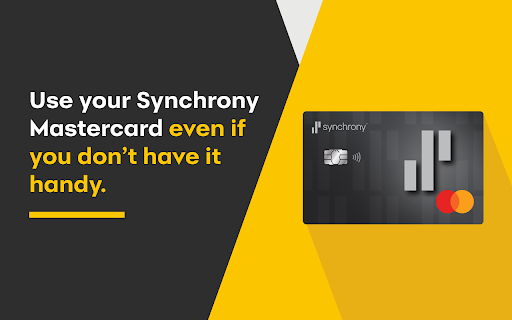
THE FLEXIBILITY TO MAKE ONLINE PURCHASES WITHOUT YOUR SYNCHRONY MASTERCARD CREDIT CARD OR CARD NUMBER

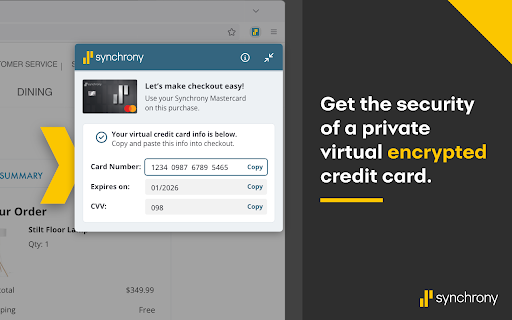
ENHANCED SECURITY OF A VIRTUAL CARD THAT DOESN’T SHARE YOUR REAL CARD INFORMATION WITH MERCHANTS OR POSSIBLE HACKERS DOWN THE ROAD

Just add the extension to your Chrome browser, start shopping and it will automatically pop up at checkout to help you complete your purchase.

The Synchrony extension is totally FREE to download and use.

By installing, you agree to our terms of service: https://www.synchrony.com/terms-of-use.html

Only available to Synchrony Mastercard Cardholders as a BETA experience. Not a customer, Apply here: https://www.synchronybank.com/creditcard/
拡張機能の基本情報
| 名前 |  Synchrony Mastercard Browser Extension Synchrony Mastercard Browser Extension |
| ID | mncgckjojlagknopfpghdfdgldjepfib |
| 公式URL | https://chromewebstore.google.com/detail/synchrony-mastercard-brow/mncgckjojlagknopfpghdfdgldjepfib |
| 説明 | Secure online shopping with the ease of a virtual card. |
| ファイルサイズ | 3.91 MB |
| インストール数 | 111 |
| 現在のバージョン | 0.0.73 |
| 最終更新日 | 2024-01-10 |
| 公開日 | 2024-01-04 |
| 評価 | 5.00/5 合計 1 レビュー |
| 開発者 | https://synchrony.com |
| Eメール | [email protected] |
| 支払い方法 | free |
| 拡張機能のウェブサイト | https://www.synchrony.com |
| ヘルプページのURL | https://www.synchrony.com/contact-us.html |
| プライバシーポリシーページのURL | https://www.synchronybankterms.com/gecrbterms/includes/privacy_policy.html |
| 対応言語 | en-US |
| manifest.json | |
{
"update_url": "https:\/\/clients2.google.com\/service\/update2\/crx",
"version": "0.0.73",
"manifest_version": 3,
"name": "Synchrony Mastercard Browser Extension",
"short_name": "Synchrony Mastercard Browser Extension",
"description": "Secure online shopping with the ease of a virtual card.",
"permissions": [
"alarms",
"declarativeNetRequest",
"storage"
],
"host_permissions": [
" | |