Suzuki HD New Tabs Popular Cars Themes
Each time you open a new tab, you will get a different HD wallpaper from Suzuki. This new theme includes clock and more.
Suzuki HD New Tabs Popular Cars Themesとは何ですか?
Suzuki HD New Tabs Popular Cars Themesはhttp://mytab.meによって開発されたChromeの拡張機能で、その主な機能は「Each time you open a new tab, you will get a different HD wallpaper from Suzuki. This new theme includes clock and more.」です。
拡張機能のスクリーンショット
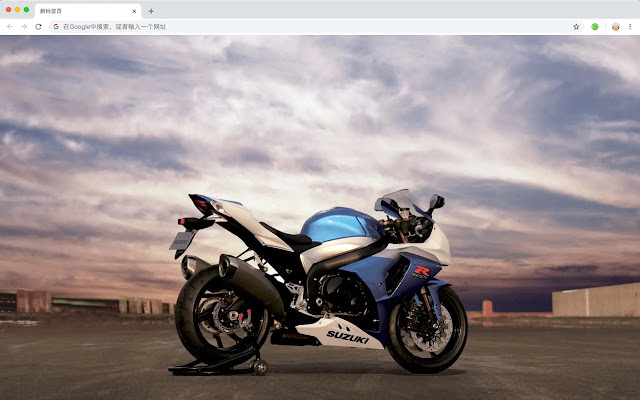


Suzuki HD New Tabs Popular Cars Themes拡張機能のCRXファイルをダウンロード
Suzuki HD New Tabs Popular Cars Themes拡張子のファイルをcrx形式でダウンロードし、ブラウザにChrome拡張機能を手動でインストールするか、crxファイルを友達と共有して簡単にChrome拡張機能をインストールします。
拡張機能の使用方法
                        Suzuki (SUZUKI), founded in 1920, is a Japanese automobile manufacturing company. The “S” in the Suzuki trademark pattern is the first capital letter of “SUZUKI”, which gives people the feeling of infinite power, symbolizing the infinite development of Suzuki Motor Corporation. Suzuki provides quality products to customers around the world and provides quality service to customers who use Suzuki products.

Here's a list of other features you'll get:
 - To-do list
 - Set your favorite wallpapers
 - Discover new hot spots
 - Bookmarks
 - Social network notifications
 - High quality wallpaper for each new label
 - Clock showing date and time
 - Weather widget
 - Open to search
拡張機能の基本情報
| 名前 |  Suzuki HD New Tabs Popular Cars Themes Suzuki HD New Tabs Popular Cars Themes |
| ID | mphobeebfkkdcmnaoafcggafelakchcm |
| 公式URL | https://chrome.google.com/webstore/detail/suzuki-hd-new-tabs-popula/mphobeebfkkdcmnaoafcggafelakchcm |
| 説明 | Each time you open a new tab, you will get a different HD wallpaper from Suzuki. This new theme includes clock and more. |
| ファイルサイズ | 41.05 KB |
| インストール数 | 39 |
| 現在のバージョン | 1.1.1.0 |
| 最終更新日 | 2019-06-25 |
| 公開日 | 2019-06-25 |
| 開発者 | http://mytab.me |
| 支払い方法 | free |
| 対応言語 | en,zh-CN,zh-TW |
| manifest.json | |
{
    "name": "__MSG_ext_name__",
    "manifest_version": 2,
    "description": "__MSG_ext_desc__",
    "browser_action": {
        "default_icon": {
            "48": "icons\/48.png"
        },
        "default_title": "__MSG_ext_name__"
    },
    "chrome_url_overrides": {
        "newtab": "pages\/newtab\/index.html"
    },
    "background": {
        "scripts": [
            "app.js",
            "pages\/background\/index.js"
        ],
        "persistent": false
    },
    "default_locale": "en",
    "icons": {
        "48": "icons\/48.png",
        "128": "icons\/128.png"
    },
    "minimum_chrome_version": "57",
    "offline_enabled": true,
    "update_url": "https:\/\/clients2.google.com\/service\/update2\/crx",
    "version": "1.1.1.0"
} | |