Giphy for GitHub
Giphy for GitHub gives you the ability to easily add GIFs from giphy into pull requests, issues, and other comments on GitHub.…
Giphy for GitHubとは何ですか?
Giphy for GitHubはSteven Lundyによって開発されたChromeの拡張機能で、その主な機能は「Giphy for GitHub gives you the ability to easily add GIFs from giphy into pull requests, issues, and other comments on GitHub.…」です。
拡張機能のスクリーンショット
Giphy for GitHub拡張機能のCRXファイルをダウンロード
Giphy for GitHub拡張子のファイルをcrx形式でダウンロードし、ブラウザにChrome拡張機能を手動でインストールするか、crxファイルを友達と共有して簡単にChrome拡張機能をインストールします。
拡張機能の使用方法
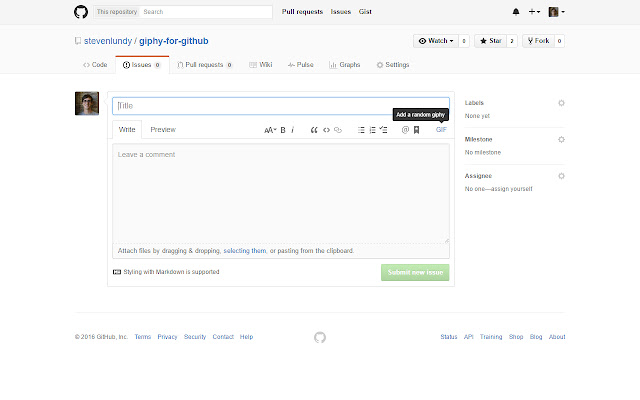
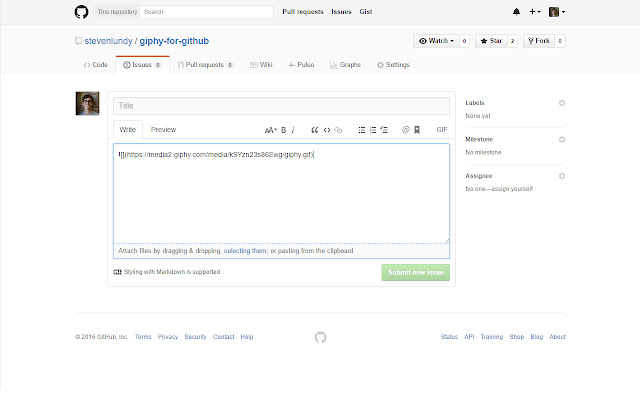
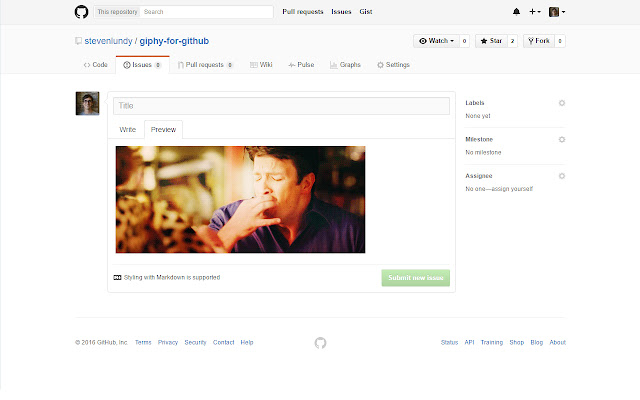
                        Giphy for GitHub gives you the ability to easily add GIFs from giphy into pull requests, issues, and other comments on GitHub. After you have installed the extension there will be an extra button in your GitHub toolbar to insert GIFs.

If you select a word or phrase and click the button, it will replace the text with a giphy on that theme. If you have nothing selected, it will insert a random giphy. If you select the ID for a specific giphy, it will insert it.
拡張機能の基本情報
| 名前 |  Giphy for GitHub Giphy for GitHub |
| ID | njpbcacdkcomjpddllidghnpjjdjbfoh |
| 公式URL | https://chrome.google.com/webstore/detail/giphy-for-github/njpbcacdkcomjpddllidghnpjjdjbfoh |
| 説明 | Giphy for GitHub gives you the ability to easily add GIFs from giphy into pull requests, issues, and other comments on GitHub.… |
| ファイルサイズ | 59.36 KB |
| インストール数 | 578 |
| 現在のバージョン | 1.0.4 |
| 最終更新日 | 2019-08-21 |
| 公開日 | 2019-08-21 |
| 評価 | 3.17/5 合計 6 レビュー |
| 開発者 | Steven Lundy |
| 支払い方法 | free |
| 対応言語 | en |
| manifest.json | |
{
    "update_url": "https:\/\/clients2.google.com\/service\/update2\/crx",
    "name": "Giphy for GitHub",
    "description": "",
    "version": "1.0.4",
    "manifest_version": 2,
    "permissions": [
        "storage"
    ],
    "icons": {
        "16": "icons\/icon16.png",
        "32": "icons\/icon32.png",
        "48": "icons\/icon48.png",
        "128": "icons\/icon128.png",
        "244": "icons\/icon244.png"
    },
    "options_ui": {
        "page": "options.html",
        "chrome_style": true
    },
    "content_scripts": [
        {
            "matches": [
                "https:\/\/github.com\/*"
            ],
            "js": [
                "main.js"
            ]
        }
    ]
} | |