Animal Crossing New Tab Page
Simple new tab page. Has: time, date, countdown to new horizons, links(reddit, youtube, netflix, twitter, twitch).
Animal Crossing New Tab Pageとは何ですか?
Animal Crossing New Tab Pageはkyrakodesによって開発されたChromeの拡張機能で、その主な機能は「Simple new tab page. Has: time, date, countdown to new horizons, links(reddit, youtube, netflix, twitter, twitch).」です。
拡張機能のスクリーンショット
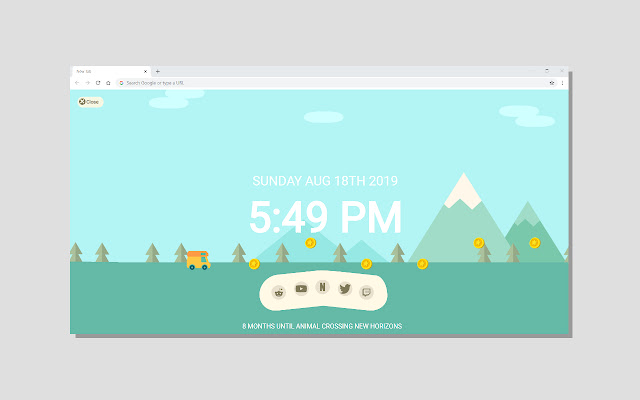


Animal Crossing New Tab Page拡張機能のCRXファイルをダウンロード
Animal Crossing New Tab Page拡張子のファイルをcrx形式でダウンロードし、ブラウザにChrome拡張機能を手動でインストールするか、crxファイルを友達と共有して簡単にChrome拡張機能をインストールします。
拡張機能の使用方法
                        New tab page with
-date
-time
-5 links: reddit, youtube, netflix, twitter, and twitch
-6 background that change randomly  when you refresh the page
-close button that will take you back to the default chrome new tab page
拡張機能の基本情報
| 名前 |  Animal Crossing New Tab Page Animal Crossing New Tab Page |
| ID | nkdpbaofodhjikmcomchflnfebeidela |
| 公式URL | https://chrome.google.com/webstore/detail/animal-crossing-new-tab-p/nkdpbaofodhjikmcomchflnfebeidela |
| 説明 | Simple new tab page. Has: time, date, countdown to new horizons, links(reddit, youtube, netflix, twitter, twitch). |
| ファイルサイズ | 2.32 MB |
| インストール数 | 448 |
| 現在のバージョン | 2.1.1.0 |
| 最終更新日 | 2020-04-22 |
| 公開日 | 2020-04-22 |
| 評価 | 4.33/5 合計 6 レビュー |
| 開発者 | kyrakodes |
| 支払い方法 | free |
| 対応言語 | en |
| manifest.json | |
{
    "update_url": "https:\/\/clients2.google.com\/service\/update2\/crx",
    "manifest_version": 2,
    "name": "Animal Crossing New Tab Page",
    "description": "Simple new tab page. Has: time, date, countdown to new horizons, links(reddit, youtube, netflix, twitter, twitch).",
    "version": "2.1.1.0",
    "minimum_chrome_version": "46",
    "content_security_policy": "script-src 'self' https:\/\/cdn.jsdelivr.net\/gh\/kyfosh\/AC_extension\/moment.js https:\/\/cdn.jsdelivr.net\/gh\/kyfosh\/AC_extension\/dif_bg.js https:\/\/cdn.jsdelivr.net\/gh\/kyfosh\/AC_extension\/getTime.js https:\/\/cdn.jsdelivr.net\/gh\/kyfosh\/AC_extension\/defaultTab4.js; object-src 'self'",
    "permissions": [
        "management",
        "fontSettings",
        "tabs"
    ],
    "chrome_url_overrides": {
        "newtab": "newtab.html"
    },
    "icons": {
        "16": "icon16.png",
        "48": "icon48.png",
        "128": "icon128.png"
    }
} | |