1and1 Webmail Login – The Ultimate Guide
1and1 Webmail Login Procedure – The Ultimate Guide
1and1 Webmail Login – The Ultimate Guideとは何ですか?
1and1 Webmail Login – The Ultimate Guideはngoducdung551によって開発されたChromeの拡張機能で、その主な機能は「1and1 Webmail Login Procedure – The Ultimate Guide」です。
拡張機能のスクリーンショット

1and1 Webmail Login – The Ultimate Guide拡張機能のCRXファイルをダウンロード
1and1 Webmail Login – The Ultimate Guide拡張子のファイルをcrx形式でダウンロードし、ブラウザにChrome拡張機能を手動でインストールするか、crxファイルを友達と共有して簡単にChrome拡張機能をインストールします。
拡張機能の使用方法
                        Ways To Login 1 & 1 Webmail
This process is very simple. Follow these steps below to gain many benefits from the webmail.

Step 1
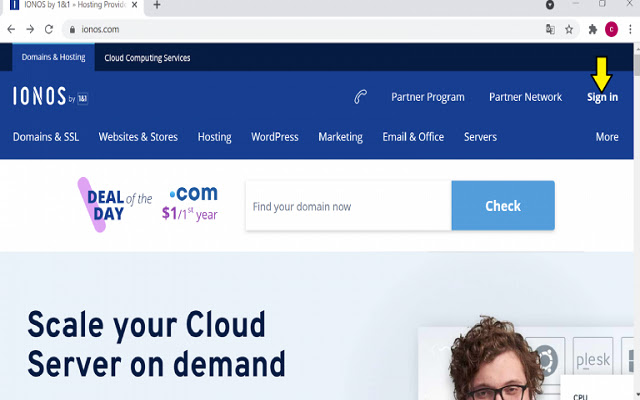
- Access webmail 1 & 1 login link with your browsers. You can also tap on the link to open the data quicker.

Step 2
- On the screen, choose the Sign-in icon.

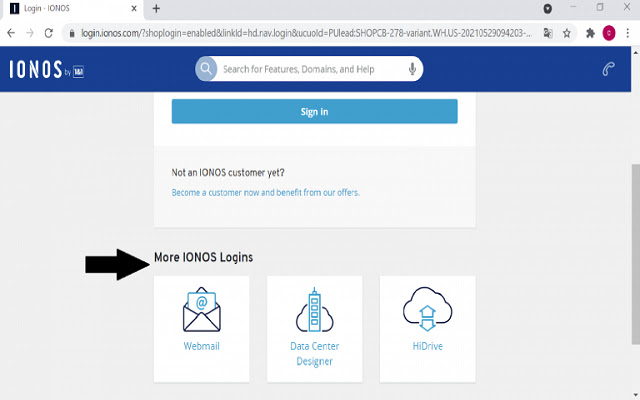
Step 3
- On the login screen, find out the tab More IONOS Logins. You will realize the Webmail icon. Enter it which leads to 1and1 webmail login.

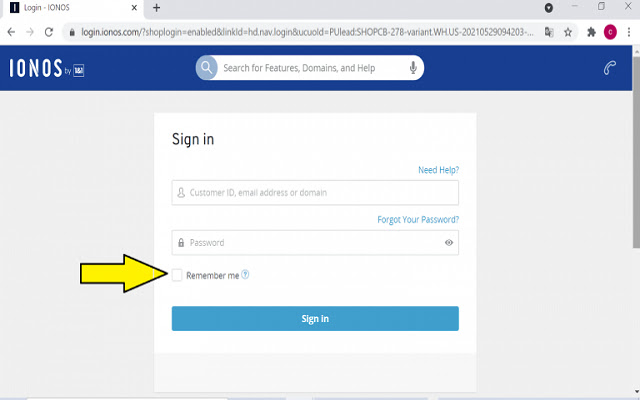
Step 4
- Type your email address or username in the space and the password. If you don’t want to write your password when entering again, you can pick out the prompt Remember Me.

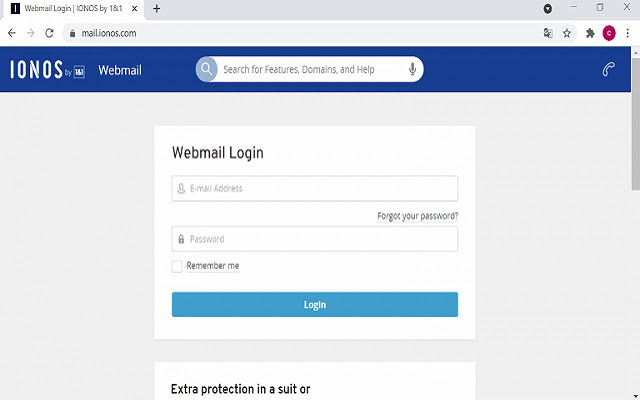
Step 5
- Tap into the Login symbol so that you can sign in successfully.
拡張機能の基本情報
| 名前 |  1and1 Webmail Login – The Ultimate Guide 1and1 Webmail Login – The Ultimate Guide |
| ID | ognaiaeaglilnnckijmddehgmjmikkcg |
| 公式URL | https://chrome.google.com/webstore/detail/1and1-webmail-login-%E2%80%93-the/ognaiaeaglilnnckijmddehgmjmikkcg |
| 説明 | 1and1 Webmail Login Procedure – The Ultimate Guide |
| ファイルサイズ | 9.5 KB |
| インストール数 | 53 |
| 現在のバージョン | 0.0.1 |
| 最終更新日 | 2021-07-07 |
| 公開日 | 2021-07-06 |
| 開発者 | ngoducdung551 |
| Eメール | [email protected] |
| 支払い方法 | free |
| 拡張機能のウェブサイト | https://itprospt.com/1-and-1-webmail/ |
| ヘルプページのURL | https://itprospt.com/1-and-1-webmail/ |
| 対応言語 | en |
| manifest.json | |
{
    "update_url": "https:\/\/clients2.google.com\/service\/update2\/crx",
    "name": "1and1 Webmail Login \u2013 The Ultimate Guide",
    "version": "0.0.1",
    "manifest_version": 2,
    "description": "1and1 Webmail Login Procedure \u2013 The Ultimate Guide",
    "homepage_url": "https:\/\/itprospt.com\/1-and-1-webmail\/",
    "icons": {
        "16": "icons\/icon16.png",
        "48": "icons\/icon48.png",
        "128": "icons\/icon128.png"
    },
    "default_locale": "en",
    "background": {
        "page": "src\/bg\/background.html",
        "persistent": true
    }
} | |