Fb Auto Friend Request Sender
Send mass Fb friend requests automatically in the background without getting banned
Fb Auto Friend Request Senderとは何ですか?
Fb Auto Friend Request Senderはhttp://prospectss.comによって開発されたChromeの拡張機能で、その主な機能は「Send mass Fb friend requests automatically in the background without getting banned」です。
拡張機能のスクリーンショット
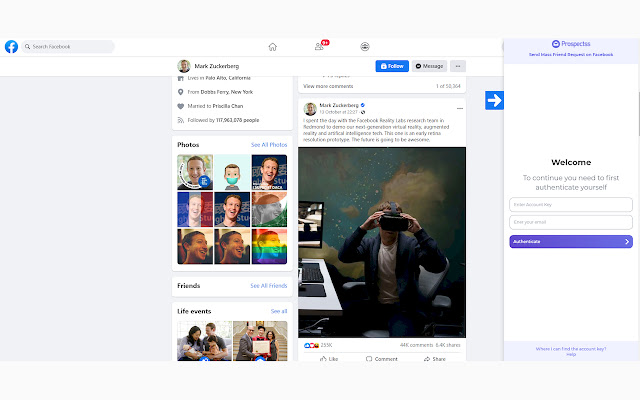
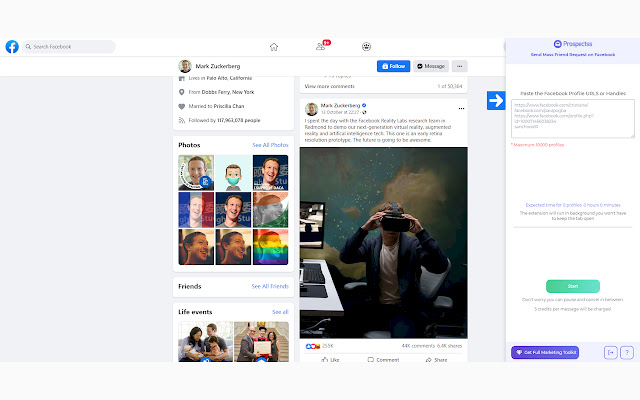
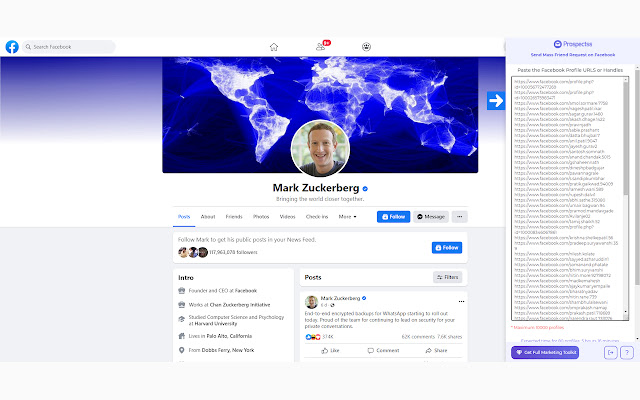
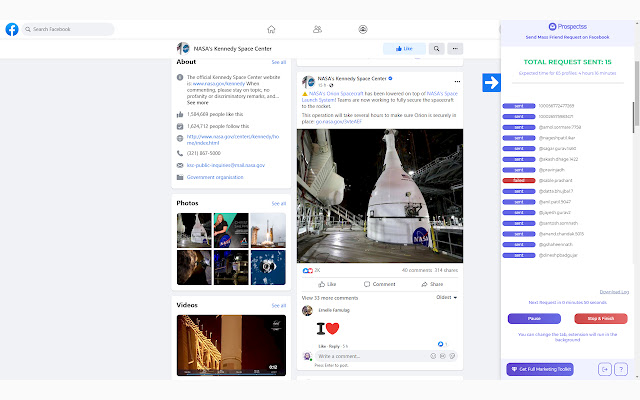
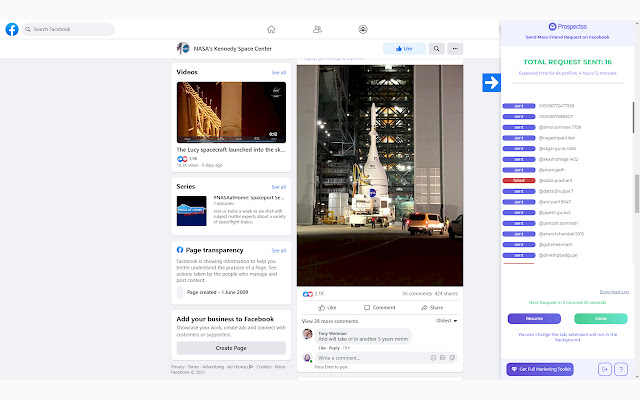
Fb Auto Friend Request Sender拡張機能のCRXファイルをダウンロード
Fb Auto Friend Request Sender拡張子のファイルをcrx形式でダウンロードし、ブラウザにChrome拡張機能を手動でインストールするか、crxファイルを友達と共有して簡単にChrome拡張機能をインストールします。
拡張機能の使用方法
                        Send mass Fb requests automatically in the background without getting banned.

Signup Now & get FREE 300 Credits.
25000 Credits for $49/per month

============================ FAQs ============================
▪️ Is this extension safe to use?
▪️ Yes, we have tested this extension over multiple accounts to find the most optimal request times so that your account remains 100% safe.

▪️ Does this work with fresh accounts?
▪️ If it is a fresh account with no phone number, then you would not have a good experience in using this tool. It will work to some extent, but you will have to authenticate the account or prefer using an old account.

▪️ Can I use this extension along with other Fb auto friend request extensions?
▪️ If you are using any other similar extension together, we would advise you to wait 6-24 hours before using any other extension. Using multiple extensions would rate-limit your account. It is advisable to only use one Fb automation tool at a time.

▪️ What are the best practices for using this extension?
▪️ Do not use any other Fb auto friend request extension simultaneously. Do not manually add any Facebook profile while using this extension.

▪️ Do you require my Fb account login information?
▪️ No, we do not require your Fb login & password. We do not have any access to your account.

▪️ Do you post, like & comment using my account?
▪️ No, we do not post, like or comment with your account. We do not have any access to your account.

▪️ How can I stop using your Fb auto friend request extension?
▪️ You can simply uninstall the Fb auto friend request extension to stop using it.

▪️ Can I use the system while the extension is running in the background?
▪️ Yes, you can switch the tab and work as usual. Just ensure that you do not close or refresh the tab on which the extension is running.

▪️ How many credits are charged for using the Fb auto friend request extension?
▪️ For every successful request sent, 5 credits are charged. Credits are not charged for any failed request.

▪️ Are credits deducted even if the receiver does not accept the friend request?
▪️ Yes, credits are deducted for every friend request sent. The outcome depends on the receiver’s choice whether he wants to accept your friend request or reject it.
拡張機能の基本情報
| 名前 |  Fb Auto Friend Request Sender Fb Auto Friend Request Sender |
| ID | oolipljlleelbpcclkkfbmaifhnpfilg |
| 公式URL | https://chrome.google.com/webstore/detail/fb-auto-friend-request-se/oolipljlleelbpcclkkfbmaifhnpfilg |
| 説明 | Send mass Fb friend requests automatically in the background without getting banned |
| ファイルサイズ | 2.17 MB |
| インストール数 | 91 |
| 現在のバージョン | 1.0.6 |
| 最終更新日 | 2022-03-16 |
| 公開日 | 2022-03-16 |
| 評価 | 5.00/5 合計 9 レビュー |
| 開発者 | http://prospectss.com |
| Eメール | [email protected] |
| 支払い方法 | free |
| 拡張機能のウェブサイト | https://prospectss.com/facebook-auto-friend-request-sender/ |
| ヘルプページのURL | https://prospectss.tawk.help/category/fb-auto-message-sender |
| プライバシーポリシーページのURL | https://prospectss.com/privacy-policy |
| 対応言語 | en |
| manifest.json | |
{
    "update_url": "https:\/\/clients2.google.com\/service\/update2\/crx",
    "name": "Fb Auto Friend Request Sender",
    "description": "Send mass Fb friend requests automatically in the background without getting banned",
    "manifest_version": 3,
    "version": "1.0.6",
    "action": {
        "default_icon": "icon\/icon.png",
        "default_popup": "index.html"
    },
    "web_accessible_resources": [
        {
            "resources": [
                "script.js",
                "extension-icon\/chevron-right.svg",
                "extension-icon\/chevron-right_signup.svg",
                "images\/logo-color.png",
                "images\/logo-white.png",
                "fonts\/Montserrat\/Montserrat-Regular.ttf",
                "fonts\/Montserrat\/Montserrat-Medium.ttf",
                "fonts\/Montserrat\/Montserrat-SemiBold.ttf",
                "fonts\/Montserrat\/Montserrat-Bold.ttf",
                "extension-icon\/chart.svg",
                "extension-icon\/diamondButton.svg",
                "extension-icon\/gem.svg",
                "extension-icon\/help.svg",
                "extension-icon\/icon.png  ",
                "extension-icon\/info.svg",
                "extension-icon\/logout.svg",
                "extension-icon\/notFound.svg",
                "extension-icon\/reload.svg",
                "extension-icon\/rotate-cw.svg",
                "extension-icon\/chevron-right.svg ",
                "extension-icon\/feather-cpu.svg",
                "extension-icon\/globe.svg",
                "extension-icon\/icon2x.png",
                "extension-icon\/icon.svg  ",
                "extension-icon\/loading.svg",
                "extension-icon\/refresher.svg",
                "extension-icon\/mail.svg",
                "extension-icon\/phone.svg",
                "extension-icon\/right.svg",
                "extension-icon\/wrong.svg",
                "extension-icon\/verifiedIcon.png",
                "extension-icon\/rightArrow.svg"
            ],
            "matches": [
                "https:\/\/www.facebook.com\/*"
            ]
        }
    ],
    "icons": {
        "16": "icon\/icon16.png",
        "48": "icon\/icon48.png",
        "128": "icon\/icon128.png"
    },
    "content_scripts": [
        {
            "matches": [
                "https:\/\/www.facebook.com\/*"
            ],
            "js": [
                "content.js"
            ],
            "css": [
                "dist\/tailwindDist.css"
            ]
        }
    ],
    "permissions": [
        "storage"
    ],
    "background": {
        "service_worker": "background.js"
    },
    "host_permissions": [
        "https:\/\/*.facebook.com\/*",
        "https:\/\/*.prospectss.com\/*"
    ]
} | |