Mujō - AI assisted break timer
Mujō is an AI assisted break timer to help you be more mindful with your day.
Mujō - AI assisted break timerとは何ですか?
Mujō - AI assisted break timerはhttps://getmujo.comによって開発されたChromeの拡張機能で、その主な機能は「Mujō is an AI assisted break timer to help you be more mindful with your day.」です。
拡張機能のスクリーンショット


Mujō - AI assisted break timer拡張機能のCRXファイルをダウンロード
Mujō - AI assisted break timer拡張子のファイルをcrx形式でダウンロードし、ブラウザにChrome拡張機能を手動でインストールするか、crxファイルを友達と共有して簡単にChrome拡張機能をインストールします。
拡張機能の使用方法
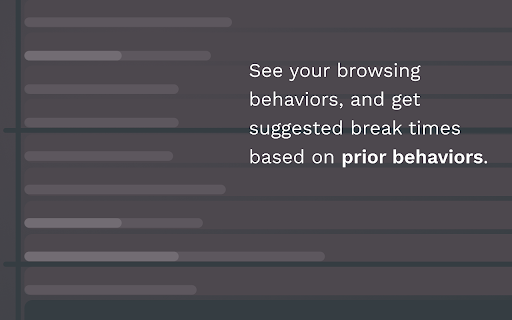
                        Introducing Mujō - the AI-powered break timer extension that helps you stay mindful and refreshed throughout the day. With Mujō, you'll never have to worry about overworking yourself again. Our extension observes your browsing behavior and uses AI to recommend the best time to take a break.

Mujō comes with a variety of features to help you stay on top of your breaks, including:

▹ Suggested **break times** based on your browsing habits
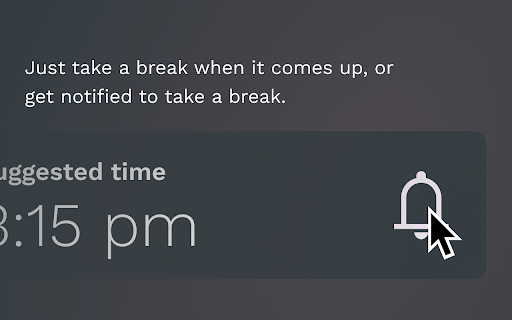
▹ Opt-in notifications for scheduled **breaks**
▹ A configurable **break time** that reminds you to take a break after extended periods of activity
▹ Integration with Google Calendar

⚡️ What's New! 3.6.1

Pausing the extension will not only pause tracking but will also pause notifications.


💌 Feedback is always appreciated!

With Mujō, you can achieve better **wellness** and productivity by taking **mindful breaks** throughout the day. Download and improve your browsing experience with Mujō's **AI-powered** break timer.
拡張機能の基本情報
| 名前 |  Mujō - AI assisted break timer Mujō - AI assisted break timer |
| ID | pdhdkakfpnlcbipchahefkoaiohkehao |
| 公式URL | https://chromewebstore.google.com/detail/muj%C5%8D-ai-assisted-break-ti/pdhdkakfpnlcbipchahefkoaiohkehao |
| 説明 | Mujō is an AI assisted break timer to help you be more mindful with your day. |
| ファイルサイズ | 6.88 MB |
| インストール数 | 34 |
| 現在のバージョン | 3.6.4 |
| 最終更新日 | 2023-09-19 |
| 公開日 | 2019-12-23 |
| 評価 | 5.00/5 合計 5 レビュー |
| 開発者 | https://getmujo.com |
| Eメール | [email protected] |
| 支払い方法 | free |
| 拡張機能のウェブサイト | https://getmujo.com |
| プライバシーポリシーページのURL | https://getmujo.com/privacy |
| 対応言語 | en |
| manifest.json | |
{
    "update_url": "https:\/\/clients2.google.com\/service\/update2\/crx",
    "name": "__MSG_appName__",
    "short_name": "__MSG_appShortName__",
    "description": "__MSG_appDescription__",
    "version": "3.6.4",
    "manifest_version": 3,
    "default_locale": "en",
    "icons": {
        "16": "images\/logo.png",
        "128": "images\/logo.png"
    },
    "background": {
        "service_worker": "background.js"
    },
    "permissions": [
        "tabs",
        "alarms",
        "background",
        "notifications"
    ],
    "action": {
        "default_icon": {
            "16": "images\/logo.png",
            "128": "images\/logo.png"
        },
        "default_popup": "pages\/popup.html"
    },
    "externally_connectable": {
        "ids": [
            "lppmnandcophphjneeabhnioijpdjdnc"
        ],
        "matches": [
            "*:\/\/localhost:*\/*",
            "https:\/\/getmujo.com\/*"
        ]
    },
    "minimum_chrome_version": "88",
    "content_security_policy": {
        "extension_pages": "default-src 'self'; font-src 'self' data:; style-src 'unsafe-inline'; connect-src https:\/\/getmujo.com\/ ws:\/\/localhost:9001\/ https:\/\/*.ingest.sentry.io\/ http:\/\/localhost:3000 https:\/\/www.google-analytics.com"
    }
} | |