Twian Scanner
Twain Scanner. Extension for scan paper documents from scanner device and send base64 on page web application. 1) Install…
Twian Scannerとは何ですか?
Twian Scannerはcherokeesoftによって開発されたChromeの拡張機能で、その主な機能は「Twain Scanner. Extension for scan paper documents from scanner device and send base64 on page web application. 1) Install…」です。
拡張機能のスクリーンショット
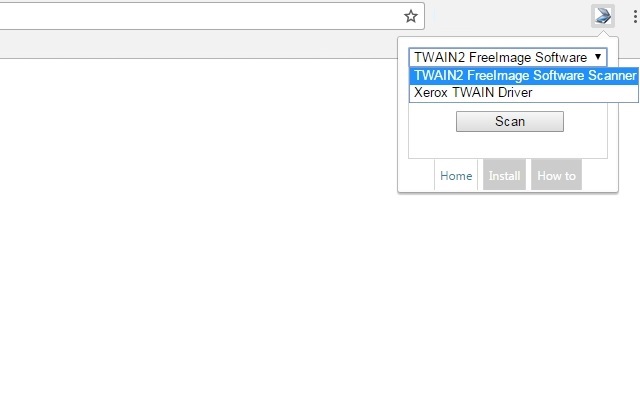


Twian Scanner拡張機能のCRXファイルをダウンロード
Twian Scanner拡張子のファイルをcrx形式でダウンロードし、ブラウザにChrome拡張機能を手動でインストールするか、crxファイルを友達と共有して簡単にChrome拡張機能をインストールします。
拡張機能の使用方法
Twain Scanner. Extension for scan paper documents from scanner device and send base64 on page web application.
1) Install extension, tap "Install" and complete all steps.
2) Restart browser
3) In the drop-down menu you will see list scanners, if not, sure that you installed device or you can set "Show Twain" as virtual scanner for test.
4) Inside on your web page you will see where base64 will be inserted and comment how declare listener.
Details see "How To". 拡張機能の基本情報
名前  Twian Scanner
 ID pnamophecpodffkldpbpjiknnealolcm 公式URL https://chrome.google.com/webstore/detail/twian-scanner/pnamophecpodffkldpbpjiknnealolcm 説明 Twain Scanner. Extension for scan paper documents from scanner device and send base64 on page web application. 1) Install… ファイルサイズ 32.55 MB インストール数 1,000 現在のバージョン 1.0.10 最終更新日 2018-03-24 公開日 2018-03-24 評価 3.44/5 合計 9 レビュー 開発者 cherokeesoft Eメール [email protected] 支払い方法 free 対応言語 en manifest.json {
"update_url": "https:\/\/clients2.google.com\/service\/update2\/crx",
"manifest_version": 2,
"name": "Twian Scanner",
"version": "1.0.10",
"offline_enabled": true,
"icons": {
"128": "\/img\/icon128.png"
},
"browser_action": {
"default_icon": "\/img\/icon128.png",
"default_popup": "index.html",
"default_title": "Scan now"
},
"background": {
"scripts": [
"\/js\/background\/messageCollector.js",
"\/js\/background\/previewControllerPopup.js",
"\/js\/background\/dataController.js",
"\/js\/background\/portController.js",
"\/js\/background\/backgroundCore.js"
]
},
"permissions": [
"background",
"nativeMessaging",
"unlimitedStorage",
"downloads",
"activeTab",
"webNavigation",
"tabs",
"storage"
],
"content_scripts": [
{
"run_at": "document_end",
"matches": [
""
],
"css": [
"\/content\/css\/popup.css"
],
"js": [
"\/content\/js\/jquery-3.2.1.min.js",
"\/content\/js\/content.js"
]
}
],
"web_accessible_resources": [
"preview.html",
"popup_container.html",
"popup_frame.html",
"\/content\/css\/bootstrap.min.css",
"\/content\/js\/jquery-3.2.1.min.js",
"\/content\/js\/bootstrap.min.js"
]
}
関連する拡張機能