Capture.Chrome
Capture content from Chrome
Capture.Chrome란 무엇입니까?
Capture.Chrome은(는) Loqu8에 의해 개발된 Chrome 확장 프로그램으로, 주요 기능은 "Capture content from Chrome"입니다.
확장 프로그램 스크린샷
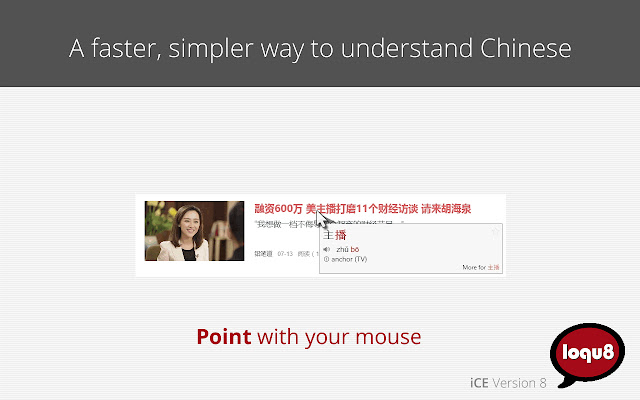
Capture.Chrome 확장 프로그램 CRX 파일 다운로드
크롬 확장 프로그램을 crx 형식으로 다운로드하여 브라우저에 수동으로 설치하거나 crx 파일을 친구들과 공유하여 쉽게 크롬 확장 프로그램을 설치하세요.
확장 프로그램 사용 설명서
                        Learning experts agree that adults and young adults learn differently from children. While repetitive drills and silly matching games may have value for younger children, adults learn best when they are in control of their learning environment, choosing what to learn and when to learn it. For many individuals, a mix of self-paced, personalized learning with instructor-led sessions is a powerful blend that delivers results.

From the US State Department and the United Nations Office at Geneva, users rely on Loqu8's innovative technologies. Our users in 179 countries are excited about how iCE is helping them understand and learn Chinese. With over 163 million Chinese terms explained, a whopping 84% of our users report saving at least an hour every week. Experience the difference Loqu8's augmented learning can make for you.
확장 프로그램 기본 정보
| 이름 |  Capture.Chrome Capture.Chrome |
| ID | aongpmpmconjkanfkpjdgidnbomcgacj |
| 공식 URL | https://chrome.google.com/webstore/detail/capturechrome/aongpmpmconjkanfkpjdgidnbomcgacj |
| 설명 | Capture content from Chrome |
| 파일 크기 | 54.73 KB |
| 설치 횟수 | 713 |
| 현재 버전 | 8.1.11 |
| 최근 업데이트 | 2017-01-11 |
| 출시 날짜 | 2017-01-11 |
| 평점 | 5.00/5 총 2 개의 평점 |
| 개발자 | Loqu8 |
| 이메일 | [email protected] |
| 결제 유형 | free |
| 개인정보 보호 정책 페이지 URL | https://www.loqu8.com/loqu8/legal.privacy.htm |
| 지원되는 언어 | zh-CN |
| manifest.json | |
{
    "update_url": "https:\/\/clients2.google.com\/service\/update2\/crx",
    "background": {
        "page": "captureBkgd.html"
    },
    "content_scripts": [
        {
            "all_frames": true,
            "js": [
                "captureCtx.js"
            ],
            "matches": [
                "http:\/\/*\/*",
                "https:\/\/*\/*",
                "file:\/\/*\/*"
            ]
        }
    ],
    "description": "Capture content from Chrome",
    "icons": {
        "16": "i_sq16.png",
        "48": "i_sq48.png",
        "128": "i_sq128.png"
    },
    "browser_action": {
        "default_icon": {
            "19": "i_sq19_gray.png",
            "38": "i_sq38_gray.png"
        },
        "default_popup": "capturePopup.html"
    },
    "manifest_version": 2,
    "key": "MIIBIjANBgkqhkiG9w0BAQEFAAOCAQ8AMIIBCgKCAQEAiN9QBx9ABtmp5vjjCPu70A09vpc0qRSrWqK7Cd3Yu+C8036XwSMl5CfnSMtJXXrEin4khVot\/fBWHFxL59WXZgQd4N69H28lnPb+pqSrFBX3PLoovpBlIWIymCSIdpoZNTy3faxJmIDye507ZIEI5+WqNU2gZGdNGGUWuQRl3hAICKpF4lrMTqEoCpGWV3loaCpdFjximGEOjOWnps8LVR+F6KcGyy3wOU5DDSaNLgLB5n75sIjPpwGb+yJHqSr\/G8+8cp1QzhObNR4xG9jKZK400GShPtG4GSs9yrjvRyQosMSCvFO0CaPOqB\/5uNXkjt9hbL6ZBjVwqwx9YbmURQIDAQAB",
    "name": "Capture.Chrome",
    "permissions": [
        "nativeMessaging",
        "tabs",
        "http:\/\/*\/*",
        "https:\/\/*\/*"
    ],
    "version": "8.1.11"
} | |