Wepware Auto-login
Allows you to stay signed into Wepware forever. It Automatically Signs in at a given interval.
Wepware Auto-login란 무엇입니까?
Wepware Auto-login은(는) SmartWebTechSol에 의해 개발된 Chrome 확장 프로그램으로, 주요 기능은 "Allows you to stay signed into Wepware forever. It Automatically Signs in at a given interval."입니다.
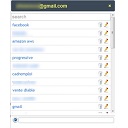
확장 프로그램 스크린샷

Wepware Auto-login 확장 프로그램 CRX 파일 다운로드
크롬 확장 프로그램을 crx 형식으로 다운로드하여 브라우저에 수동으로 설치하거나 crx 파일을 친구들과 공유하여 쉽게 크롬 확장 프로그램을 설치하세요.
확장 프로그램 사용 설명서
                        Wepware Auto-login allows you to stay signed into Wepware forever. It Automatically Signs in at a given interval.

In order to use this functionality, you need to have a valid Wepware account and should have installed the extension.

(1) Register to Wepware at http://wepware.com/
(2) Install Wepware extension from https://chrome.google.com/webstore/detail/wepware-capture-share-liv/hahkfgggehhlbjnjiknajlagabkopglo

Note: This extension is not an official extension from the makers of Wepware. This is to be used at your personal computer only where even if you are perpetually signed in there is lower security threat.
확장 프로그램 기본 정보
| 이름 |  Wepware Auto-login Wepware Auto-login |
| ID | bceomklbmdmmhcdkaeodfklikpdiaape |
| 공식 URL | https://chrome.google.com/webstore/detail/wepware-auto-login/bceomklbmdmmhcdkaeodfklikpdiaape |
| 설명 | Allows you to stay signed into Wepware forever. It Automatically Signs in at a given interval. |
| 파일 크기 | 87.49 KB |
| 설치 횟수 | 20 |
| 현재 버전 | 1.0 |
| 최근 업데이트 | 2014-11-21 |
| 출시 날짜 | 2014-11-21 |
| 평점 | 5.00/5 총 1 개의 평점 |
| 개발자 | SmartWebTechSol |
| 결제 유형 | free |
| 지원되는 언어 | en |
| manifest.json | |
{
    "update_url": "https:\/\/clients2.google.com\/service\/update2\/crx",
    "background": {
        "scripts": [
            "eventPage.js"
        ],
        "persistent": false
    },
    "browser_action": {
        "default_icon": "clock_16.png",
        "default_title": "Wepware Autologin",
        "default_popup": "popup.html"
    },
    "description": "Allows you to stay signed into Wepware forever. It Automatically Signs in at a given interval.",
    "homepage_url": "https:\/\/www.wepware.com",
    "icons": {
        "128": "clock_128.png",
        "16": "clock_16.png"
    },
    "manifest_version": 2,
    "name": "Wepware Auto-login",
    "short_name": "Wepware Auto-login",
    "permissions": [
        "https:\/\/www.wepware.com\/*",
        "alarms",
        "storage"
    ],
    "version": "1.0"
} | |