Auto-Register
Automate your course registration process
Auto-Register란 무엇입니까?
Auto-Register은(는) Ajmal Ali에 의해 개발된 Chrome 확장 프로그램으로, 주요 기능은 "Automate your course registration process"입니다.
확장 프로그램 스크린샷


Auto-Register 확장 프로그램 CRX 파일 다운로드
크롬 확장 프로그램을 crx 형식으로 다운로드하여 브라우저에 수동으로 설치하거나 crx 파일을 친구들과 공유하여 쉽게 크롬 확장 프로그램을 설치하세요.
확장 프로그램 사용 설명서
                        Auto-Register automates the course registration process for KFUPM students by automatically filling and submitting your desired CRNs.

Update v3.6.4 - v3.6.5
- Extension now works for the old registration system also.

Update v3.6.3
- Updated auto-submit function.

Update v3.6.2
- Partial fix for auto-fill/auto-submit for new registration system.

Update v3.6.1
- Since the registration page is changed, here is a temporary update for registration.
The extension may or may not work because it is not yet tested on the new registration page.

Update v3.6:
- Fix for error in autofill.

Update v3.5:
- Updated UI/UX.
- Updated HOW TO USE
- General optimizations.

Update v3.0:
- Added ability to resubmit submissions.
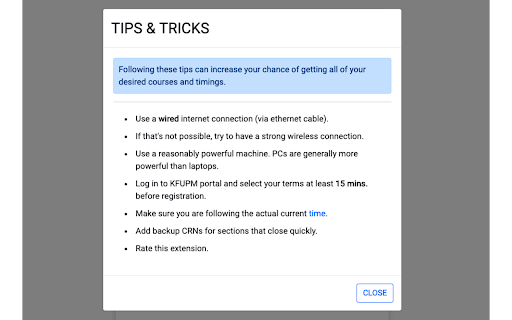
- Added Tips & Tricks.
- Minor optimizations.

Send your feedback here: https://forms.gle/CwoaBLHXn6BjzoiY8
확장 프로그램 기본 정보
| 이름 |  Auto-Register Auto-Register |
| ID | cdnggghhipolhgompbcoofhkebpogdoe |
| 공식 URL | https://chromewebstore.google.com/detail/auto-register/cdnggghhipolhgompbcoofhkebpogdoe |
| 설명 | Automate your course registration process |
| 파일 크기 | 808 KB |
| 설치 횟수 | 5,137 |
| 현재 버전 | 3.6.5 |
| 최근 업데이트 | 2019-11-15 |
| 출시 날짜 | 2019-11-15 |
| 평점 | 4.81/5 총 21 개의 평점 |
| 개발자 | Ajmal Ali |
| 이메일 | [email protected] |
| 결제 유형 | free |
| 확장 프로그램 웹 사이트 | https://github.com/ajmalali/auto-register-chrome |
| 도움말 페이지 URL | https://forms.gle/CwoaBLHXn6BjzoiY8 |
| 지원되는 언어 | en |
| manifest.json | |
{
    "update_url": "https:\/\/clients2.google.com\/service\/update2\/crx",
    "manifest_version": 2,
    "name": "Auto-Register",
    "version": "3.6.5",
    "description": "Automate your course registration process",
    "icons": {
        "128": "icons\/ks_128.png",
        "48": "icons\/ks_48.png",
        "32": "icons\/ks_32.png",
        "16": "icons\/ks_16.png"
    },
    "browser_action": {
        "default_icon": "icons\/ks_16.png"
    },
    "options_page": "options.html",
    "background": {
        "scripts": [
            "js\/background.js"
        ],
        "persistent": false
    },
    "content_scripts": [
        {
            "matches": [
                "https:\/\/banner9-registration.kfupm.edu.sa\/StudentRegistrationSsb\/ssb\/classRegistration\/classRegistration"
            ],
            "js": [
                "js\/autofill.js"
            ]
        },
        {
            "matches": [
                "https:\/\/banner9-registration.kfupm.edu.sa\/StudentRegistrationSsb\/ssb\/term\/termSelection?mode=registration"
            ],
            "js": [
                "js\/termSelection.js"
            ]
        },
        {
            "matches": [
                "http:\/\/ssbweb.kfupm.edu.sa\/PROD8\/bwckcoms.P_Regs",
                "https:\/\/banner8-ssb.kfupm.edu.sa\/PROD9\/bwskfreg.P_AltPin\/*"
            ],
            "js": [
                "js\/autofill-old.js"
            ]
        }
    ],
    "permissions": [
        "https:\/\/banner9-registration.kfupm.edu.sa\/*",
        "http:\/\/ssbweb.kfupm.edu.sa\/PROD8\/bwckcoms.P_Regs",
        "https:\/\/banner8-ssb.kfupm.edu.sa\/PROD9\/bwskfreg.P_AltPin",
        "storage",
        "tabs"
    ]
} | |