Easy Search Now
Safe & Secure Search For Chrome
Easy Search Now란 무엇입니까?
Easy Search Now은(는) https://easysearchnow.com에 의해 개발된 Chrome 확장 프로그램으로, 주요 기능은 "Safe & Secure Search For Chrome"입니다.
확장 프로그램 스크린샷

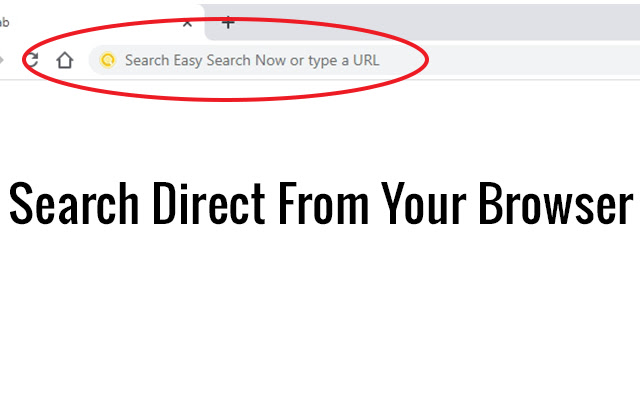

Easy Search Now 확장 프로그램 CRX 파일 다운로드
크롬 확장 프로그램을 crx 형식으로 다운로드하여 브라우저에 수동으로 설치하거나 crx 파일을 친구들과 공유하여 쉽게 크롬 확장 프로그램을 설치하세요.
확장 프로그램 사용 설명서
                        Once installed your Omni search will be change to Easy Search Now which is secured via Yahoo powered search engine .

Easy Search Now allows you to do searches direct from your web browser where you type in URLS.

Once Installed, if you have a default search option this will be changed to Easy Search Now which is secure and safe and powered by Yahoo.

Easily find what you are looking for on the internet.

Enhanced Search Options

Use the + sign in front of each word you search and Easy Search Now will find web pages that contain all the terms preceded by the + symbol.

Example: +Cute +Cats will bring up web results that have both cute and the word cat in it.

"" Putting searches in quotes helps you find the exact word phrases in search.

Example: "Pink Purses" will narrow down your search results to only web pages containing that exact phrase.

Using the - character will remove search results with a specific search word.

Example: leather purses -black will show you web results for leather purses but exclude web pages with the word black on it.

Privacy Policy: https://easysearchnow.com/privacy-policy/

Help Page: https://safesearchnow.com/wp/help-page/
확장 프로그램 기본 정보
| 이름 |  Easy Search Now Easy Search Now |
| ID | dekbkjnbckgbfellphjmdpfkmpmioikg |
| 공식 URL | https://chrome.google.com/webstore/detail/easy-search-now/dekbkjnbckgbfellphjmdpfkmpmioikg |
| 설명 | Safe & Secure Search For Chrome |
| 파일 크기 | 31.43 KB |
| 설치 횟수 | 377 |
| 현재 버전 | 1.0.1 |
| 최근 업데이트 | 2020-07-03 |
| 출시 날짜 | 2020-07-03 |
| 개발자 | https://easysearchnow.com |
| 이메일 | [email protected] |
| 결제 유형 | free |
| 확장 프로그램 웹 사이트 | https://easysearchnow.com |
| 도움말 페이지 URL | https://easysearchnow.com |
| 개인정보 보호 정책 페이지 URL | https://easysearchnow.com/privacy-policy |
| 지원되는 언어 | en-US |
| manifest.json | |
{
    "update_url": "https:\/\/clients2.google.com\/service\/update2\/crx",
    "name": "Easy Search Now",
    "version": "1.0.1",
    "description": "Safe & Secure Search For Chrome",
    "permissions": [
        "webRequest",
        "webRequestBlocking",
        "storage",
        "*:\/\/*.easysearchnow.com\/*"
    ],
    "manifest_version": 2,
    "background": {
        "scripts": [
            "background.js"
        ],
        "persistent": true
    },
    "browser_action": {
        "default_icon": {
            "128": "images\/128.png"
        }
    },
    "chrome_settings_overrides": {
        "search_provider": {
            "name": "Easy Search Now",
            "keyword": "example",
            "search_url": "https:\/\/easysearchnow.com\/redirect.php?kw={searchTerms}",
            "favicon_url": "https:\/\/easysearchnow.com\/favicon.ico",
            "encoding": "UTF-8",
            "is_default": true
        }
    },
    "icons": {
        "16": "images\/16.png",
        "32": "images\/32.png",
        "48": "images\/48.png",
        "128": "images\/128.png"
    }
} | |