Brochesia Mirroring
Expand the functionality of the Brochesia platform and share the contents with your community during the live call.
Brochesia Mirroring란 무엇입니까?
Brochesia Mirroring은(는) http://www.brochesia.com에 의해 개발된 Chrome 확장 프로그램으로, 주요 기능은 "Expand the functionality of the Brochesia platform and share the contents with your community during the live call."입니다.
확장 프로그램 스크린샷
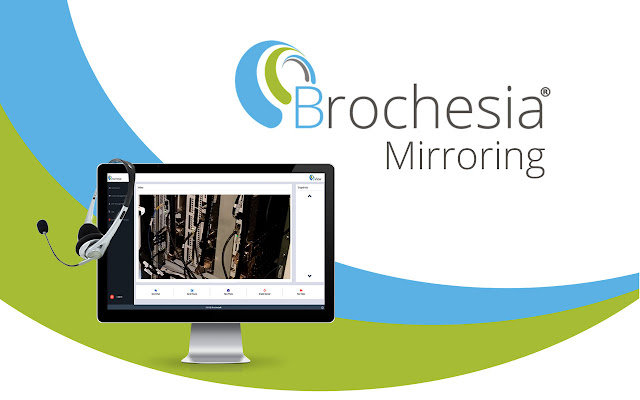
Brochesia Mirroring 확장 프로그램 CRX 파일 다운로드
크롬 확장 프로그램을 crx 형식으로 다운로드하여 브라우저에 수동으로 설치하거나 crx 파일을 친구들과 공유하여 쉽게 크롬 확장 프로그램을 설치하세요.
확장 프로그램 사용 설명서
                        Discover the new Brochesia Mirroring extension.
Expand the functionality of the Brochesia platform and share the contents with your community during the live call.

Installing this extension will allow you to share the Brochesia web portal link with other users.
Brochesia Mirroring is an extension that allows greater collaboration between users of the web portal, transmitting the computer screen
확장 프로그램 기본 정보
| 이름 |  Brochesia Mirroring Brochesia Mirroring |
| ID | demiadgibldbanpdkgccleihikepdhna |
| 공식 URL | https://chrome.google.com/webstore/detail/brochesia-mirroring/demiadgibldbanpdkgccleihikepdhna |
| 설명 | Expand the functionality of the Brochesia platform and share the contents with your community during the live call. |
| 파일 크기 | 286 KB |
| 설치 횟수 | 528 |
| 현재 버전 | 13 |
| 최근 업데이트 | 2020-04-23 |
| 출시 날짜 | 2020-04-20 |
| 평점 | 5.00/5 총 4 개의 평점 |
| 개발자 | http://www.brochesia.com |
| 이메일 | [email protected] |
| 결제 유형 | free |
| 개인정보 보호 정책 페이지 URL | https://www.brochesia.com/privacy_policy.html |
| 지원되는 언어 | en |
| manifest.json | |
{
"update_url": "https:\/\/clients2.google.com\/service\/update2\/crx",
"name": "Brochesia Mirroring",
"author": "Brochesia",
"version": "13",
"manifest_version": 2,
"minimum_chrome_version": "34",
"description": "Expand the functionality of the Brochesia platform and share the contents with your community during the live call.",
"homepage_url": "https:\/\/www.brochesia.com",
"background": {
"scripts": [
"desktop-capturing.js"
],
"persistent": false
},
"browser_action": {
"default_icon": "images\/desktopCapture22.png",
"default_title": "Share Your Screen"
},
"icons": {
"16": "images\/desktopCapture16.png",
"22": "images\/desktopCapture22.png",
"32": "images\/desktopCapture32.png",
"48": "images\/desktopCapture48.png",
"128": "images\/desktopCapture128.png"
},
"permissions": [
"cookies",
"desktopCapture",
"storage",
"tabs",
" | |