Inlytics Publish
Draft and schedule LinkedIn posts.
Inlytics Publish란 무엇입니까?
Inlytics Publish은(는) https://inlytics.io에 의해 개발된 Chrome 확장 프로그램으로, 주요 기능은 "Draft and schedule LinkedIn posts."입니다.
확장 프로그램 스크린샷
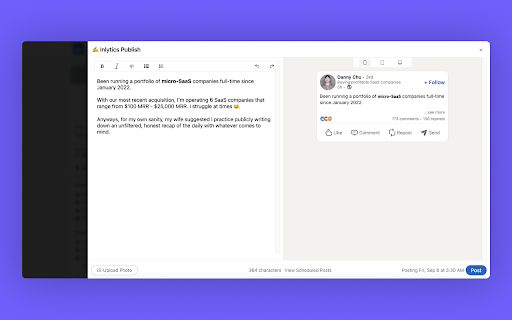
Inlytics Publish 확장 프로그램 CRX 파일 다운로드
크롬 확장 프로그램을 crx 형식으로 다운로드하여 브라우저에 수동으로 설치하거나 crx 파일을 친구들과 공유하여 쉽게 크롬 확장 프로그램을 설치하세요.
확장 프로그램 사용 설명서
Draft, Preview and Schedule Linkedin posts powered by a rich text editor. 확장 프로그램 기본 정보
| 이름 |  Inlytics Publish Inlytics Publish |
| ID | fckcmalnpnopeccbdcmdnejdlfigamai |
| 공식 URL | https://chromewebstore.google.com/detail/inlytics-publish/fckcmalnpnopeccbdcmdnejdlfigamai |
| 설명 | Draft and schedule LinkedIn posts. |
| 파일 크기 | 361 KB |
| 설치 횟수 | 112 |
| 현재 버전 | 0.0.8 |
| 최근 업데이트 | 2023-11-13 |
| 출시 날짜 | 2023-09-10 |
| 평점 | 5.00/5 총 1 개의 평점 |
| 개발자 | https://inlytics.io |
| 이메일 | [email protected] |
| 결제 유형 | free |
| 확장 프로그램 웹 사이트 | https://inlytics.io |
| 도움말 페이지 URL | https://www.inlytics.io/help/overview |
| 개인정보 보호 정책 페이지 URL | https://www.inlytics.io/privacy |
| 지원되는 언어 | en |
| manifest.json | |
{
    "update_url": "https:\/\/clients2.google.com\/service\/update2\/crx",
    "description": "Draft and schedule LinkedIn posts.",
    "version": "0.0.8",
    "manifest_version": 3,
    "name": "Inlytics Publish",
    "action": {
        "default_icon": "icon-32.png"
    },
    "icons": {
        "32": "icon-32.png",
        "128": "icon-128.png"
    },
    "content_scripts": [
        {
            "matches": [
                "*:\/\/*.linkedin.com\/*"
            ],
            "js": [
                "contentScript.bundle.js"
            ],
            "css": [
                "Content.css",
                "tailwind.css"
            ],
            "images": [
                "icon-128.png",
                "icon-32.png"
            ]
        }
    ],
    "permissions": [
        "storage",
        "https:\/\/*.linkedin.com\/*"
    ],
    "host_permissions": [
        "*:\/\/*.linkedin.com\/*"
    ],
    "web_accessible_resources": [
        {
            "resources": [
                "icon-128.png",
                "icon-32.png",
                "tailwind.css",
                "Content.css"
            ],
            "matches": [
                "*:\/\/*.linkedin.com\/*"
            ]
        }
    ]
} | |