Certified Screenshot
Certified Screenshot (by easytimestamping.com). Easily capture and certify a screenshot of any web page.
Certified Screenshot란 무엇입니까?
Certified Screenshot은(는) https://easytimestamping.com에 의해 개발된 Chrome 확장 프로그램으로, 주요 기능은 "Certified Screenshot (by easytimestamping.com). Easily capture and certify a screenshot of any web page."입니다.
확장 프로그램 스크린샷
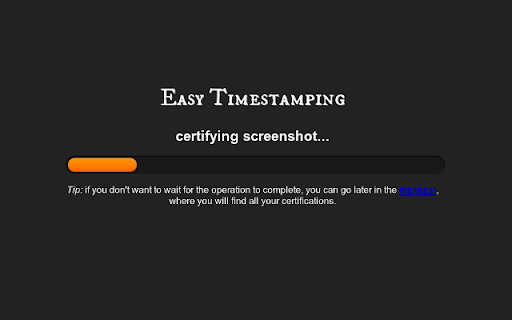


Certified Screenshot 확장 프로그램 CRX 파일 다운로드
크롬 확장 프로그램을 crx 형식으로 다운로드하여 브라우저에 수동으로 설치하거나 crx 파일을 친구들과 공유하여 쉽게 크롬 확장 프로그램을 설치하세요.
확장 프로그램 사용 설명서
                        Easily capture and certify a screenshot of any web page.

Use it to record online fraud, copyright infringement, cyberstalking, cyberbullying or other abuses, including all the information commonly requested by law enforcement agencies in just a single click.

This plugin will capture any web page and output a pdf file containing a screenshot, the html source, and domain registration info. The pdf is 'notarized' by easytimestamping.com using a trusted timestamp.

Thanks to powerful cryptographic techniques,  the generated pdf guarantees that the content has not been modified since the exact moment the screenshot was captured.  Any modification to the pdf can be detected with 100% certainty.

To use this plugin you must login at easytimestamping.com with an existing Google, Facebook, or OpenID account.

All timestamps are issued by a Qualified Certification Authority accredited in the EU and in the Trusted list of Certification Service Providers

Fully compliant with the Italian Codice dell'Amministrazione Digitale.

--
New in version 0.4.3:

 * fixed capture issue introduced in chrome version 34
 * use more restrictive and secure permissions
확장 프로그램 기본 정보
| 이름 |  Certified Screenshot Certified Screenshot |
| ID | gidbebhhkamojdpahpgmliaddcplobdn |
| 공식 URL | https://chromewebstore.google.com/detail/certified-screenshot/gidbebhhkamojdpahpgmliaddcplobdn |
| 설명 | Certified Screenshot (by easytimestamping.com). Easily capture and certify a screenshot of any web page. |
| 파일 크기 | 451 KB |
| 설치 횟수 | 24 |
| 현재 버전 | 0.4.3 |
| 최근 업데이트 | 2014-04-12 |
| 출시 날짜 | 2014-04-12 |
| 평점 | 2.80/5 총 10 개의 평점 |
| 개발자 | https://easytimestamping.com |
| 결제 유형 | free |
| 확장 프로그램 웹 사이트 | http://easytimestamping.com |
| 도움말 페이지 URL | http://securo.it/support |
| 지원되는 언어 | en |
| manifest.json | |
{
    "update_url": "https:\/\/clients2.google.com\/service\/update2\/crx",
    "version": "0.4.3",
    "name": "__MSG_name__",
    "description": "__MSG_description__",
    "background": {
        "page": "background.html",
        "persistent": true
    },
    "browser_action": {
        "default_icon": "images\/icon_19.png",
        "default_title": "__MSG_default_title__",
        "default_popup": "popup.html"
    },
    "content_scripts": [
        {
            "matches": [
                "http:\/\/*\/*",
                "https:\/\/*\/*",
                "ftp:\/\/*\/*",
                "file:\/\/*\/*"
            ],
            "js": [
                "page.js",
                "shortcut.js"
            ],
            "css": [
                "style.css"
            ],
            "run_at": "document_end"
        }
    ],
    "default_locale": "en",
    "icons": {
        "16": "images\/icon_16.png",
        "19": "images\/icon_19.png",
        "32": "images\/icon_32.png",
        "48": "images\/icon_48.png",
        "128": "images\/icon_128.png"
    },
    "content_security_policy": "script-src 'self' https:\/\/ajax.googleapis.com https:\/\/fonts.googleapis.com; object-src 'self'",
    "manifest_version": 2,
    "permissions": [
        "tabs",
        "notifications",
        "cookies",
        "activeTab",
        "*:\/\/easytimestamping.com\/",
        "*:\/\/api.securo.it\/*"
    ],
    "plugins": [
        {
            "path": "plugin\/screen_capture.dll"
        },
        {
            "path": "plugin\/screen_capture.so"
        },
        {
            "path": "plugin\/screen_capture_64.so"
        },
        {
            "path": "plugin\/screen_capture.plugin"
        }
    ],
    "web_accessible_resources": [
        "page_context.js",
        "style.css"
    ]
} | |