Picture in Picture
Enables Picture in Picture mode on Youtube and other sites on Chrome browser
Picture in Picture란 무엇입니까?
Picture in Picture은(는) Picture in Picture에 의해 개발된 Chrome 확장 프로그램으로, 주요 기능은 "Enables Picture in Picture mode on Youtube and other sites on Chrome browser"입니다.
확장 프로그램 스크린샷
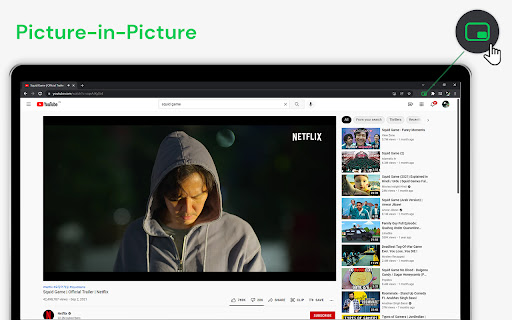


Picture in Picture 확장 프로그램 CRX 파일 다운로드
크롬 확장 프로그램을 crx 형식으로 다운로드하여 브라우저에 수동으로 설치하거나 crx 파일을 친구들과 공유하여 쉽게 크롬 확장 프로그램을 설치하세요.
확장 프로그램 사용 설명서
                        Now stream your favourite movies, series or sports on any tab. Install Picture in Picture chrome extension to enable the floating video. We support this feature on every streaming site.

Here is how to use Picture in Picture Extension
>>Visit Youtube or any streaming site which plays the video
>>Click on the Picture in Picture extension icon
>>Then it will minimize the video size and keep it in the bottom right corner
>>Now visit any other tab of your choice and the picture in picture will be active anywhere
>>Feel free to drag wherever you want on the screen and you can either increase or decrease the minimized video dimensions

version 2.0.0
>> Now working for videos embedded
>> Added support for dailymotion
>> Added support for Disney+ hotstar

Version 1.0.0
>> Bug fixes on anime-planet and crunchyroll websites
확장 프로그램 기본 정보
| 이름 |  Picture in Picture Picture in Picture |
| ID | hjbbfikgfdpfaabifikbadhgmofabpam |
| 공식 URL | https://chromewebstore.google.com/detail/picture-in-picture/hjbbfikgfdpfaabifikbadhgmofabpam |
| 설명 | Enables Picture in Picture mode on Youtube and other sites on Chrome browser |
| 파일 크기 | 6.33 KB |
| 설치 횟수 | 90,182 |
| 현재 버전 | 2.1.1 |
| 최근 업데이트 | 2024-01-07 |
| 출시 날짜 | 2021-12-26 |
| 평점 | 4.11/5 총 35 개의 평점 |
| 개발자 | Picture in Picture |
| 이메일 | [email protected] |
| 결제 유형 | free |
| 개인정보 보호 정책 페이지 URL | https://docs.google.com/document/d/1KzWrZ1Yvd-fXeFaxFJs1GqeQZpuIB1-uPdi7vL-M3-4/edit?usp=sharing |
| 지원되는 언어 | en |
| manifest.json | |
{
"update_url": "https:\/\/clients2.google.com\/service\/update2\/crx",
"name": "Picture in Picture",
"version": "2.1.1",
"description": "Enables Picture in Picture mode on Youtube and other sites on Chrome browser",
"permissions": [
" | |