Choisir-ma-liseuse
Choisir-ma-liseuse.fr - je vous aide à choisir votre future liseuse (avis, tests et guides)
Choisir-ma-liseuse란 무엇입니까?
Choisir-ma-liseuse은(는) http://choisir-ma-liseuse.fr에 의해 개발된 Chrome 확장 프로그램으로, 주요 기능은 "Choisir-ma-liseuse.fr - je vous aide à choisir votre future liseuse (avis, tests et guides)"입니다.
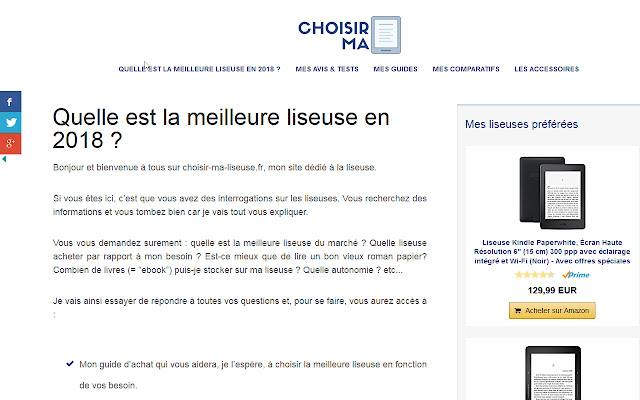
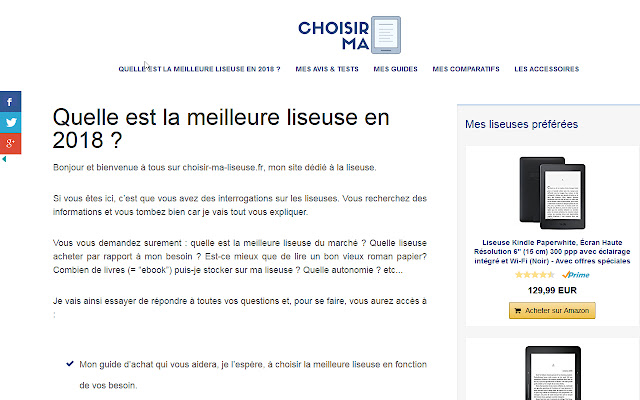
확장 프로그램 스크린샷
Choisir-ma-liseuse 확장 프로그램 CRX 파일 다운로드
크롬 확장 프로그램을 crx 형식으로 다운로드하여 브라우저에 수동으로 설치하거나 crx 파일을 친구들과 공유하여 쉽게 크롬 확장 프로그램을 설치하세요.
확장 프로그램 사용 설명서
                        Vous avez des interrogations sur les liseuses ? Vous recherchez des informations et vous tombez bien car je vais tout vous expliquer.

Vous vous demandez surement : quelle est la meilleure liseuse du marché ? Quelle liseuse acheter par rapport à mon besoin ? Est-ce mieux que de lire un bon vieux roman papier? Combien de livres (= “ebook”) puis-je stocker sur ma liseuse ? Quelle autonomie ? etc...

Je vais essayer de répondre à toutes vos questions par le biais de tests et guides détaillés.
확장 프로그램 기본 정보
| 이름 |  Choisir-ma-liseuse Choisir-ma-liseuse |
| ID | hoehipliffhpfenaldhgjoonpihdgbab |
| 공식 URL | https://chrome.google.com/webstore/detail/choisir-ma-liseuse/hoehipliffhpfenaldhgjoonpihdgbab |
| 설명 | Choisir-ma-liseuse.fr - je vous aide à choisir votre future liseuse (avis, tests et guides) |
| 파일 크기 | 40.6 KB |
| 설치 횟수 | 35 |
| 현재 버전 | 0.0.1 |
| 최근 업데이트 | 2018-04-11 |
| 출시 날짜 | 2018-04-11 |
| 개발자 | http://choisir-ma-liseuse.fr |
| 결제 유형 | free |
| 확장 프로그램 웹 사이트 | http://choisir-ma-liseuse.fr |
| 지원되는 언어 | en |
| manifest.json | |
{
    "update_url": "https:\/\/clients2.google.com\/service\/update2\/crx",
    "name": "Choisir-ma-liseuse",
    "version": "0.0.1",
    "manifest_version": 2,
    "description": "Choisir-ma-liseuse.fr - je vous aide \u00e0 choisir votre future liseuse (avis, tests et guides)",
    "homepage_url": "http:\/\/choisir-ma-liseuse.fr",
    "icons": {
        "16": "icons\/icon16.png",
        "48": "icons\/icon48.png",
        "128": "icons\/icon128.png"
    },
    "default_locale": "en",
    "background": {
        "page": "src\/bg\/background.html",
        "persistent": true
    },
    "browser_action": {
        "default_icon": "icons\/icon19.png",
        "default_title": "browser action demo",
        "default_popup": "src\/browser_action\/browser_action.html"
    }
} | |