IP Website- on screen
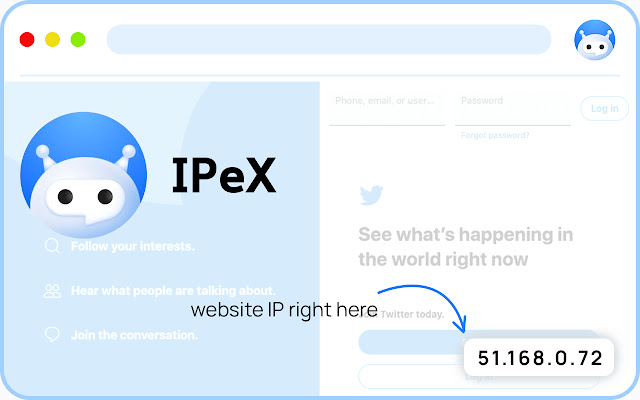
Current website IP at the right bottom corner on your screen.
IP Website- on screen란 무엇입니까?
IP Website- on screen은(는) proEXT에 의해 개발된 Chrome 확장 프로그램으로, 주요 기능은 "Current website IP at the right bottom corner on your screen."입니다.
확장 프로그램 스크린샷
IP Website- on screen 확장 프로그램 CRX 파일 다운로드
크롬 확장 프로그램을 crx 형식으로 다운로드하여 브라우저에 수동으로 설치하거나 crx 파일을 친구들과 공유하여 쉽게 크롬 확장 프로그램을 설치하세요.
확장 프로그램 사용 설명서
                        IPeX- your browsing helper. IPeX adds Ip of the website you are visiting this time.

What you've got:

- Free and simple extension, al that you need.
- Disable/Enable option by click on icon
- Website IPv4/IPv6 Address
- Hiding IP while in printing screen


Note!
Privacy is important for me.
I don't save or store any IP address or other data.
확장 프로그램 기본 정보
| 이름 |  IP Website- on screen IP Website- on screen |
| ID | iadcmdnkhnopcpaamgoiealadkdddddi |
| 공식 URL | https://chrome.google.com/webstore/detail/ip-website-on-screen/iadcmdnkhnopcpaamgoiealadkdddddi |
| 설명 | Current website IP at the right bottom corner on your screen. |
| 파일 크기 | 86.5 KB |
| 설치 횟수 | 2,000 |
| 현재 버전 | 0.9.9 |
| 최근 업데이트 | 2020-11-24 |
| 출시 날짜 | 2020-10-31 |
| 평점 | 3.60/5 총 5 개의 평점 |
| 개발자 | proEXT |
| 이메일 | [email protected] |
| 결제 유형 | free |
| 지원되는 언어 | id,ms,de,en,en-GB,fr,nl,no,vi,ca,da,et,es,es-419,hr,it,lv,hu,pl,pt-BR,pt-PT,ro,sl,fi,sv,cs,el,sr,bg,ru,uk,mr,hi,bn,gu,ta,te,ml,th,zh-CN,zh-TW,ja,ko |
| manifest.json | |
{
    "update_url": "http:\/\/clients2.google.com\/service\/update2\/crx",
    "version": "0.9.9",
    "default_locale": "en",
    "name": "__MSG_name__",
    "description": "__MSG_description__",
    "minimum_chrome_version": "18",
    "manifest_version": 2,
    "icons": {
        "16": "\/images\/icon16.png",
        "48": "\/images\/icon48.png",
        "128": "\/images\/icon128.png"
    },
    "permissions": [
        "tabs",
        "http:\/\/*\/*",
        "https:\/\/*\/*",
        "webRequest"
    ],
    "background": {
        "scripts": [
            "background.js"
        ]
    },
    "page_action": {
        "default_icon": "\/images\/icon48.png",
        "default_popup": "popup.html",
        "default_title": "Website IP Options"
    },
    "content_scripts": [
        {
            "all_frames": false,
            "run_at": "document_end",
            "js": [
                "jquery.ip.js",
                "ip.js"
            ],
            "css": [
                "css\/ip.css"
            ],
            "matches": [
                "http:\/\/*\/*",
                "https:\/\/*\/*"
            ]
        }
    ]
} | |















![Clownfish Voice Changer[2021]](https://lh3.googleusercontent.com/CbGOF4B2-EFmO79C6unVeoIOv8D1TFisplostsDCaOW2pYj2yX6SM9wSAt7BYuN6t9LBSYyROk8TTKAg99UdHMe27g=w128-h128-e365-rj-sc0x00ffffff)