Cuny Portal
a simple portal for blackboard and cuny first. open a new tab and click on either blackboard or cuny first. Version 1.3.1 October…
Cuny Portal란 무엇입니까?
Cuny Portal은(는) nickhidalgo93에 의해 개발된 Chrome 확장 프로그램으로, 주요 기능은 "a simple portal for blackboard and cuny first. open a new tab and click on either blackboard or cuny first. Version 1.3.1 October…"입니다.
확장 프로그램 스크린샷

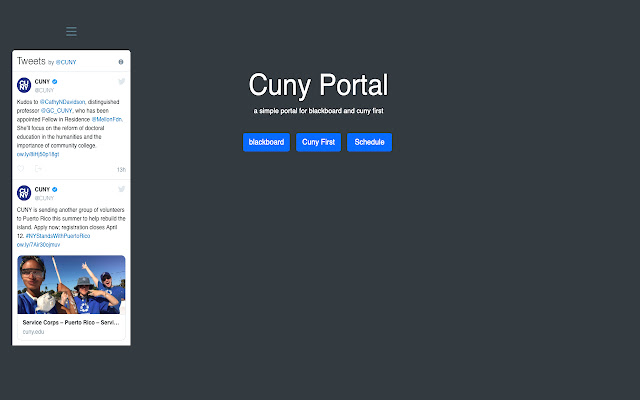
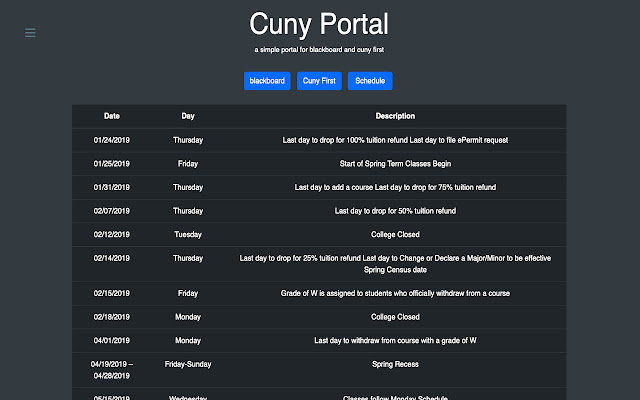
Cuny Portal 확장 프로그램 CRX 파일 다운로드
크롬 확장 프로그램을 crx 형식으로 다운로드하여 브라우저에 수동으로 설치하거나 crx 파일을 친구들과 공유하여 쉽게 크롬 확장 프로그램을 설치하세요.
확장 프로그램 사용 설명서
                        a simple portal for blackboard and cuny first. open a new tab and click on either blackboard or cuny first.

Version 1.3.1 October 2, 2018
** Fixed blackboard and cuny first links
** Redesign of entire extension
** changed background color
** added Fall 2018 schedule
** cleaned up layout

Version 2.0 April 4, 2019
** redesigned extension using bootstrap 4 **
** cuny twitter feed tab **
** updated spring 2019 schedule **
** available on mobile at nickcancode.github.io/CunyPortal **

Please leave feedback
확장 프로그램 기본 정보
| 이름 |  Cuny Portal Cuny Portal |
| ID | iccbgoeadclnnhpnjpkhnebaleilbfpi |
| 공식 URL | https://chrome.google.com/webstore/detail/cuny-portal/iccbgoeadclnnhpnjpkhnebaleilbfpi |
| 설명 | a simple portal for blackboard and cuny first. open a new tab and click on either blackboard or cuny first. Version 1.3.1 October… |
| 파일 크기 | 879 KB |
| 설치 횟수 | 20 |
| 현재 버전 | 2.0 |
| 최근 업데이트 | 2019-04-04 |
| 출시 날짜 | 2019-04-04 |
| 개발자 | nickhidalgo93 |
| 결제 유형 | free |
| 지원되는 언어 | en-US |
| manifest.json | |
{
    "update_url": "https:\/\/clients2.google.com\/service\/update2\/crx",
    "manifest_version": 2,
    "name": "Cuny Portal",
    "description": "",
    "version": "2.0",
    "author": "Nick",
    "browser_action": {
        "default_icon": "icon16.png",
        "default_title": "Cuny Portal",
        "default_popup": "popup.html"
    },
    "icons": {
        "128": "icon128.png",
        "48": "icon48.png",
        "16": "icon16.png"
    },
    "chrome_url_overrides": {
        "newtab": "index.html"
    },
    "permissions": [
        "activeTab"
    ]
} | |