Sema Login Autocomplete
Configure users credentials for each environment of your development web-projects. It's more than an autocomplete feature :-)
Sema Login Autocomplete란 무엇입니까?
Sema Login Autocomplete은(는) José Manuel García García에 의해 개발된 Chrome 확장 프로그램으로, 주요 기능은 "Configure users credentials for each environment of your development web-projects. It's more than an autocomplete feature :-)"입니다.
확장 프로그램 스크린샷
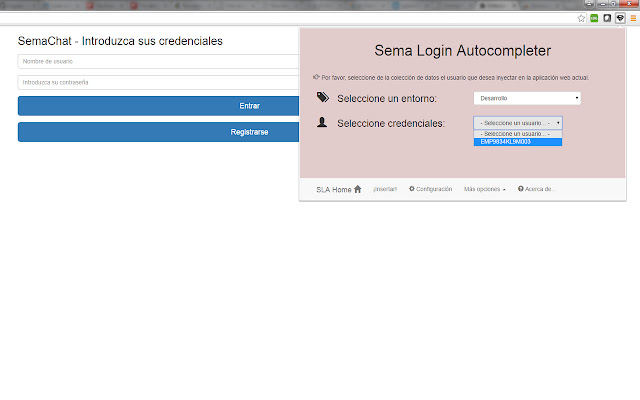
Sema Login Autocomplete 확장 프로그램 CRX 파일 다운로드
크롬 확장 프로그램을 crx 형식으로 다운로드하여 브라우저에 수동으로 설치하거나 crx 파일을 친구들과 공유하여 쉽게 크롬 확장 프로그램을 설치하세요.
확장 프로그램 사용 설명서
                        Are you tired of write several time the user credentials of your current web development? Do you have a lot of different users in your web-app? Don't you remember which one is each credentials?

With the help of this extension you'll manage all your users and all your development environments (ouh yeah, production too!!), and don't care about the passwords :-)

Moreover, you could share that configuration (users, environments, credentials...) with your new mates, and you'll save your appreciated and tight time avoiding to resent them manually!

Languages: english, spanish and coming soon... italian! (automatically selected based on the chrome-lang)

Install it right now!
확장 프로그램 기본 정보
| 이름 |  Sema Login Autocomplete Sema Login Autocomplete |
| ID | icibgoniiblnlggidknaoijhcomafhma |
| 공식 URL | https://chrome.google.com/webstore/detail/sema-login-autocomplete/icibgoniiblnlggidknaoijhcomafhma |
| 설명 | Configure users credentials for each environment of your development web-projects. It's more than an autocomplete feature :-) |
| 파일 크기 | 349 KB |
| 설치 횟수 | 35 |
| 현재 버전 | 1.2 |
| 최근 업데이트 | 2016-04-23 |
| 출시 날짜 | 2016-04-23 |
| 평점 | 5.00/5 총 1 개의 평점 |
| 개발자 | José Manuel García García |
| 이메일 | [email protected] |
| 결제 유형 | free |
| 지원되는 언어 | en,es |
| manifest.json | |
{
"update_url": "https:\/\/clients2.google.com\/service\/update2\/crx",
"manifest_version": 2,
"name": "__MSG_extName__",
"version": "1.2",
"default_locale": "en",
"description": "__MSG_extDescription__",
"author": "Sema (Jos\u00e9 Manuel Garc\u00eda Garc\u00eda)",
"browser_action": {
"default_icon": "icons\/16\/s2.png",
"default_title": "Sema Login Autocomplete Extension",
"default_popup": "browser\/browser-action.html"
},
"background": {
"scripts": [
"libs\/jquery.js",
"background\/background.js"
],
"persistent": false
},
"commands": {
"_execute_browser_action": {
"suggested_key": {
"windows": "Ctrl+Shift+S",
"mac": "Command+Shift+S",
"chromeos": "Ctrl+Shift+S",
"linux": "Ctrl+Shift+S"
}
}
},
"content_scripts": [
{
"matches": [
" | |