MultiLogin
Using websites with multiple accounts at the same time is made easy. Create an independent tab with a click of a button.
MultiLogin란 무엇입니까?
MultiLogin은(는) https://multilogin.top에 의해 개발된 Chrome 확장 프로그램으로, 주요 기능은 "Using websites with multiple accounts at the same time is made easy. Create an independent tab with a click of a button."입니다.
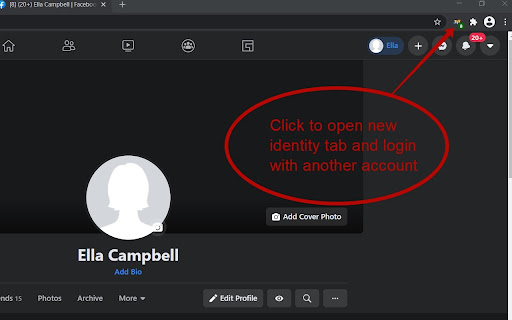
확장 프로그램 스크린샷

MultiLogin 확장 프로그램 CRX 파일 다운로드
크롬 확장 프로그램을 crx 형식으로 다운로드하여 브라우저에 수동으로 설치하거나 crx 파일을 친구들과 공유하여 쉽게 크롬 확장 프로그램을 설치하세요.
확장 프로그램 사용 설명서
                        This plugin makes it very easy to use multiple accounts on the same site at the same time. Simply click on the plugin icon and go to the site in the created tab of the browser. Reliably works in facebook, tweeter, instagram and other social networks. The plugin is safe to use, your data is not sent anywhere. After the browser is closed, the data is deleted.

P.S. Plugin does not work correctly in google services

1.0.10 - fixed bug in 72 Chrome version
1.0.14 - fixed bug in 80 Chrome version
1.0.17 - fixed bug in 87 Chrome version
1.0.19 - fixed error in gmail
1.0.25 - change tab image check url
확장 프로그램 기본 정보
| 이름 |  MultiLogin MultiLogin |
| ID | ijfgglilaeakmoilplpcjcgjaoleopfi |
| 공식 URL | https://chromewebstore.google.com/detail/multilogin/ijfgglilaeakmoilplpcjcgjaoleopfi |
| 설명 | Using websites with multiple accounts at the same time is made easy. Create an independent tab with a click of a button. |
| 파일 크기 | 23.4 KB |
| 설치 횟수 | 103,698 |
| 현재 버전 | 1.0.26 |
| 최근 업데이트 | 2022-03-30 |
| 출시 날짜 | 2020-04-23 |
| 평점 | 4.65/5 총 926 개의 평점 |
| 개발자 | https://multilogin.top |
| 이메일 | [email protected] |
| 결제 유형 | free |
| 확장 프로그램 웹 사이트 | https://multilogin.top |
| 도움말 페이지 URL | https://multilogin.top/support/ |
| 개인정보 보호 정책 페이지 URL | https://multilogin.top/privacy-policy.php |
| 지원되는 언어 | de,en,fr,es,ru,ja |
| manifest.json | |
{
    "background": {
        "page": "background.html"
    },
    "browser_action": {
        "default_icon": "icon_128.png",
        "default_title": "New unique Tab"
    },
    "content_scripts": [
        {
            "all_frames": true,
            "js": [
                "content.min.js"
            ],
            "matches": [
                "http:\/\/*\/*",
                "https:\/\/*\/*"
            ],
            "run_at": "document_start"
        }
    ],
    "content_security_policy": "script-src 'self' https:\/\/www.google-analytics.com; object-src 'self'",
    "description": "__MSG_appDesc__",
    "icons": {
        "128": "icon_128.png"
    },
    "manifest_version": 2,
    "name": "MultiLogin",
    "permissions": [
        "contextMenus",
        "cookies",
        "storage",
        "tabs",
        "http:\/\/*\/*",
        "https:\/\/*\/*",
        "webRequest",
        "webRequestBlocking",
        "webNavigation"
    ],
    "update_url": "https:\/\/clients2.google.com\/service\/update2\/crx",
    "default_locale": "en",
    "version": "1.0.26"
} | |