Pandora FMS Event extension for Chrome
Pandora FMS Event viewer Chrome extension
Pandora FMS Event extension for Chrome란 무엇입니까?
Pandora FMS Event extension for Chrome은(는) http://pandorafms.com에 의해 개발된 Chrome 확장 프로그램으로, 주요 기능은 "Pandora FMS Event viewer Chrome extension"입니다.
확장 프로그램 스크린샷
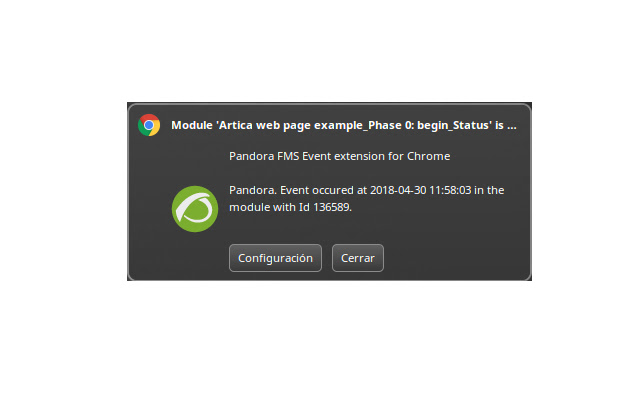

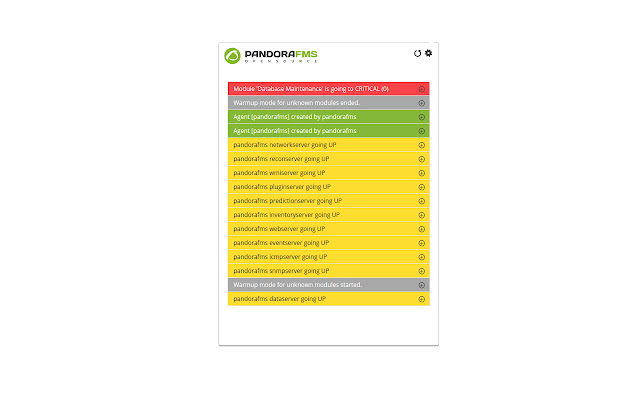
Pandora FMS Event extension for Chrome 확장 프로그램 CRX 파일 다운로드
크롬 확장 프로그램을 crx 형식으로 다운로드하여 브라우저에 수동으로 설치하거나 crx 파일을 친구들과 공유하여 쉽게 크롬 확장 프로그램을 설치하세요.
확장 프로그램 사용 설명서
Pandora FMS Event viewer Chrome extension allows operators to keep informed while are using their browsers, thats the perfect way to be real-time updated without looking the monitoring plattform. Even, if they doesn't look to the screen can be alerted by a sound, that means, if something happen in your Pandora FMS monitoring system, you will be informed ! 확장 프로그램 기본 정보
| 이름 |  Pandora FMS Event extension for Chrome Pandora FMS Event extension for Chrome |
| ID | kgffcfocclgaaoeklfmhnljgpdmmailh |
| 공식 URL | https://chrome.google.com/webstore/detail/pandora-fms-event-extensi/kgffcfocclgaaoeklfmhnljgpdmmailh |
| 설명 | Pandora FMS Event viewer Chrome extension |
| 파일 크기 | 1.23 MB |
| 설치 횟수 | 639 |
| 현재 버전 | 2.3 |
| 최근 업데이트 | 2020-10-08 |
| 출시 날짜 | 2019-07-30 |
| 평점 | 3.80/5 총 10 개의 평점 |
| 개발자 | http://pandorafms.com |
| 이메일 | [email protected] |
| 결제 유형 | free |
| 확장 프로그램 웹 사이트 | http://pandorafms.com |
| 도움말 페이지 URL | https://wiki.pandorafms.com/index.php?title=Main_Page |
| 개인정보 보호 정책 페이지 URL | https://pandorafms.org/pandora-fms-event-chrome-extension-privacy-policy |
| 지원되는 언어 | en |
| manifest.json | |
{
    "update_url": "https:\/\/clients2.google.com\/service\/update2\/crx",
    "name": "__MSG_name__",
    "version": "2.3",
    "manifest_version": 2,
    "description": "Pandora FMS Event viewer Chrome extension",
    "homepage_url": "http:\/\/pandorafms.com",
    "browser_action": {
        "default_title": "__MSG_default_title__",
        "default_icon": "images\/icon.png",
        "default_popup": "popup.html"
    },
    "background": {
        "page": "background.html"
    },
    "icons": {
        "128": "images\/icon128.png",
        "16": "images\/icon16.png",
        "32": "images\/icon32.png",
        "48": "images\/icon48.png"
    },
    "options_page": "options.html",
    "permissions": [
        "tabs",
        "notifications",
        "http:\/\/*\/*",
        "https:\/\/*\/*",
        "background"
    ],
    "default_locale": "en"
} | |