History Graph
Reads your history, and shows the top ten pages you go to by typing the URL.
History Graph란 무엇입니까?
History Graph은(는) William Ma에 의해 개발된 Chrome 확장 프로그램으로, 주요 기능은 "Reads your history, and shows the top ten pages you go to by typing the URL."입니다.
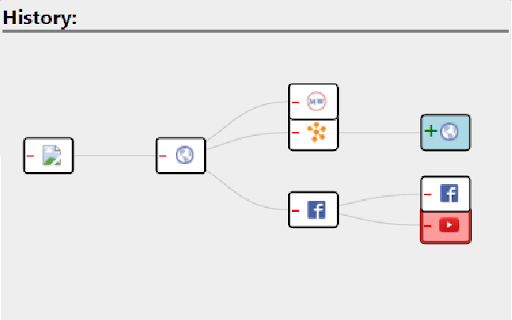
확장 프로그램 스크린샷
History Graph 확장 프로그램 CRX 파일 다운로드
크롬 확장 프로그램을 crx 형식으로 다운로드하여 브라우저에 수동으로 설치하거나 crx 파일을 친구들과 공유하여 쉽게 크롬 확장 프로그램을 설치하세요.
확장 프로그램 사용 설명서
Navigate through your recent history much easier with this extension. A graph of all travelled pages will be displayed for a user to navigate to any page he/she wishes. 확장 프로그램 기본 정보
| 이름 |  History Graph History Graph |
| ID | kknceihjckaijliogihaggomdjlaboim |
| 공식 URL | https://chromewebstore.google.com/detail/history-graph/kknceihjckaijliogihaggomdjlaboim |
| 설명 | Reads your history, and shows the top ten pages you go to by typing the URL. |
| 파일 크기 | 134 KB |
| 설치 횟수 | 11 |
| 현재 버전 | 1.6 |
| 최근 업데이트 | 2016-01-15 |
| 출시 날짜 | 2016-01-15 |
| 평점 | 4.00/5 총 1 개의 평점 |
| 개발자 | William Ma |
| 결제 유형 | free |
| 지원되는 언어 | en |
| manifest.json | |
{
    "update_url": "https:\/\/clients2.google.com\/service\/update2\/crx",
    "name": "History Graph",
    "version": "1.6",
    "description": "Reads your history, and shows the top ten pages you go to by typing the URL.",
    "permissions": [
        "tabs",
        "webNavigation"
    ],
    "background": {
        "scripts": [
            "jquery-1.11.1.min.js",
            "background.js"
        ]
    },
    "browser_action": {
        "default_popup": "GraphView.html",
        "default_icon": "icon.png"
    },
    "icons": {
        "128": "icon128.png",
        "64": "icon.png",
        "32": "icon32.png"
    },
    "manifest_version": 2
} | |