MUSE login
Automatically log in to shef.ac.uk without typing your details!
MUSE login란 무엇입니까?
MUSE login은(는) georgepowell10에 의해 개발된 Chrome 확장 프로그램으로, 주요 기능은 "Automatically log in to shef.ac.uk without typing your details!"입니다.
확장 프로그램 스크린샷
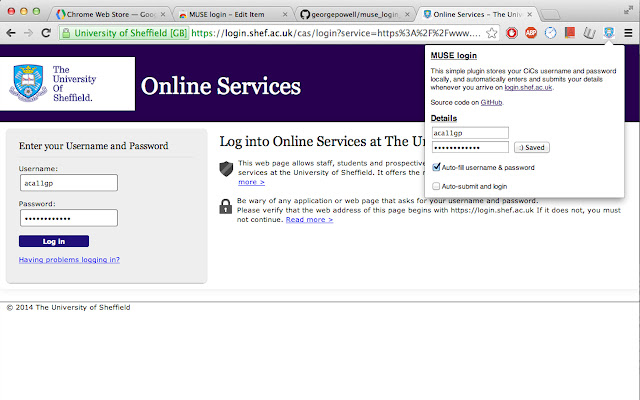
MUSE login 확장 프로그램 CRX 파일 다운로드
크롬 확장 프로그램을 crx 형식으로 다운로드하여 브라우저에 수동으로 설치하거나 crx 파일을 친구들과 공유하여 쉽게 크롬 확장 프로그램을 설치하세요.
확장 프로그램 사용 설명서
                        Fed up of typing your MUSE login every single freaking time? Why can't chrome remember your password or keep you signed in like every other website? Now it can! Introducing the MUSE login chrome extension. The extension automatically fills in and submits the login form whenever you arrive on the university login page, so you don't have to!

Fully open source and free forever at https://github.com/georgepowell/muse_login_chrome

Extension does not access the internet and stores your details safely on the local machine. Feel free to check out the source code if you have any doubts.
확장 프로그램 기본 정보
| 이름 |  MUSE login MUSE login |
| ID | lgemcjddblhggnfeigkgoefcedkhmdnl |
| 공식 URL | https://chrome.google.com/webstore/detail/muse-login/lgemcjddblhggnfeigkgoefcedkhmdnl |
| 설명 | Automatically log in to shef.ac.uk without typing your details! |
| 파일 크기 | 211 KB |
| 설치 횟수 | 31 |
| 현재 버전 | 0.1 |
| 최근 업데이트 | 2014-03-03 |
| 출시 날짜 | 2014-03-03 |
| 평점 | 5.00/5 총 1 개의 평점 |
| 개발자 | georgepowell10 |
| 결제 유형 | free |
| 지원되는 언어 | en-GB |
| manifest.json | |
{
    "update_url": "https:\/\/clients2.google.com\/service\/update2\/crx",
    "name": "MUSE login",
    "version": "0.1",
    "description": "Automatically log in to shef.ac.uk without typing your details!",
    "content_scripts": [
        {
            "js": [
                "jquery.js",
                "content_script.js"
            ],
            "matches": [
                "http:\/\/login.shef.ac.uk\/*",
                "https:\/\/login.shef.ac.uk\/*"
            ]
        }
    ],
    "permissions": [
        "declarativeContent",
        "storage"
    ],
    "icons": {
        "19": "icon-19.png",
        "48": "icon-48.png",
        "128": "icon-128.png"
    },
    "browser_action": {
        "default_icon": "icon-19.png",
        "default_title": "Muse Login!",
        "default_popup": "default_page.html"
    },
    "manifest_version": 2
} | |