Sound Booster
Customize music file by volume booster tool. Allow you to increase the volume of your audio and video files
Sound Booster란 무엇입니까?
Sound Booster은(는) Lourdes WhoIm에 의해 개발된 Chrome 확장 프로그램으로, 주요 기능은 "Customize music file by volume booster tool. Allow you to increase the volume of your audio and video files"입니다.
확장 프로그램 스크린샷

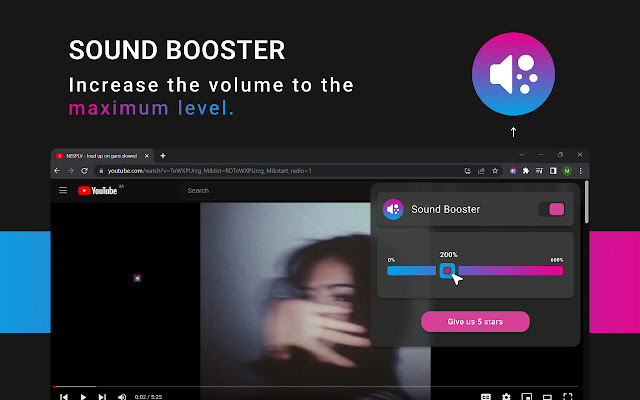
Sound Booster 확장 프로그램 CRX 파일 다운로드
크롬 확장 프로그램을 crx 형식으로 다운로드하여 브라우저에 수동으로 설치하거나 crx 파일을 친구들과 공유하여 쉽게 크롬 확장 프로그램을 설치하세요.
확장 프로그램 사용 설명서
                        In today’s world, sound booster tools are becoming increasingly popular. Whether you’re a musician, a sound engineer, or just someone who wants to enjoy their music louder, volume booster tools can help you get the most out of your audio.

Sound booster tool is designed to increase the volume of your audio without sacrificing mucis quality. They work by amplifying the audio waves and increasing the overall volume of the audio. This can be especially useful for those who are trying booster

Are you looking for a way to make your audio louder on your Chrome browser? If so, then you’ve come to the right place. Booster Tool for Chrome is a free extension that can help you increase the volume of your audio on your Chrome browser.
확장 프로그램 기본 정보
| 이름 |  Sound Booster Sound Booster |
| ID | lppeflehbcbgihabdpekbpjbedkhhhap |
| 공식 URL | https://chrome.google.com/webstore/detail/volume-booster/lppeflehbcbgihabdpekbpjbedkhhhap |
| 설명 | Customize music file by volume booster tool. Allow you to increase the volume of your audio and video files |
| 파일 크기 | 112 KB |
| 설치 횟수 | 1,771,561 |
| 현재 버전 | 1.0.9 |
| 최근 업데이트 | 2023-04-25 |
| 출시 날짜 | 2023-02-23 |
| 평점 | 4.86/5 총 14 개의 평점 |
| 개발자 | Lourdes WhoIm |
| 이메일 | [email protected] |
| 결제 유형 | free |
| 개인정보 보호 정책 페이지 URL | https://sites.google.com/view/sound-booster-ext/home |
| 지원되는 언어 | id,ms,de,en,en-GB,en-US,fil,fr,nl,no,vi,tr,ca,da,et,es,es-419,hr,it,lv,lt,pl,pt-BR,pt-PT,ro,sk,sl,fi,sv,cs,el,sr,bg,ru,uk,mr,hi,bn,gu,ta,te,ml,th,zh-CN,zh-TW,ja,ko |
| manifest.json | |
{
"update_url": "https:\/\/clients2.google.com\/service\/update2\/crx",
"manifest_version": 3,
"name": "__MSG_app_name__",
"description": "__MSG_app_description__",
"default_locale": "en",
"version": "1.0.9",
"icons": {
"16": "assets\/icon.png",
"32": "assets\/icon.png",
"48": "assets\/icon.png",
"128": "assets\/icon.png"
},
"action": {
"default_icon": {
"19": "assets\/icon.png",
"38": "assets\/icon.png"
},
"default_title": "__MSG_app_name__"
},
"background": {
"service_worker": "data\/worker.js"
},
"content_scripts": [
{
"matches": [
" | |