xBrick Puzzle Tetris Game
In this tetris game, You must try to get the highest score in the game by combining all the blocks.
xBrick Puzzle Tetris Game란 무엇입니까?
xBrick Puzzle Tetris Game은(는) https://gamebol.com에 의해 개발된 Chrome 확장 프로그램으로, 주요 기능은 "In this tetris game, You must try to get the highest score in the game by combining all the blocks."입니다.
확장 프로그램 스크린샷
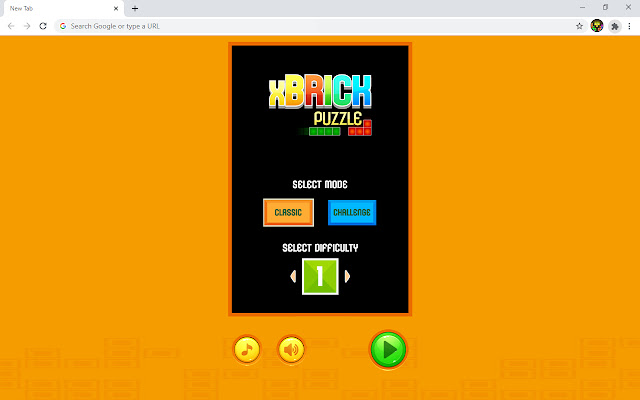


xBrick Puzzle Tetris Game 확장 프로그램 CRX 파일 다운로드
크롬 확장 프로그램을 crx 형식으로 다운로드하여 브라우저에 수동으로 설치하거나 crx 파일을 친구들과 공유하여 쉽게 크롬 확장 프로그램을 설치하세요.
확장 프로그램 사용 설명서
                        Are you ready for a retro gaming legend! Combine the colored blocks, pass the challenging levels and play this legendary game.

How To Play
Played with Arrow Keys.

xBrick Puzzle Tetris Game Features
✓ 5+ Level
✓ Easy control
✓ Colorful graphics
✓ Arcade sounds

Finally, you can enjoy these game for free (and more requests will be added)! xBrick Puzzle Tetris Game extension does not contain any hidden ads.

Help and Contact
Contact with us at [email protected] and share your thoughts and problems.
확장 프로그램 기본 정보
| 이름 |  xBrick Puzzle Tetris Game xBrick Puzzle Tetris Game |
| ID | ohmmahniilmgocchcjbpbdbkmellemfg |
| 공식 URL | https://chrome.google.com/webstore/detail/xbrick-puzzle-tetris-game/ohmmahniilmgocchcjbpbdbkmellemfg |
| 설명 | In this tetris game, You must try to get the highest score in the game by combining all the blocks. |
| 파일 크기 | 8.85 MB |
| 설치 횟수 | 7,000 |
| 현재 버전 | 1 |
| 최근 업데이트 | 2022-07-01 |
| 출시 날짜 | 2022-07-01 |
| 개발자 | https://gamebol.com |
| 이메일 | [email protected] |
| 결제 유형 | free |
| 확장 프로그램 웹 사이트 | https://gamebol.com |
| 도움말 페이지 URL | https://gamebol.com/contact/ |
| 개인정보 보호 정책 페이지 URL | https://gamebol.com/privacy-policy |
| 지원되는 언어 | id,ms,de,en,fil,fr,nl,no,tr,ca,da,et,es,hr,it,lv,hu,pl,ro,sk,sl,fi,sv,cs,el,bg,ru,uk,mr,hi,bn,gu,ta,te,ml,th,ja,ko |
| manifest.json | |
{
    "action": {
        "default_icon": "128.png"
    },
    "author": "gamebol",
    "background": {
        "service_worker": "background.js"
    },
    "content_security_policy": {
        "extension_pages": "script-src 'self'; object-src 'self';"
    },
    "default_locale": "en",
    "description": "__MSG_appDesc__",
    "icons": {
        "128": "128.png"
    },
    "manifest_version": 3,
    "name": "__MSG_appName__",
    "sandbox": {
        "pages": [
            "Game_Source\/index.html"
        ]
    },
    "update_url": "https:\/\/clients2.google.com\/service\/update2\/crx",
    "version": "1"
} | |