AMZ桌面-亚马逊选品利润计算器
精确的利润计算
AMZ桌面-亚马逊选品利润计算器란 무엇입니까?
AMZ桌面-亚马逊选品利润计算器은(는) https://amzzm.com에 의해 개발된 Chrome 확장 프로그램으로, 주요 기능은 "精确的利润计算"입니다.
확장 프로그램 스크린샷

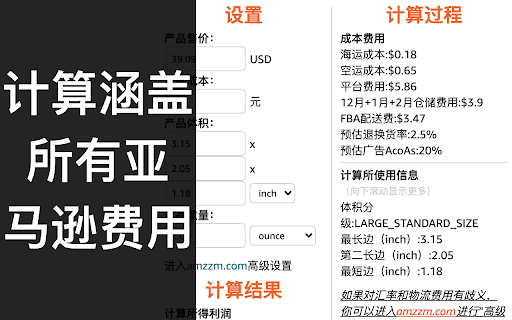
AMZ桌面-亚马逊选品利润计算器 확장 프로그램 CRX 파일 다운로드
크롬 확장 프로그램을 crx 형식으로 다운로드하여 브라우저에 수동으로 설치하거나 crx 파일을 친구들과 공유하여 쉽게 크롬 확장 프로그램을 설치하세요.
확장 프로그램 사용 설명서
amzzm.com-AMZ桌面-为亚马逊卖家提供精确的利润计算器。 확장 프로그램 기본 정보
| 이름 |  AMZ桌面-亚马逊选品利润计算器 AMZ桌面-亚马逊选品利润计算器 |
| ID | oobnhmioebnddcabnngemmjjdffhiphf |
| 공식 URL | https://chromewebstore.google.com/detail/amz%E6%A1%8C%E9%9D%A2-%E4%BA%9A%E9%A9%AC%E9%80%8A%E9%80%89%E5%93%81%E5%88%A9%E6%B6%A6%E8%AE%A1%E7%AE%97%E5%99%A8/oobnhmioebnddcabnngemmjjdffhiphf |
| 설명 | 精确的利润计算 |
| 파일 크기 | 318 KB |
| 설치 횟수 | 4,066 |
| 현재 버전 | by 牛津小马哥 |
| 최근 업데이트 | 2022-05-01 |
| 출시 날짜 | 2022-01-10 |
| 평점 | 4.86/5 총 7 개의 평점 |
| 개발자 | https://amzzm.com |
| 이메일 | [email protected] |
| 결제 유형 | free |
| 도움말 페이지 URL | https://leapca.com/privacy-policy |
| 개인정보 보호 정책 페이지 URL | https://leapca.com/privacy-policy |
| 지원되는 언어 | zh-CN |
| manifest.json | |
{
    "update_url": "https:\/\/clients2.google.com\/service\/update2\/crx",
    "name": "AMZ\u684c\u9762-\u4e9a\u9a6c\u900a\u9009\u54c1\u5229\u6da6\u8ba1\u7b97\u5668",
    "description": "\u7cbe\u786e\u7684\u5229\u6da6\u8ba1\u7b97",
    "version": "1.9.0",
    "version_name": "by \u725b\u6d25\u5c0f\u9a6c\u54e5",
    "manifest_version": 2,
    "icons": {
        "48": "icons\/icon.png",
        "128": "icons\/icon.png"
    },
    "browser_action": {
        "default_title": "AMZ\u684c\u9762-\u4e9a\u9a6c\u900a\u9009\u54c1\u5229\u6da6\u8ba1\u7b97\u5668",
        "default_popup": "popup\/popup.html"
    },
    "background": {
        "scripts": [
            "background.js"
        ]
    },
    "options_ui": {
        "page": "options\/options.html",
        "chrome_style": true
    },
    "permissions": [
        "storage"
    ],
    "content_scripts": [
        {
            "matches": [
                "https:\/\/*.amazon.com\/*",
                "https:\/\/*.amazon.co.uk\/*",
                "https:\/\/*.amazon.ca\/*",
                "https:\/\/*.amazon.com.au\/*",
                "https:\/\/*.amazon.com.mx\/*",
                "https:\/\/*.amazon.de\/*",
                "https:\/\/*.amazon.in\/*",
                "https:\/\/*.amazon.fr\/*",
                "https:\/\/*.amazon.it\/*",
                "https:\/\/*.amazon.es\/*",
                "https:\/\/*.amazon.co.jp\/*"
            ],
            "js": [
                "content\/amz\/content.js"
            ],
            "css": [
                "content\/amz\/style.css"
            ]
        }
    ]
} | |