Shalin
Suggests math symbol replacements for what you're typing.
Shalin란 무엇입니까?
Shalin은(는) Pondle에 의해 개발된 Chrome 확장 프로그램으로, 주요 기능은 "Suggests math symbol replacements for what you're typing."입니다.
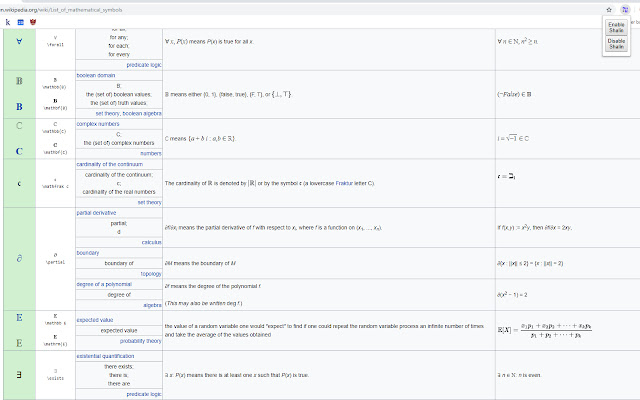
확장 프로그램 스크린샷
Shalin 확장 프로그램 CRX 파일 다운로드
크롬 확장 프로그램을 crx 형식으로 다운로드하여 브라우저에 수동으로 설치하거나 crx 파일을 친구들과 공유하여 쉽게 크롬 확장 프로그램을 설치하세요.
확장 프로그램 사용 설명서
                        Chrome extension that provides shortcuts to math symbol replacements for what you're typing.

Important note: Unfortunately, it appears Chrome has been updated to remove the functionality that makes this extension work properly. It is no longer maintained, and is unlikely to be updated unless the functionality returns in some form. My apologies!

Features:
- Instantly change trigger words into the associated symbol using "`"
- Lightweight
- Enable/Disable
- No external calls (runs locally)
- Most symbols from https://en.wikipedia.org/wiki/List_of_mathematical_symbols

How to use:
1. Type the key phrase (a list will be available shortly)
2. Press the backtick key (`)
3. Watch the magic happen!
확장 프로그램 기본 정보
| 이름 |  Shalin Shalin |
| ID | pdakidnecjjjcekpdccdjhombkklccnh |
| 공식 URL | https://chrome.google.com/webstore/detail/shalin/pdakidnecjjjcekpdccdjhombkklccnh |
| 설명 | Suggests math symbol replacements for what you're typing. |
| 파일 크기 | 111 KB |
| 설치 횟수 | 74 |
| 현재 버전 | 0.1.4 |
| 최근 업데이트 | 2020-09-15 |
| 출시 날짜 | 2019-02-08 |
| 평점 | 4.50/5 총 4 개의 평점 |
| 개발자 | Pondle |
| 이메일 | [email protected] |
| 결제 유형 | free |
| 확장 프로그램 웹 사이트 | http://shalin.benpotter.ca |
| 지원되는 언어 | en |
| manifest.json | |
{
    "update_url": "https:\/\/clients2.google.com\/service\/update2\/crx",
    "name": "Shalin",
    "description": "Suggests math symbol replacements for what you're typing.",
    "version": "0.1.4",
    "manifest_version": 2,
    "author": "Ben Potter",
    "permissions": [
        "input"
    ],
    "background": {
        "scripts": [
            "background.js"
        ],
        "persistent": false
    },
    "browser_action": {
        "default_popup": "popup\/popup.html",
        "default_icon": {
            "16": "imgs\/img_16.png",
            "32": "imgs\/img_32.png",
            "64": "imgs\/img_64.png",
            "128": "imgs\/img_128.png",
            "256": "imgs\/img_256.png"
        }
    },
    "icons": {
        "16": "imgs\/img_16.png",
        "32": "imgs\/img_32.png",
        "64": "imgs\/img_64.png",
        "128": "imgs\/img_128.png",
        "256": "imgs\/img_256.png"
    }
} | |