Uno Password Manager
Auto sign-in to your Uno secured accounts and access your passwords + 2FA codes from the browser.
Wat is Uno Password Manager?
Uno Password Manager is een Chrome-extensie ontwikkeld door https://uno.app, en de belangrijkste functie is "Auto sign-in to your Uno secured accounts and access your passwords + 2FA codes from the browser.".
Extensie Screenshots
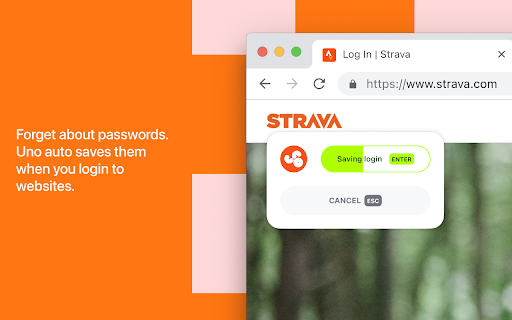
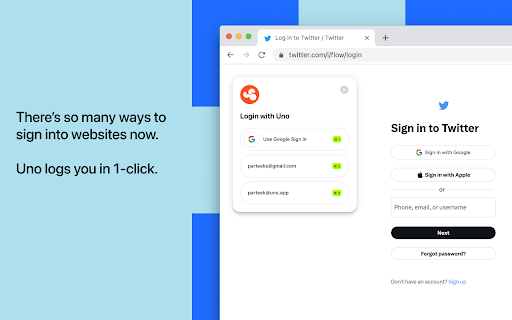
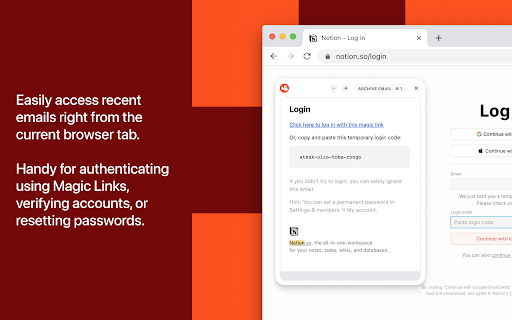


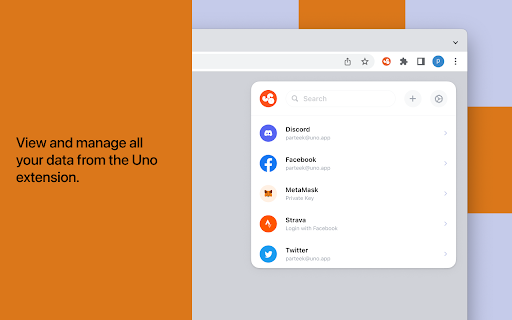
Download het CRX-bestand van de extensie Uno Password Manager
Download Uno Password Manager-extensiebestanden in crx-indeling, installeer Chrome-extensies handmatig in de browser of deel de crx-bestanden met vrienden om Chrome-extensies eenvoudig te installeren.
Instructies voor het Gebruik van de Extensie
                        Uno is a password manager you'll love using.

• Keep your credit card details, addresses, private keys and more safe and secure.
• Magic Login signs you into your favorite websites in 1-click.
• The Uno command menu lets you instantly access your vault items and Uno's features using the Command+Shift+K keyboard shortcut.
• Peekaboo shows your most recent email in the tab you're in, saving from going through your inbox to find the right email.
• Generate strong passwords. Uno auto-saves them to your account so you don't lose them.

View our privacy policy: https://withuno.notion.site/Privacy-Policy-b80aa79f6bd740c9819e265637379c19
Basisinformatie over de Extensie
| Naam |  Uno Password Manager Uno Password Manager |
| ID | aedmcpfnnmbdobnjpglgjkhdpljdcfmh |
| Officiële URL | https://chromewebstore.google.com/detail/uno-password-manager/aedmcpfnnmbdobnjpglgjkhdpljdcfmh |
| Beschrijving | Auto sign-in to your Uno secured accounts and access your passwords + 2FA codes from the browser. |
| Bestandsgrootte | 6.21 MB |
| Aantal Installaties | 471 |
| Huidige Versie | 1.0.39 |
| Laatst Bijgewerkt | 2023-10-11 |
| Publicatiedatum | 2023-01-25 |
| Beoordeling | 4.29/5 Totaal 7 Beoordelingen |
| Ontwikkelaar | https://uno.app |
| [email protected] | |
| Betalingswijze | free |
| Extensiewebsite | https://www.uno.app |
| URL van de Privacybeleid Pagina | https://www.uno.app/privacy |
| Ondersteunde Talen | en |
| manifest.json | |
{
"update_url": "https:\/\/clients2.google.com\/service\/update2\/crx",
"name": "Uno Password Manager",
"manifest_version": 2,
"version": "1.0.39",
"description": "Auto sign-in to your Uno secured accounts and access your passwords + 2FA codes from the browser.",
"content_security_policy": "default-src 'none'; base-uri 'none'; form-action 'none'; img-src 'self' blob: data: https: data:; style-src 'self' 'unsafe-inline'; font-src 'self' data:; script-src 'self' 'unsafe-eval'; connect-src https:\/\/api.uno.app https:\/\/accounts.google.com https:\/\/gmail.googleapis.com https:\/\/accounts.google.com\/o\/oauth2\/revoke;",
"web_accessible_resources": [
"images\/*",
"modals\/*",
"vendor\/*",
"*.js",
"*.css",
"*.json",
"*.wasm"
],
"default_locale": "en",
"icons": {
"16": "images\/icon-16-2x.png",
"32": "images\/icon-32-2x.png",
"48": "images\/icon-48-2x.png",
"128": "images\/icon-128-2x.png",
"256": "images\/icon-256-2x.png",
"512": "images\/icon-512-2x.png"
},
"content_scripts": [
{
"matches": [
" | |