IvyVPN
Unblock the Chrome to surf the Internet!
Wat is IvyVPN?
IvyVPN is een Chrome-extensie ontwikkeld door IvyHost, en de belangrijkste functie is "Unblock the Chrome to surf the Internet!".
Extensie Screenshots

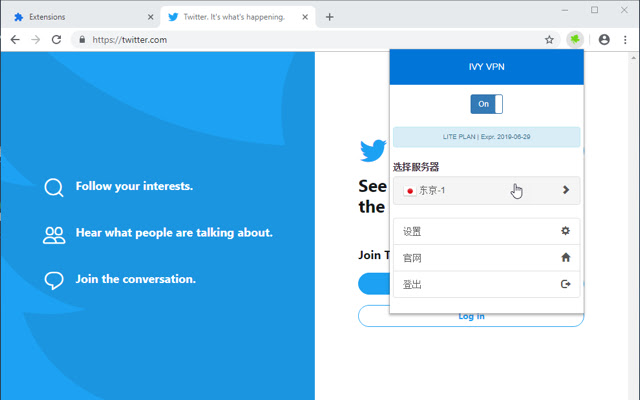
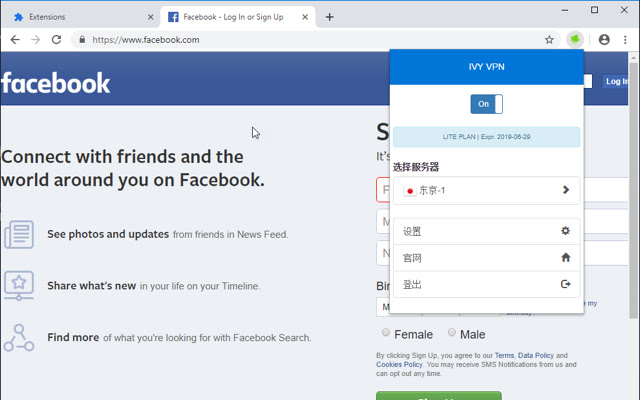

Download het CRX-bestand van de extensie IvyVPN
Download IvyVPN-extensiebestanden in crx-indeling, installeer Chrome-extensies handmatig in de browser of deel de crx-bestanden met vrienden om Chrome-extensies eenvoudig te installeren.
Instructies voor het Gebruik van de Extensie
                        IVY VPN service is fast, easy, reliable and private, especially for the users traveling to those Internet less freedom countries.

IVY VPN for Chrome protects your online privacy, unblocks websites, protects your security on Wi-Fi hotspots, prevents ad tracking, and encrypts all of the data in and out of your browser with one easy to use extension.
Basisinformatie over de Extensie
| Naam |  IvyVPN IvyVPN |
| ID | afppibgkahmchbblhplphjibkhdoloph |
| Officiële URL | https://chrome.google.com/webstore/detail/ivyvpn/afppibgkahmchbblhplphjibkhdoloph |
| Beschrijving | Unblock the Chrome to surf the Internet! |
| Bestandsgrootte | 198 KB |
| Aantal Installaties | 56 |
| Huidige Versie | 0.0.7 |
| Laatst Bijgewerkt | 2020-04-25 |
| Publicatiedatum | 2020-04-22 |
| Ontwikkelaar | IvyHost |
| Betalingswijze | free |
| Ondersteunde Talen | en |
| manifest.json | |
{
"update_url": "https:\/\/clients2.google.com\/service\/update2\/crx",
"version": "0.0.7",
"manifest_version": 2,
"default_locale": "en",
"name": "__MSG_app_name__",
"short_name": "__MSG_short_name__",
"description": "__MSG_app_desc__",
"icons": {
"128": "assets\/images\/on.png",
"48": "assets\/images\/on48.png",
"16": "assets\/images\/on16.png"
},
"permissions": [
"proxy",
" | |