パスワード倉庫
ログイン情報を管理できます。
Wat is パスワード倉庫?
パスワード倉庫 is een Chrome-extensie ontwikkeld door system.dev123, en de belangrijkste functie is "ログイン情報を管理できます。".
Extensie Screenshots
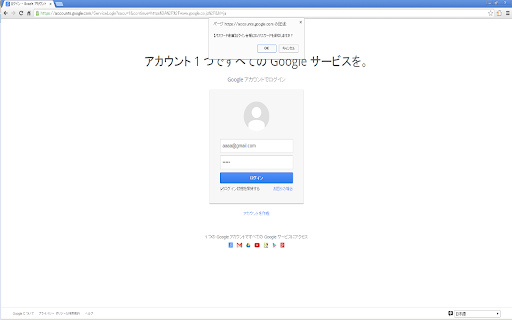
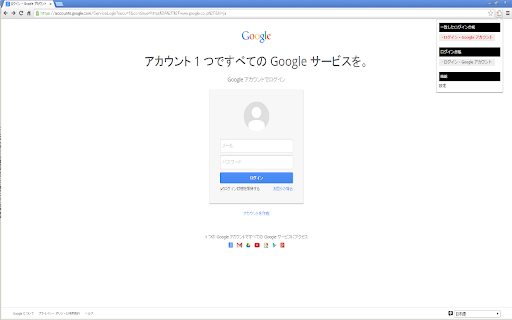

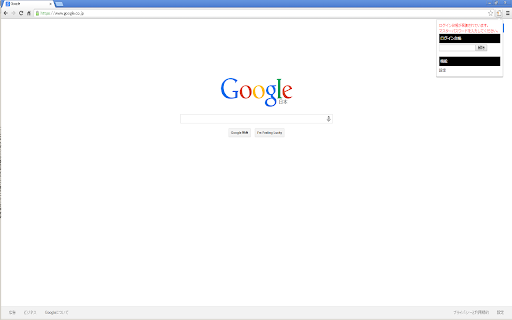
Download het CRX-bestand van de extensie パスワード倉庫
Download パスワード倉庫-extensiebestanden in crx-indeling, installeer Chrome-extensies handmatig in de browser of deel de crx-bestanden met vrienden om Chrome-extensies eenvoudig te installeren.
Instructies voor het Gebruik van de Extensie
                        パスワード倉庫があなたの大切なパスワードを守ります。

複数のWEBサービスで、同じパスワードを使いまわしたり、、使いたいときにパスワードを忘れて、パスワードをリセット、、そのような経験をされた方に、おすすめの拡張機能です。


【主な特徴】

1. パスワード倉庫にIDとパスワードを保管すると、ワンクリックでログイン可能に!

2.IDとパスワードは機密性の高いChrome内に暗号化し保存されますので、大切な情報を守られます!

3.マスターパスワードの設定で、セキュリティを強化!
Basisinformatie over de Extensie
| Naam |  パスワード倉庫 パスワード倉庫 |
| ID | akooakjdakkbpamfgllgnknighbpajgn |
| Officiële URL | https://chromewebstore.google.com/detail/%E3%83%91%E3%82%B9%E3%83%AF%E3%83%BC%E3%83%89%E5%80%89%E5%BA%AB/akooakjdakkbpamfgllgnknighbpajgn |
| Beschrijving | ログイン情報を管理できます。 |
| Bestandsgrootte | 4.46 MB |
| Aantal Installaties | 97 |
| Huidige Versie | 1.2.2 |
| Laatst Bijgewerkt | 2016-07-27 |
| Publicatiedatum | 2016-07-26 |
| Beoordeling | 4.00/5 Totaal 2 Beoordelingen |
| Ontwikkelaar | system.dev123 |
| [email protected] | |
| Betalingswijze | free |
| Extensiewebsite | http://www.alt-plus.jp/labs/chrome-ext/password-box |
| Help Pagina-URL | http://www.alt-plus.jp/ |
| URL van de Privacybeleid Pagina | https://www.be-s.co.jp/privacy_policy |
| Ondersteunde Talen | ja |
| manifest.json | |
{
    "update_url": "https:\/\/clients2.google.com\/service\/update2\/crx",
    "manifest_version": 2,
    "name": "\u30d1\u30b9\u30ef\u30fc\u30c9\u5009\u5eab",
    "description": "\u30ed\u30b0\u30a4\u30f3\u60c5\u5831\u3092\u7ba1\u7406\u3067\u304d\u307e\u3059\u3002",
    "version": "1.2.2",
    "permissions": [
        "tabs",
        "http:\/\/*\/*",
        "https:\/\/*\/*",
        "storage",
        "unlimitedStorage"
    ],
    "icons": {
        "16": "icons\/icon.png",
        "48": "icons\/icon48.png",
        "128": "icons\/icon128.png"
    },
    "background": {
        "scripts": [
            "jquery-1.10.2.min.js",
            "cryptico\/cryptico.min.js",
            "jquery.cookie.js",
            "common.js",
            "background.js"
        ]
    },
    "content_scripts": [
        {
            "all_frames": true,
            "run_at": "document_end",
            "js": [
                "jquery-1.10.2.min.js",
                "common.js",
                "content.js"
            ],
            "matches": [
                "http:\/\/*\/*",
                "https:\/\/*\/*",
                "file:\/\/\/*"
            ]
        }
    ],
    "options_page": "options.html",
    "browser_action": {
        "default_icon": "icons\/icon.png",
        "default_title": "\u30d1\u30b9\u30ef\u30fc\u30c9\u5009\u5eab",
        "default_popup": "popup.html"
    }
} | |