AzLyrics - Clean View & Dark Mode
Get a Cleaner, Wider and Darker AzLyrics Experience!
Wat is AzLyrics - Clean View & Dark Mode?
AzLyrics - Clean View & Dark Mode is een Chrome-extensie ontwikkeld door Otávio Pires, en de belangrijkste functie is "Get a Cleaner, Wider and Darker AzLyrics Experience!".
Extensie Screenshots
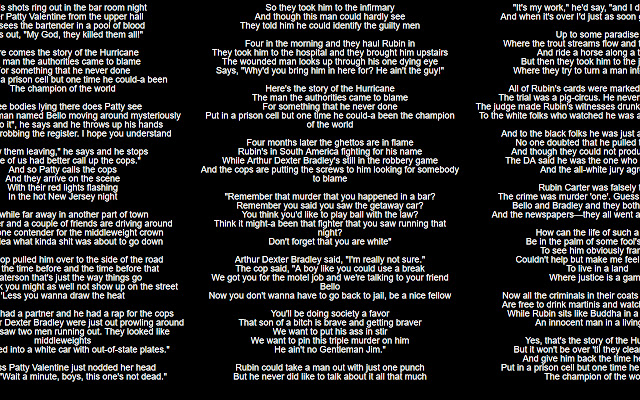


Download het CRX-bestand van de extensie AzLyrics - Clean View & Dark Mode
Download AzLyrics - Clean View & Dark Mode-extensiebestanden in crx-indeling, installeer Chrome-extensies handmatig in de browser of deel de crx-bestanden met vrienden om Chrome-extensies eenvoudig te installeren.
Instructies voor het Gebruik van de Extensie
                        This is an extension to the website https://www.azlyrics.com/.

Get a Cleaner, Wider and Darker AzLyrics Experience With Only One Click!

Navegate to the lyrics page you want to modify and simply click the button.
Simple like that!

Support and sugestions at GitHub!
Basisinformatie over de Extensie
| Naam |  AzLyrics - Clean View & Dark Mode AzLyrics - Clean View & Dark Mode |
| ID | ancolfadadfapijnjdlimchpioadpopo |
| Officiële URL | https://chrome.google.com/webstore/detail/azlyrics-clean-view-dark/ancolfadadfapijnjdlimchpioadpopo |
| Beschrijving | Get a Cleaner, Wider and Darker AzLyrics Experience! |
| Bestandsgrootte | 6.96 KB |
| Aantal Installaties | 13 |
| Huidige Versie | 0.001 |
| Laatst Bijgewerkt | 2020-01-19 |
| Publicatiedatum | 2020-01-19 |
| Ontwikkelaar | Otávio Pires |
| [email protected] | |
| Betalingswijze | free |
| Ondersteunde Talen | en |
| manifest.json | |
{
    "update_url": "https:\/\/clients2.google.com\/service\/update2\/crx",
    "manifest_version": 2,
    "name": "AzLyrics - Clean View & Dark Mode",
    "version": "0.001",
    "description": "Get a Cleaner, Wider and Darker AzLyrics Experience!",
    "permissions": [
        "activeTab"
    ],
    "content_scripts": [
        {
            "matches": [
                "https:\/\/www.azlyrics.com\/*"
            ],
            "js": [
                "content.js"
            ]
        }
    ],
    "background": {
        "scripts": [
            "background.js"
        ]
    },
    "browser_action": {
        "default_icon": {
            "16": "images\/az16.png",
            "32": "images\/az32.png",
            "48": "images\/az48.png",
            "128": "images\/az128.png"
        }
    },
    "icons": {
        "16": "images\/az16.png",
        "32": "images\/az32.png",
        "48": "images\/az48.png",
        "128": "images\/az128.png"
    }
} | |