Screencap
Screencap
Wat is Screencap?
Screencap is een Chrome-extensie ontwikkeld door Surya Nuchu, en de belangrijkste functie is "Screencap".
Extensie Screenshots

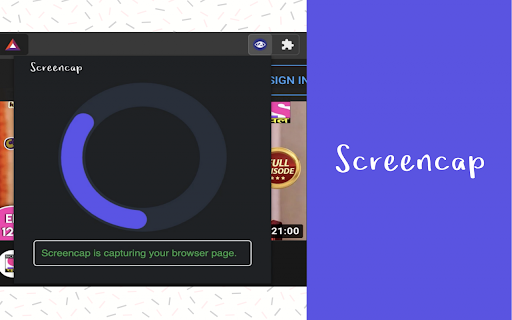
Download het CRX-bestand van de extensie Screencap
Download Screencap-extensiebestanden in crx-indeling, installeer Chrome-extensies handmatig in de browser of deel de crx-bestanden met vrienden om Chrome-extensies eenvoudig te installeren.
Instructies voor het Gebruik van de Extensie
                        Screencap is a screenshot Chrome extension that lets you capture the entire screen on Chrome. It is one of the best screenshot add-ons that you can find in the Google Web store.

Intro
———
Screencap will help you to get more work done by
1. Collaborate with Others
2. Demonstrate How to Perform a Function
3. Show Exactly What’s Happening

Features
———
➼ Capture the full page not just the visible area.
➼ Just one click to capture the entire screen.
➼ Beautiful animations to show you progress of the process.
➼ Save PNG files with one click.
➼ No login or registration required.
➼ There are no restrictions on the size or size of the file.

Privacy & Terms use
———
We don't collect or monitor any of your personal information.
Basisinformatie over de Extensie
| Naam |  Screencap Screencap |
| ID | aniaallgmlgdlefladlfhadglocahllm |
| Officiële URL | https://chromewebstore.google.com/detail/screencap/aniaallgmlgdlefladlfhadglocahllm |
| Beschrijving | Screencap |
| Bestandsgrootte | 1.44 MB |
| Aantal Installaties | 665 |
| Huidige Versie | 1.0.1 |
| Laatst Bijgewerkt | 2021-01-14 |
| Publicatiedatum | 2020-12-23 |
| Beoordeling | 5.00/5 Totaal 11 Beoordelingen |
| Ontwikkelaar | Surya Nuchu |
| [email protected] | |
| Betalingswijze | free |
| URL van de Privacybeleid Pagina | https://sites.google.com/view/screencap/home |
| Ondersteunde Talen | en-US |
| manifest.json | |
{
    "update_url": "https:\/\/clients2.google.com\/service\/update2\/crx",
    "manifest_version": 2,
    "name": "Screencap",
    "version": "1.0.1",
    "description": "Screencap",
    "background": {
        "scripts": [
            "background.js"
        ],
        "persistent": false
    },
    "icons": {
        "16": "icons\/Icon-16.png",
        "48": "icons\/Icon-48.png",
        "128": "icons\/Icon-128.png"
    },
    "browser_action": {
        "default_title": "Capture Full Screen",
        "default_icon": "icons\/Icon-16.png",
        "default_popup": "popup.html"
    },
    "commands": {
        "_execute_browser_action": {
            "suggested_key": {
                "default": "Alt+Shift+P"
            }
        }
    },
    "permissions": [
        "activeTab",
        "unlimitedStorage"
    ]
} | |








