IP location query
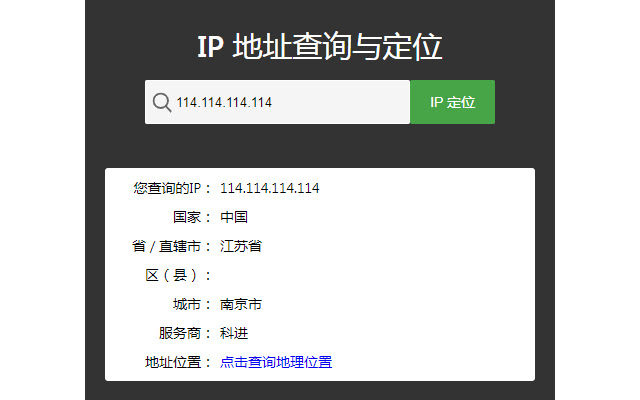
1: Display the current website server address and national flag; 2: Locate physical addresses by IP
Wat is IP location query?
IP location query is een Chrome-extensie ontwikkeld door 379522770, en de belangrijkste functie is "1: Display the current website server address and national flag; 2: Locate physical addresses by IP".
Extensie Screenshots


Download het CRX-bestand van de extensie IP location query
Download IP location query-extensiebestanden in crx-indeling, installeer Chrome-extensies handmatig in de browser of deel de crx-bestanden met vrienden om Chrome-extensies eenvoudig te installeren.
Instructies voor het Gebruik van de Extensie
                        1: Display the current site server address with the flag.
2: Right click the mouse to query the current location of the server.
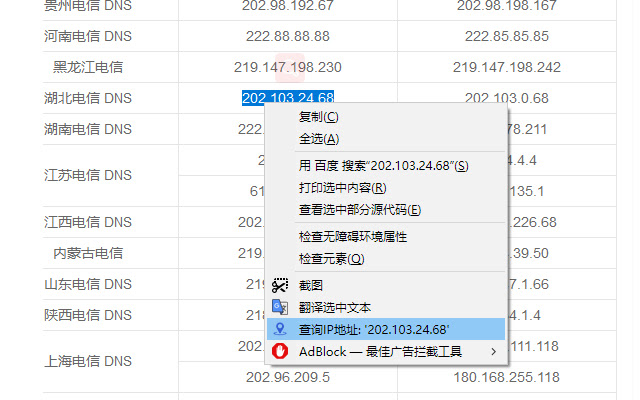
3: Select the text, and then right-click the mouse to quickly query IP address information and geographical location.
Basisinformatie over de Extensie
| Naam |  IP location query IP location query |
| ID | bdclcbikdajogncdpmobifajhbajddap |
| Officiële URL | https://chrome.google.com/webstore/detail/ip%E5%AE%9A%E4%BD%8D%E6%9F%A5%E8%AF%A2/bdclcbikdajogncdpmobifajhbajddap |
| Beschrijving | 1: Display the current website server address and national flag; 2: Locate physical addresses by IP |
| Bestandsgrootte | 519 KB |
| Aantal Installaties | 624 |
| Huidige Versie | 2.2.3 |
| Laatst Bijgewerkt | 2021-09-04 |
| Publicatiedatum | 2020-12-30 |
| Beoordeling | 3.20/5 Totaal 5 Beoordelingen |
| Ontwikkelaar | 379522770 |
| [email protected] | |
| Betalingswijze | free |
| Extensiewebsite | https://ip.lhyhq.cn |
| URL van de Privacybeleid Pagina | https://www.lhyhq.cn/privacy.html |
| Ondersteunde Talen | en,zh-CN |
| manifest.json | |
{
"update_url": "https:\/\/clients2.google.com\/service\/update2\/crx",
"name": "__MSG_extensionName__",
"description": "__MSG_extensionDescription__",
"manifest_version": 2,
"homepage_url": "https:\/\/ip.lhyhq.cn",
"version": "2.2.3",
"author": "\u4eca\u665a\u4e0a\u5c71\u6253\u8001\u864e",
"icons": {
"48": "icon-48.png",
"128": "icon-128.png"
},
"browser_action": {
"default_icon": "icon-48.png",
"default_title": "__MSG_extensionName__",
"default_popup": "index.html"
},
"permissions": [
"storage",
"contextMenus",
" | |