ContentDownloadMaster
ContentDownloadMaster extension is here to help you download media files from different websites. It is fast and simple! Just…
Wat is ContentDownloadMaster?
ContentDownloadMaster is een Chrome-extensie ontwikkeld door alexanderdagrin, en de belangrijkste functie is "ContentDownloadMaster extension is here to help you download media files from different websites. It is fast and simple! Just…".
Extensie Screenshots


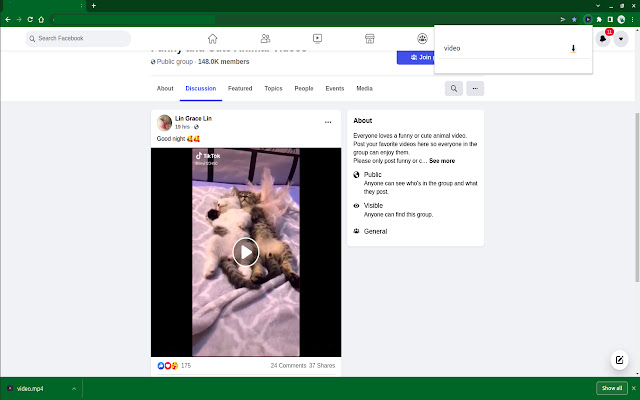

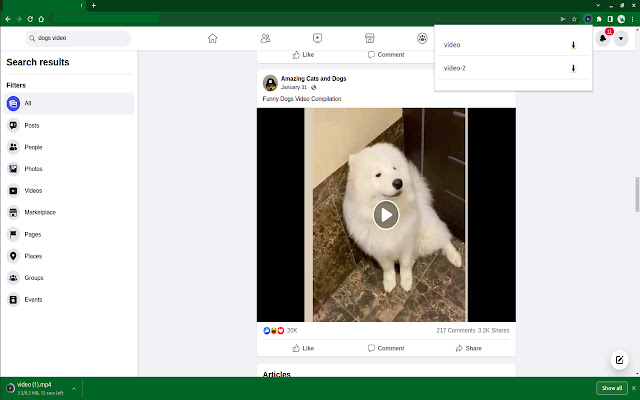

Download het CRX-bestand van de extensie ContentDownloadMaster
Download ContentDownloadMaster-extensiebestanden in crx-indeling, installeer Chrome-extensies handmatig in de browser of deel de crx-bestanden met vrienden om Chrome-extensies eenvoudig te installeren.
Instructies voor het Gebruik van de Extensie
                        ContentDownloadMaster extension is here to help you download media files from different websites.

It is fast and simple! Just click the download button at the popup menu and wait for a few seconds until your chosen video or videos are saved to your device.
Basisinformatie over de Extensie
| Naam |  ContentDownloadMaster ContentDownloadMaster |
| ID | bdidaacagfelkdahkmlobdicghmamchc |
| Officiële URL | https://chrome.google.com/webstore/detail/contentdownloadmaster/bdidaacagfelkdahkmlobdicghmamchc |
| Beschrijving | ContentDownloadMaster extension is here to help you download media files from different websites. It is fast and simple! Just… |
| Bestandsgrootte | 243 KB |
| Aantal Installaties | 9,000 |
| Huidige Versie | 1.0.2 |
| Laatst Bijgewerkt | 2022-02-10 |
| Publicatiedatum | 2021-12-23 |
| Beoordeling | 5.00/5 Totaal 24 Beoordelingen |
| Ontwikkelaar | alexanderdagrin |
| [email protected] | |
| Betalingswijze | free |
| URL van de Privacybeleid Pagina | http://tiny-paste.com/99541 |
| Ondersteunde Talen | en,ru |
| manifest.json | |
{
"update_url": "https:\/\/clients2.google.com\/service\/update2\/crx",
"name": "ContentDownloadMaster",
"version": "1.0.2",
"permissions": [
"storage",
"downloads",
"activeTab",
"scripting",
"cookies",
"alarms"
],
"host_permissions": [
" | |