Duochrome
Login through Duo Mobile in your browser.
Wat is Duochrome?
Duochrome is een Chrome-extensie ontwikkeld door Erich Boschert, en de belangrijkste functie is "Login through Duo Mobile in your browser.".
Extensie Screenshots

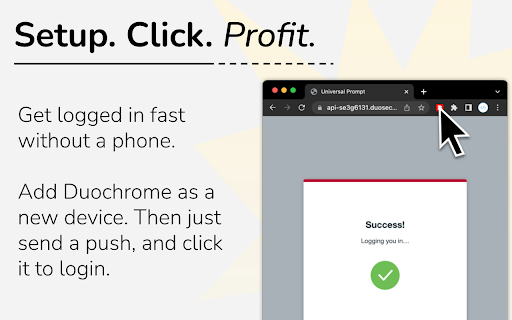
Download het CRX-bestand van de extensie Duochrome
Download Duochrome-extensiebestanden in crx-indeling, installeer Chrome-extensies handmatig in de browser of deel de crx-bestanden met vrienden om Chrome-extensies eenvoudig te installeren.
Instructies voor het Gebruik van de Extensie
                        An alternative to the Duo Mobile app. Duochrome can log you in with just a click.

# FAQ
Q: How does it work?
A: Duochrome approves logins by simply clicking on the extension. It does not bypass Duo Mobile, it works just like the phone app.

Q: How do I set it up?
A: Just like your phone, you'll need to register it to your organization's Duo Mobile account. Duochrome provides instructions when installed.

Q: Does it work for all organizations?
A: Yes.

Q: Can I copy Duochrome to other computers?
A: Yes. In settings, press the export button to get your login data. You can import this data on another extension.

Q: Is this secure?
A: Yes. Extensions are protected by the modern security of your browser. For security details, visit the GitHub page.

Q: How do I uninstall it?
A: Right click Duochrome and select remove from Chrome/Edge. You'll need to revisit your organization's Duo Mobile devices page to remove it as a login device.
Basisinformatie over de Extensie
| Naam |  Duochrome Duochrome |
| ID | bnfooenhhgcnhdkdjelgmmkpaemlnoek |
| Officiële URL | https://chromewebstore.google.com/detail/duochrome/bnfooenhhgcnhdkdjelgmmkpaemlnoek |
| Beschrijving | Login through Duo Mobile in your browser. |
| Bestandsgrootte | 3.2 MB |
| Aantal Installaties | 3,235 |
| Huidige Versie | 1.3.9 |
| Laatst Bijgewerkt | 2023-12-17 |
| Publicatiedatum | 2022-10-04 |
| Beoordeling | 5.00/5 Totaal 4 Beoordelingen |
| Ontwikkelaar | Erich Boschert |
| [email protected] | |
| Betalingswijze | free |
| Extensiewebsite | https://github.com/FreshSupaSulley/Duochrome |
| Help Pagina-URL | https://github.com/FreshSupaSulley/Duochrome |
| Ondersteunde Talen | en |
| manifest.json | |
{
    "update_url": "https:\/\/clients2.google.com\/service\/update2\/crx",
    "name": "Duochrome",
    "description": "Login through Duo Mobile in your browser.",
    "version": "1.3.9",
    "manifest_version": 3,
    "permissions": [
        "storage"
    ],
    "host_permissions": [
        "https:\/\/*.duosecurity.com\/*"
    ],
    "background": {
        "service_worker": "worker.js"
    },
    "content_scripts": [
        {
            "matches": [
                "https:\/\/*.duosecurity.com\/*"
            ],
            "js": [
                "content.js"
            ]
        }
    ],
    "action": {
        "default_popup": "popup.html",
        "default_icon": {
            "16": "\/images\/16.png",
            "32": "\/images\/32.png",
            "48": "\/images\/48.png",
            "128": "\/images\/128.png"
        }
    },
    "icons": {
        "16": "\/images\/16.png",
        "32": "\/images\/32.png",
        "48": "\/images\/48.png",
        "128": "\/images\/128.png"
    }
} | |