Free Gantt Chart
Create professional Gantt Chart to manage your work task for free.
Wat is Free Gantt Chart?
Free Gantt Chart is een Chrome-extensie ontwikkeld door https://gantt.freebusinessapps.net, en de belangrijkste functie is "Create professional Gantt Chart to manage your work task for free.".
Extensie Screenshots
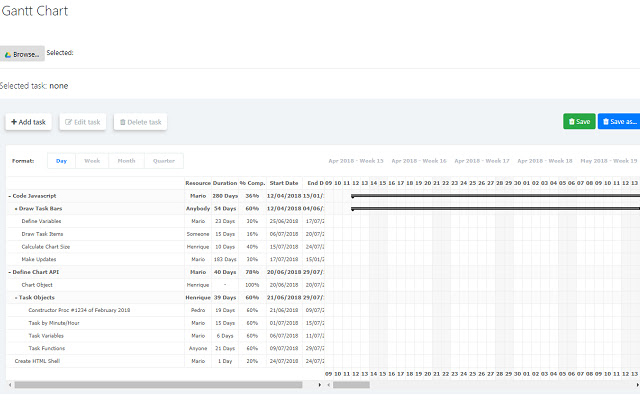
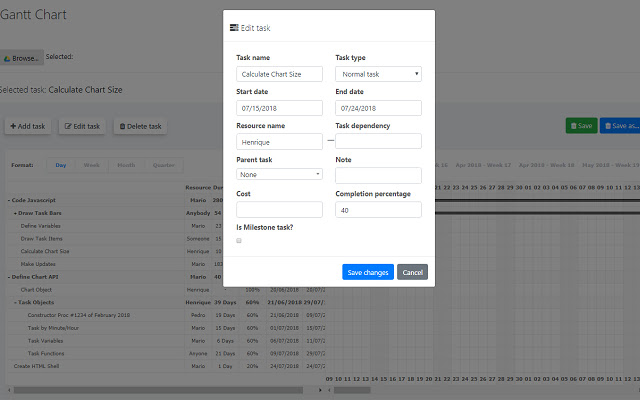
Download het CRX-bestand van de extensie Free Gantt Chart
Download Free Gantt Chart-extensiebestanden in crx-indeling, installeer Chrome-extensies handmatig in de browser of deel de crx-bestanden met vrienden om Chrome-extensies eenvoudig te installeren.
Instructies voor het Gebruik van de Extensie
Free Online Gantt Chart that helps you organize your work with support from Google Drive storage. Just install this app from the GSuite Marketplace to your account and start using right away. Create you Gantt chart now! Basisinformatie over de Extensie
| Naam |  Free Gantt Chart Free Gantt Chart |
| ID | ckdpenmcglmmhdjmjjfeccafbbghiifp |
| Officiële URL | https://chrome.google.com/webstore/detail/free-gantt-chart/ckdpenmcglmmhdjmjjfeccafbbghiifp |
| Beschrijving | Create professional Gantt Chart to manage your work task for free. |
| Bestandsgrootte | 293 KB |
| Aantal Installaties | 1,000 |
| Huidige Versie | 1.0 |
| Laatst Bijgewerkt | 2019-03-11 |
| Publicatiedatum | 2019-03-11 |
| Beoordeling | 3.33/5 Totaal 3 Beoordelingen |
| Ontwikkelaar | https://gantt.freebusinessapps.net |
| Betalingswijze | free |
| Extensiewebsite | https://gantt.freebusinessapps.net/ |
| Ondersteunde Talen | en |
| manifest.json | |
{
    "update_url": "https:\/\/clients2.google.com\/service\/update2\/crx",
    "name": "Free Gantt Chart",
    "version": "1.0",
    "manifest_version": 2,
    "description": "Create professional Gantt Chart to manage your work task for free.",
    "container": [
        "GOOGLE_DRIVE",
        "DOMAIN_INSTALLABLE"
    ],
    "api_console_project_id": "429665447038",
    "gdrive_mime_types": {
        "http:\/\/drive.google.com\/intents\/opendrivedoc": [
            {
                "type": [
                    "application\/x-shockwave-flash"
                ],
                "href": "https:\/\/gantt.freebusinessapps.net\/gantt-chart",
                "title": "Open",
                "disposition": "window"
            }
        ]
    },
    "icons": {
        "512": "logo_512.png",
        "256": "logo_256.png",
        "128": "logo_128.png",
        "96": "logo_96.png",
        "64": "logo_64.png",
        "48": "logo_48.png",
        "32": "logo_32.png",
        "16": "logo_16.png"
    },
    "browser_action": {
        "default_icon": {
            "512": "logo_512.png",
            "256": "logo_256.png",
            "128": "logo_128.png",
            "96": "logo_96.png",
            "64": "logo_64.png",
            "48": "logo_48.png",
            "32": "logo_32.png",
            "16": "logo_16.png"
        }
    },
    "background": {
        "scripts": [
            "launch.js"
        ]
    }
} | |