Chromebook Simulator
This extension one-click resizes your window to the typical size of a fullscreen Chromebook. It is very simple.
Wat is Chromebook Simulator?
Chromebook Simulator is een Chrome-extensie ontwikkeld door Andrew Sutherland, en de belangrijkste functie is "This extension one-click resizes your window to the typical size of a fullscreen Chromebook. It is very simple.".
Extensie Screenshots
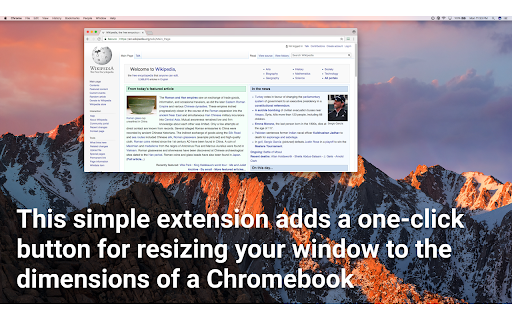
Download het CRX-bestand van de extensie Chromebook Simulator
Download Chromebook Simulator-extensiebestanden in crx-indeling, installeer Chrome-extensies handmatig in de browser of deel de crx-bestanden met vrienden om Chrome-extensies eenvoudig te installeren.
Instructies voor het Gebruik van de Extensie
                        This is useful if you're a developer working on an educational technology product that is frequently used by users who have Chromebooks, but you have a larger monitor than a Chromebook.

Features
- No permissions required. No overhead
- One-click instant resize; nothing fancier than that!

Notes:
Typical Chromebook resolution is 1366x768, though we shave 48 pixels from the bottom because Chromebooks reserve the bottom 48px for the application bar.
Basisinformatie over de Extensie
| Naam |  Chromebook Simulator Chromebook Simulator |
| ID | cmdpfacmlgednonhndniedecknojeaeb |
| Officiële URL | https://chromewebstore.google.com/detail/chromebook-simulator/cmdpfacmlgednonhndniedecknojeaeb |
| Beschrijving | This extension one-click resizes your window to the typical size of a fullscreen Chromebook. It is very simple. |
| Bestandsgrootte | 9.5 KB |
| Aantal Installaties | 3,148 |
| Huidige Versie | 1.0 |
| Laatst Bijgewerkt | 2017-04-18 |
| Publicatiedatum | 2017-04-18 |
| Beoordeling | 2.69/5 Totaal 16 Beoordelingen |
| Ontwikkelaar | Andrew Sutherland |
| Betalingswijze | free |
| Extensiewebsite | https://github.com/asuth/chromebook-simulator |
| Ondersteunde Talen | en |
| manifest.json | |
{
    "update_url": "https:\/\/clients2.google.com\/service\/update2\/crx",
    "manifest_version": 2,
    "name": "Chromebook Simulator",
    "description": "This extension one-click resizes your window to the typical size of a fullscreen Chromebook. It is very simple.",
    "version": "1.0",
    "author": "Andrew Sutherland",
    "background": {
        "scripts": [
            "background.js"
        ],
        "persistent": false
    },
    "browser_action": {
        "default_icon": {
            "16": "icon16.png",
            "24": "icon24.png",
            "32": "icon32.png"
        }
    },
    "permissions": [
        "activeTab"
    ]
} | |