eHarmony Chrome Extension
Clock In/Out from chrome extension
Wat is eHarmony Chrome Extension?
eHarmony Chrome Extension is een Chrome-extensie ontwikkeld door erez, en de belangrijkste functie is "Clock In/Out from chrome extension".
Extensie Screenshots


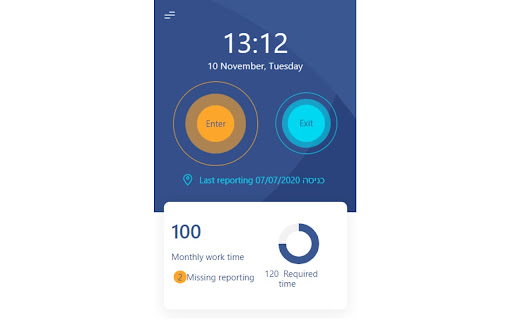
Download het CRX-bestand van de extensie eHarmony Chrome Extension
Download eHarmony Chrome Extension-extensiebestanden in crx-indeling, installeer Chrome-extensies handmatig in de browser of deel de crx-bestanden met vrienden om Chrome-extensies eenvoudig te installeren.
Instructies voor het Gebruik van de Extensie
                        This extension for users of the application called E-Harmony.
E-harmony is used by companies. Once the employee comes to work, he/she should clock in, so the manager can see that he/she is in the office. The same situation happens when the employee is going out of office. (she/he should clock out).
Based on this clock ins/clocks out the application generates various reports for managers.
Currently clock in/clock out is done within 4-5 steps:
* user needs to login to the application
* user needs to go specific page
* user needs to filter grid to choose current date row
* user needs to clock in
* user needs to save

That is why we came up with chrome extension, it makes life of employees easier. We hope, we have achieved this goal.
Basisinformatie over de Extensie
| Naam |  eHarmony Chrome Extension eHarmony Chrome Extension |
| ID | dhhiangfpdoigoljilnibodicldceood |
| Officiële URL | https://chromewebstore.google.com/detail/eharmony-chrome-extension/dhhiangfpdoigoljilnibodicldceood |
| Beschrijving | Clock In/Out from chrome extension |
| Bestandsgrootte | 261 KB |
| Aantal Installaties | 37 |
| Huidige Versie | 1.3 |
| Laatst Bijgewerkt | 2021-01-15 |
| Publicatiedatum | 2020-11-14 |
| Ontwikkelaar | erez |
| [email protected] | |
| Betalingswijze | free |
| Ondersteunde Talen | iw |
| manifest.json | |
{
"update_url": "https:\/\/clients2.google.com\/service\/update2\/crx",
"name": "eHarmony Chrome Extension",
"version": "1.3",
"description": "Clock In\/Out from chrome extension",
"permissions": [
"declarativeContent",
"storage",
"http:\/\/*\/",
"https:\/\/*\/",
"alarms",
"activeTab"
],
"options_page": "src\/settings.html",
"background": {
"scripts": [
"background.js"
],
"persistent": false
},
"browser_action": {
"default_icon": {
"16": "src\/images\/icons25.png",
"32": "src\/images\/icons25.png",
"48": "src\/images\/icons25.png",
"128": "src\/images\/icons25.png"
}
},
"icons": {
"16": "src\/images\/icons25.png",
"32": "src\/images\/icons25.png",
"48": "src\/images\/icons25.png",
"128": "src\/images\/icons25.png"
},
"manifest_version": 2,
"content_scripts": [
{
"matches": [
" | |