Smart Forms
Preencher formulários automaticamente
Wat is Smart Forms?
Smart Forms is een Chrome-extensie ontwikkeld door https://digitudo.com.br, en de belangrijkste functie is "Preencher formulários automaticamente".
Extensie Screenshots
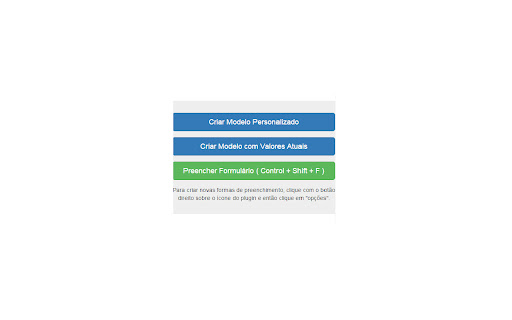


Download het CRX-bestand van de extensie Smart Forms
Download Smart Forms-extensiebestanden in crx-indeling, installeer Chrome-extensies handmatig in de browser of deel de crx-bestanden met vrienden om Chrome-extensies eenvoudig te installeren.
Instructies voor het Gebruik van de Extensie
                        Uma extensão que vai revolucionar a forma como você preenche seus formulários. Permite preencher campos com tipos predefinidos que incluem: CPF, Telefone, data, e-mail, website, etc. O usuário pode criar seus próprios templates de preenchimento e salvar formulários para posterior utilização.
Muito útil para quem trabalha com testes ou precisa preencher um mesmo formulário várias vezes.
Basisinformatie over de Extensie
| Naam |  Smart Forms Smart Forms |
| ID | eaebgmabhiphdogbmhcmdeioijehfaph |
| Officiële URL | https://chromewebstore.google.com/detail/smart-forms/eaebgmabhiphdogbmhcmdeioijehfaph |
| Beschrijving | Preencher formulários automaticamente |
| Bestandsgrootte | 553 KB |
| Aantal Installaties | 1,515 |
| Huidige Versie | 0.0.1.0 |
| Laatst Bijgewerkt | 2016-05-11 |
| Publicatiedatum | 2016-05-11 |
| Beoordeling | 3.90/5 Totaal 10 Beoordelingen |
| Ontwikkelaar | https://digitudo.com.br |
| [email protected] | |
| Betalingswijze | free |
| Help Pagina-URL | http://www.digitudo.com.br/smart-forms |
| Ondersteunde Talen | pt-BR |
| manifest.json | |
{
"update_url": "https:\/\/clients2.google.com\/service\/update2\/crx",
"name": "Smart Forms",
"short_name": "Smart Forms",
"version": "0.0.1.0",
"description": "Preencher formul\u00e1rios automaticamente",
"permissions": [
"activeTab"
],
"background": {
"scripts": [
"background.js"
]
},
"browser_action": {
"default_title": "Smart Forms",
"default_icon": "images\/icon-128.png",
"default_popup": "popup.html"
},
"icons": {
"128": "images\/icon-128.png",
"16": "images\/icon-16.png",
"48": "images\/icon-48.png"
},
"options_page": "pages\/options.html",
"content_scripts": [
{
"matches": [
" | |